While waiting for someone to help, I’ve decided to delete all libraries that have TV Shows as their selection for media type. Deleted, Emptied Trash, Cleaned bundles, optimized dB (in that order).
After this, I did the steps to recover a bad database with PRAGMA, VACUUM and REINDEX.
For now, I Only rebuilt the DVR with the ‘mark files for commercial detection’. That way it would have plenty of time to build the Live TV database with guides and such.
Because there are lots of old shows in that folder that I don’t want to delete, I’m moving them over to the NAS. Hopefully this will help lessen the initial load when I add the library.
After they are done moving, I’ll add a new library.
This would be a good time to tell me any settings that I need to put on the library other than ‘Commercial detection for all videos’
Thanks for the time and ideas.
That should be all that is needed after setting your DVR up with appropriate default ad detection settings (Detect Commercials = Detect commercials and mark for skip).
After setting all that up, you can start an Analyze on your entire library if you want to kick it off for everything. However, I’d suggest starting an analysis on a single item just to see how it behaves.
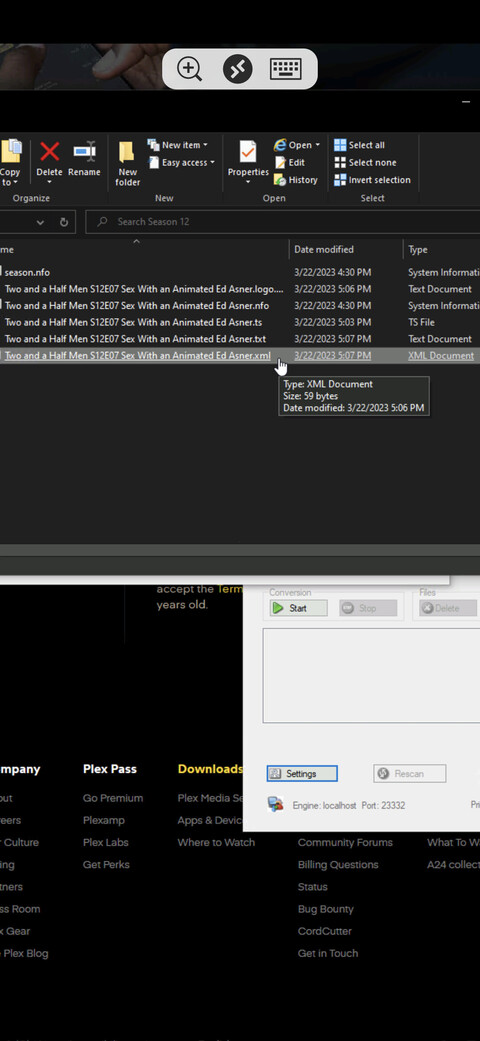
There is some confusion going on in this thread. When Comskip runs, it does create an xml file. PMS then takes this info and adds it to the Plex database. This XML files is then ignored. Only what is in the database is important. The XML info is different from the XML file that comskip generated. This is a Plex generated XML and has info on what is in the database. Plex clients do not access the database directly, they request this xml from your server.
When Plex’s DVR runs, it saves the video into a .grab folder. If you’ve enabled the ad detection, the comskip XML will also appear in here. Once done, the video file is moved out of the .grab folder and everything else is deleted. If you see an xml file along side your video file, that was not created by Plex. Do you have a custom script that runs comskip manually? If so, this info will not get incorporated into Plex.
I don’t have any other scripts in my system that use xml files. I use something else with .EDL files and haven’t used XML files since long ago on a different machine with DVRMS-TOOLBOX.
100% sure they were coming from Plex.
Now, there is a chance that my comskip.ini for Plex Commercial Scanner might be doing something in error. Do you have a copy of a stock comskip.ini?
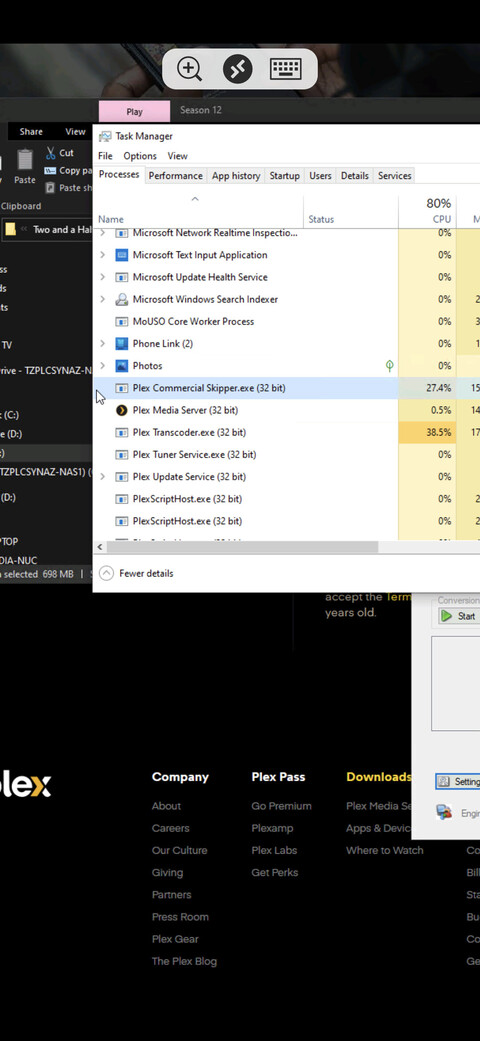
Did you try enabling commercial detection for all items for the library and then analyzing an item yet to see if it behaves differently now? If detection starts, you should Plex Commercial Skipper in your process list. You can tell when it’s completed by the process exiting. After that, use the previous steps I provided to see if commercial markers have been added for that item.
Oh sorry. The file generated by Comskip is EDL, not XML. Plex does not place any files next to your video file. Something else is doing this. Plex’s XML file is not even saved to disc. It is autogenerated when needed.
Anyone got a copy of a stock comskip.ini file?
Here you go.
comskip.txt (6.1 KB)
Change the extension back to .ini, obviously.
It’s making an XML file. MCEBuddy is completely paused right now.
Let it finish; all those files should be deleted afterward.
It didn’t delete the XML but that was with the old ini file. Recording something else to test with the stock ini you gave me.
I know there are lines of on the comskip.ini file that says to create .XML and what to do with it after it’s done with the scan.
Hopefully this will help.
Unfortunately, none of this has worked.
After a recording, it moved it to it’s folder and did the commercial scan, 3 commercials found, it didn’t delete the XML. Get info has no markers in the database.
No EDL file is used during the scan with the stock comskip.ini file.
I can see there is a much deeper issue with this, hopefully a developer can step in here soon.
What kind of logging do you want me to turn on to record the next show?
They’ll require the full set of Plex server logs. Ensure you have Debug logging enabled but Verbose logging disable to start with. When you supply them, ensure you provide the name of the item being recorded and the approximate time.
It sounds like… com skip is running as a third party service, not integrated in with Plex itself. The show/movie first records and appears in the .grab folder. Then, it does comm-skip in THIS folder, creating an xml file. Once that finishes, the movie/show is relocated to its final place, the xml in the .grab folder is deleted, and the commercials are entered into the Plex DB.
But if you have your OWN secondary program that runs (MCEBuddy) that looks for newly added files, then downloads metadata and performs commskip, Plex is not involved in this process, and will not absorb into its database third party com-skip files that are just sitting next to the movie.
Is this what is happening?
Thankfully, no. MCEBuddy has been disabled for the last 2 days while I’ve been trying to figure out what’s wrong with Plex.
I have the logs ready to PM whomever can read them and give me a solution.
If you’d like, I can have a look at them. I can’t guarantee a solution, but they should at least provide some additional clues as to what’s going on.
If so, PM them to me and I’ll try to have a look later tonight or in the. morning. If not, perhaps @anon18523487 can provide further guidance (or also have a look).
Plex’s DVR does not make those files. Please provide the logs.
Unfortunately the server logs you provided still have Verbose logging enabled. They therefore do not cover the timeframe you specified. Verbose logging dumps a lot of (largely useless for most issues) information to the logs which causes them to roll very quickly. Yours cover a period of roughly two hours starting at 22:49.
Please disable Verbose logging under Settings → [Server Name] → General and restart Plex Media Server to make the change take effect. Then perform another recording, wait for commercial skipping to complete, and collect and PM me the resulting logs. Thanks.
Things get weirder by the moment.
My NAS Recorded TV library all the sudden had folders I deleted off it YEARS ago, they all the sudden decided to show up now, the same day I deleted the Recorded TV library off my HTPC.
I think I know the answer to this and it’s dreadful to even think about… Wipe Plex off my network, entirely, sign up with a new username and start all over again.