I’ve tried here tonight on the Shield and I’m not able to reproduce the problem so far.
It seemed to play with the subs positioned fine the first time, but replays after that caused the subtitle offset issue. It would stay that way for the entire clip (which that test clip is only two minutes long). It didn’t really matter if I was playing from the beginning or resuming it.
I’ve also not been able to reproduce that issue on the Shield here tonight with any files. I did see the oversize and offset subs issues once on it a few nights back, just watching a show. But that was an earlier app build and it was only the very first line of subtitles at the start of the show, it was fine after that. I tried backing up to replay it at the time to get a picture but it didn’t happen again.
Speaking of oversize subs, it’s time for “Issues I Noticed Years Ago, and Never Reported”…
There is a setting for subtitle size on the Plex app, which I like because I find the default display size of SRT subs to be a little small on some smaller screens. But I don’t use that feature, because when I have it set it also changes the size of ASS subtitles (which are a fine size to start with). There is a secondary setting to “Override included subtitle styling” - but that does not work as designed since ASS subs are styled and even when it’s off the size change is still applied.
Subtitle size left on “Normal” Size:
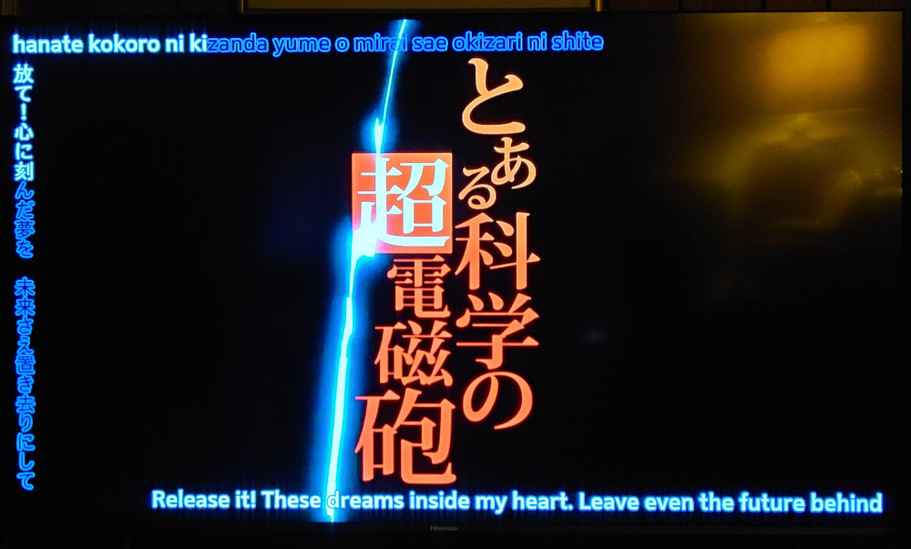
After changing subtitle size to “Huge” (but with the override still off):

(that’s the Railgun test file I posted earlier, playing on the Shield Pro – transcoding automatically since it’s 10-bit).
Now that we can direct-play ASS subs, the issue is the opposite.
Even when you have the “Override included subtitle styling” set to on ASS subs play at their originally-scripted size and are not changed.
