I’ve tried here tonight on the Shield and I’m not able to reproduce the problem so far.
It seemed to play with the subs positioned fine the first time, but replays after that caused the subtitle offset issue. It would stay that way for the entire clip (which that test clip is only two minutes long). It didn’t really matter if I was playing from the beginning or resuming it.
I’ve also not been able to reproduce that issue on the Shield here tonight with any files. I did see the oversize and offset subs issues once on it a few nights back, just watching a show. But that was an earlier app build and it was only the very first line of subtitles at the start of the show, it was fine after that. I tried backing up to replay it at the time to get a picture but it didn’t happen again.
Speaking of oversize subs, it’s time for “Issues I Noticed Years Ago, and Never Reported”…
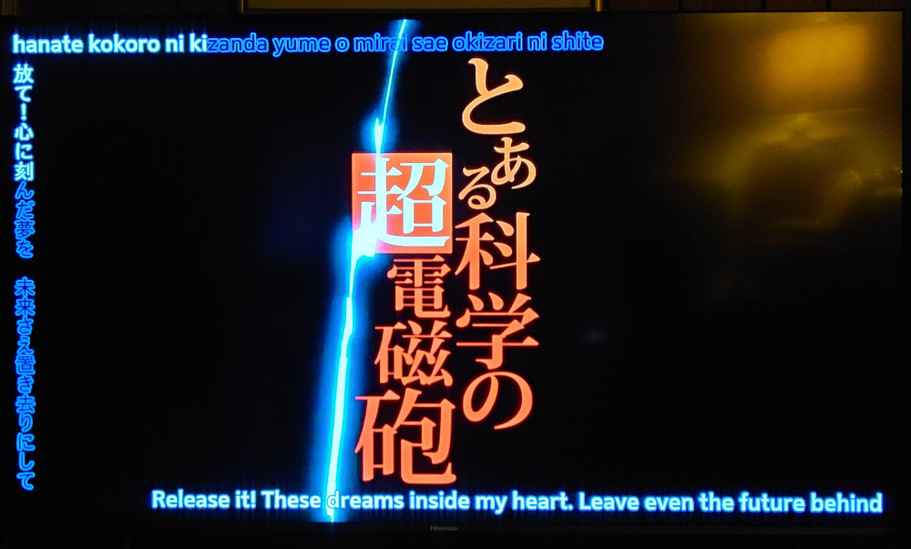
There is a setting for subtitle size on the Plex app, which I like because I find the default display size of SRT subs to be a little small on some smaller screens. But I don’t use that feature, because when I have it set it also changes the size of ASS subtitles (which are a fine size to start with). There is a secondary setting to “Override included subtitle styling” - but that does not work as designed since ASS subs are styled and even when it’s off the size change is still applied.
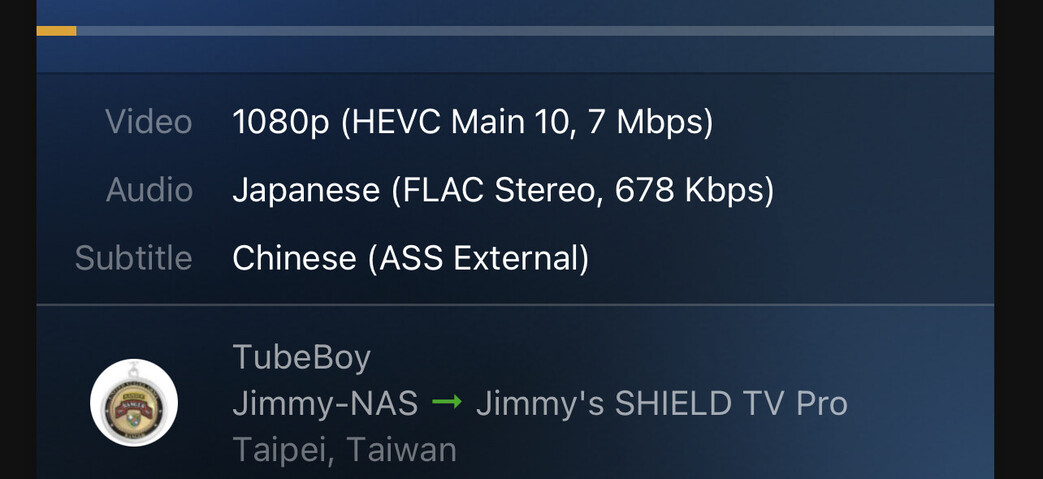
(that’s the Railgun test file I posted earlier, playing on the Shield Pro – transcoding automatically since it’s 10-bit).
Now that we can direct-play ASS subs, the issue is the opposite.
Even when you have the “Override included subtitle styling” set to on ASS subs play at their originally-scripted size and are not changed.
I didn’t have a workaround, though.
It’s just an intermittent bug they are still looking at. The override is for the sizing preference and doesn’t do anything on direct play, even when turned on.
Still looking into an issue where external subtitles won’t load and end up falling back to transcoding. Also looking into the issue where the subtitles can be offset at times, but haven’t been able to replicate this just yet.
This is unlikely to change how external ASS subtitles load, the issue loading them however is pretty random, most of the time it works and sometimes it won’t.
Hello. It happens for me in one show when i use autoplay or when i just quickly switch between episodes. Sometimes it uses direct play, sometimes transcode. Here log when direct play fails. directplay_fail.txt (64.8 KB)
If Google, it should be available in ~24 hours. Plex does a staged rollout, and it can take a day or two to propagate everywhere. My Shield updated yesterday evening (US Central time zone).
If Amazon, it may take several days to become available. Amazon app approval process is slower than Google’s.
You can sideload if desired. Search on the Internet for “Sideload Android” or similar terms. The process is straightforward. I’ve used the Downloader app to sideload on a FireStick (no need for USB sticks/cables/debugging software on a PC,etc).
Note that sideloaded apps cannot be updated via the app store. To resume normal updates, delete the sideloaded version and re-install the app store version.
I am glad to see that the player is finally supporting ASS. However, I noticed that when the “ScaledBorderAndShadow” parameter is not set in the subtitle file, then the player sets it to “no” by default, unlike MPV, for example, which sets it to “yes”.
You can see the difference in the rendering when this parameter is set to “yes” or “no” here → unknown | Slowpoke Pics
So if we could change this default behavior to something similar to MPV, that would be great (The setting is on “yes” by default).
So now that SSA/ASS is pretty functional in the stable build the only thing missing is an advanced “secret” option for software playback of Hi10P on capable devices.
Are you up for the challenge of implementing it @sixones ?
NVIDIA SHIELD Pro 2019 - Latest beta version (Play Store) and the last build provided here in the thread:
Subtitles appear and disappear slightly more delayed than intended.
Example when watching on SHIELD: https://streamable.com/tdz2u6
Results are fine when transcoding and watching on the SHIELD.
I can confirm this issue. Subtitles seem to be delayed roughly 2 or more frames at 24 fps on the Shield Pro 2019, so they are showing up late and leaving late. This isn’t too obvious during dialog, but it’s pretty clear for on-screen text.
I also tried it on my phone (Pixel 6 Pro) and the issue seems to exist there, but it’s less obvious. Maybe because of the phone’s greater processing power over the shield or maybe because my phone is displaying at 120Hz vs 24Hz on the shield (refresh rate switching)?
I tested it out on my Shield with refresh rate switching on vs off, and the issue was much more obvious at 24Hz vs 60hz despite the fact that the content is always 24fps. I don’t know much about how subs are displayed, but should the subs be displaying at the display’s refresh rate, or should they be staying in sync with the video’s fps?