I’d also be interested in getting the file to try it out if anyone has it
Which one do you want? I have version 9.7.0.34062 for both GooglePlay and Amazon and only version 9.7.0.34182 for Amazon.
The 9.7.0.34062 for google play would be wonderful!
Check PM.
if u could also send me the file for google play i would appreciate it!
Check PM
Could also use that link if you don’t mind!
Wtf, why are the links already offline? Can someone send me the newest GooglePlay and Amazon versions?
He’s been posting new builds every time he makes fixes, so just wait for the new build. I don’t know why you guys want the broken versions, it doesn’t help you, and it doesn’t help him if you just start reporting bugs he’s already fixed but hasn’t posted a release for yet.
this build is working pretty well with my media. i just needed to be able to watch from my phone. of course once the new build comes out I’ll assist with testing however i can
Latest build, includes support for Fire TV 4K devices that had issues before, improvements for subtitles disappearing and improvements for scaling on NVIDIA SHIELD devices.
Will hopefully have a new build later that fixes the issue where subtitles won’t appear on the next episode / next video in a playqueue.
Still looking into:
- External ASS subtitles not working.
- ASS subtitles randomly disappearing on some videos (doesn’t impact all videos).
Sorry the links expire quite quickly as my changes land into the next release, it does mean though that all this will be available inside the next major beta which will be version v9.7.
Hey sixones!
The new PMS beta 1.28.1 lists:
(Transcoder) Improved subtitle burning compatibility and performance
Is this the newer version of libass you were referring to?
On the latest build, I do have issues as noted previously with scaling options. Some videos work better with letterbox, others with stretch, but will mess up the positioning and size. Additionally, as previously comments have noted, some typesetting will stutter or will not move smoothly, as well as appear a bit late or disappear a bit late, causing some typesetting to momentarily bleed into the next scene.
First screenshot is stretched view. Second is letterbox view. Both of them don’t have the correct typesetting positioning, but have separate issues.
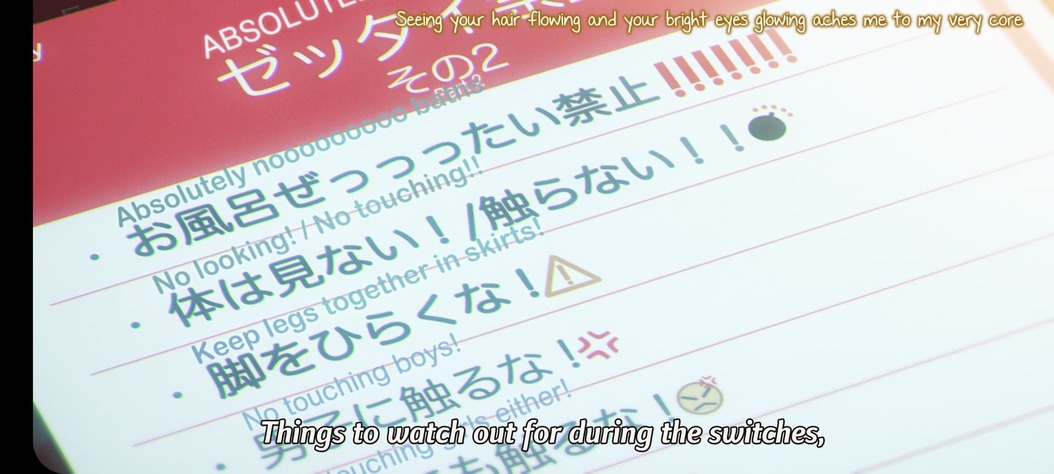

Correct typesetting when using burned in subtitles from Plex Transcoder

Playing with a Galaxy S21 Ultra.
@sixones The latest beta 1.28.1 fixed the issue I posted about earlier with the subtitles appearing differently when they were being burned in vs when they were direct playing. Thanks!
I did some testing on Firestick 4K(1st Gen). The issues I have found are mentioned below.
- Subtitle of 1080p upscaled (1440x1080) videos (Naruto, Slam Dunk) are sifted to the right side.

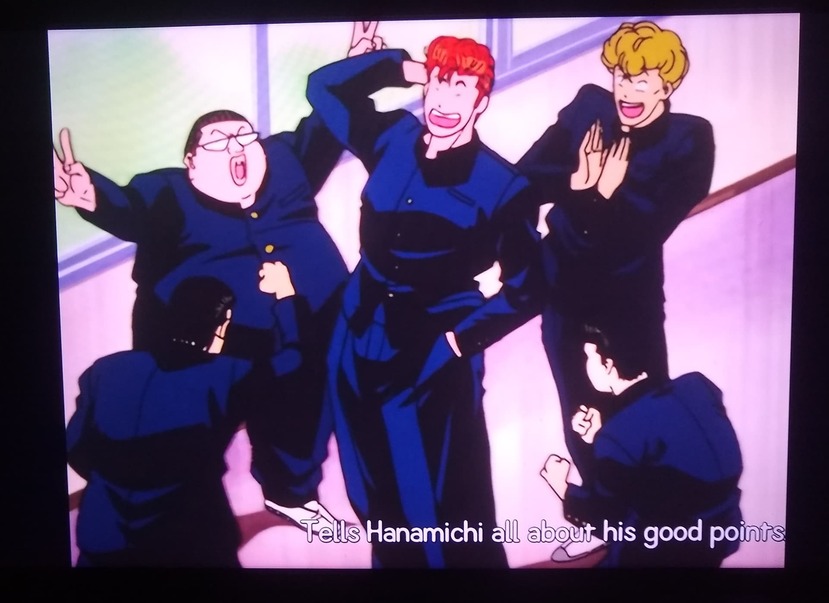
On 1080p videos, subtitles are working fine.
- If I skip an episode(1080p Upscaled and 1080p both), there is no subtitle in the next episode. Restarting the episode fixes the issue.
logging.txt (2.5 MB)
Amazing. Completely fixed the issues for my 4K TV firestick and now the SSA subtitles work. Amazing work @sixones
I guess I should start mentioning anything I see that’s wrong at this point.  I was more focused on core playback and stability but honestly that is pretty good.
For awhile now I have noticed that the episode cards will mistakenly get the “generic title card text” superimposed on top of the episode thumbnail. This doesn’t happen when you first open the app and view a series, but it shows up if you finish an episode and then hit back to return to the series listings. Like here where I watched episode 3 tonight and then returned to the series page:
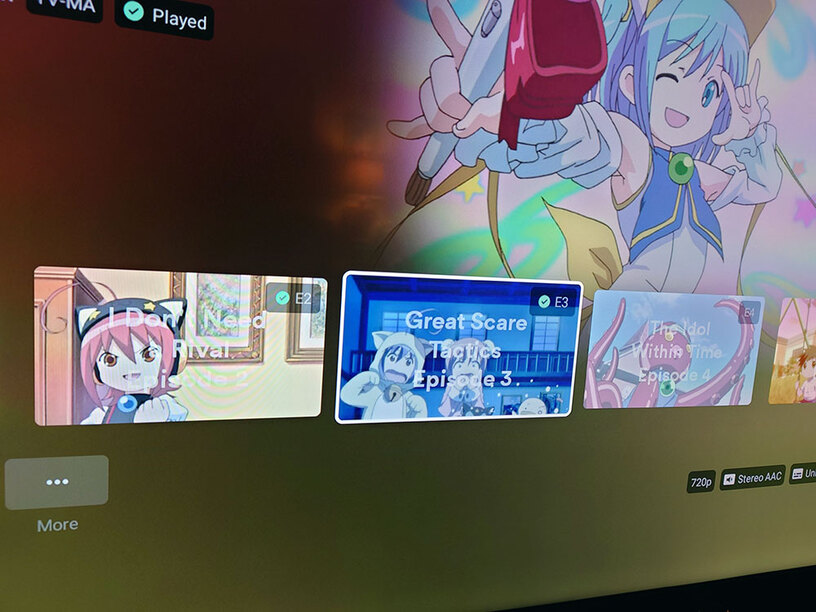
You can see the episode titles are now printed on top of the images.
It also happens if you stop playback and back up to the series page, like I did here:

Next beta (will be deployed tomorrow), will include a fix for this.
This sadly is definitely an issue and wont be fixed when ASS subtitles come out, it will be fixed in a future release though. It needs a lot more work in order for me to render ASS subtitles at the exact moment the video frame is rendered, which is tricky to achieve with ExoPlayer. Once ASS is released and its working smoothly without random bugs, then I will hopefully get the time to figure this out.
This is happening because the video you are using is relying on a system font (most likely Arial) which we arent allowed to ship due to licensing issues, its also not present in the Android OS. Depending on your device manufacturer you can add fonts yourself to the system.
Yeap, we have figured out the issues that were blocking us from updating. The latest build in this thread includes the latest libass as well which has resolved a few performance issues.
Will hopefully share a build tomorrow with a fix for this.
So, are we going to be getting some sort of setting that allows us to disable direct play of 10-bit h264 now for Fire Stick devices?
I just installed the latest build on my Fire Stick 4K and found that everything looks fine with ASS subs now on 8-bit H264, HEVC, and also that one sample I posted earlier. But this is from a very, very small number of Hi10P files that do play back properly. Generally, 10-bit does not work.
I have still been able to use my device for playback despite this though, since the ASS subtitles were causing a transcode to be triggered on server before (or I could use Kodi to play them back software-decoded, as long as the files weren’t too heavy). But now that ASS subs are being rendered by the client all those series are no longer watchable on the Plex client.
