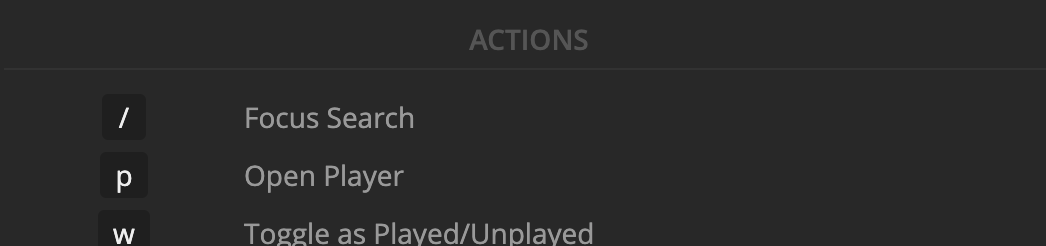
There is a key to “Open Player”, P — but it doesn’t seem to do anything. Additionally, Esc is supposed to close modals and such, but it has no effect on the player either.
Is this a bug? Or is there simply no way to open or minimize the player with the keyboard when listening to music or watching a video?
Server Version#: 1.24.3.5033
Player Version#: 4.67.1
It’s working for me… clicking p will trigger the playback of a movie if you’re on that movie’s detail / pre-play screen. The hotkey is not intended to open the full-screen player while you’re seeing the mini-player.
I experienced that when testing, yes — this behavior is listed in this help article for PMP (along with a different function during playback, “Toggle pause”), but if you press ? in the web app, the Keyboard Shortcuts modal says the p key is used for “Open player” (and in fact, doesn’t list the command we are seeing it perform!):
Also, not sure if my earlier message was unclear, but I’ll clarify just in case: I’m not trying to enter full-screen mode, I’m trying to expand the player to fill the browser window (like it does when you press the ^ button at the left of the bar).