I do notice - but it was in the original as well - just not as pronounced…dark areas seem to have pixelized shadows (best way I can describe it). But if I am not mistaken it was in the BR when it played as well.
You copy and paste to the message, highlight and select ‘Pre-Formatted Text’ from the message options.
Make the changes I noted above:
Use NO Anamorphic for HD material. Ever. Under no circumstances.
Do the Turbo First Pass. Tick that box next to Average bit rate and set it to 2650kbps <—if ur gonna use HEVC - let’s use it.
Select AC3 Passthrough.
Does the audio sound OK?
If so - pass it through.
If not - Handbrake ain’t the thing you want fixing it - pass it through we’ll work on it later.
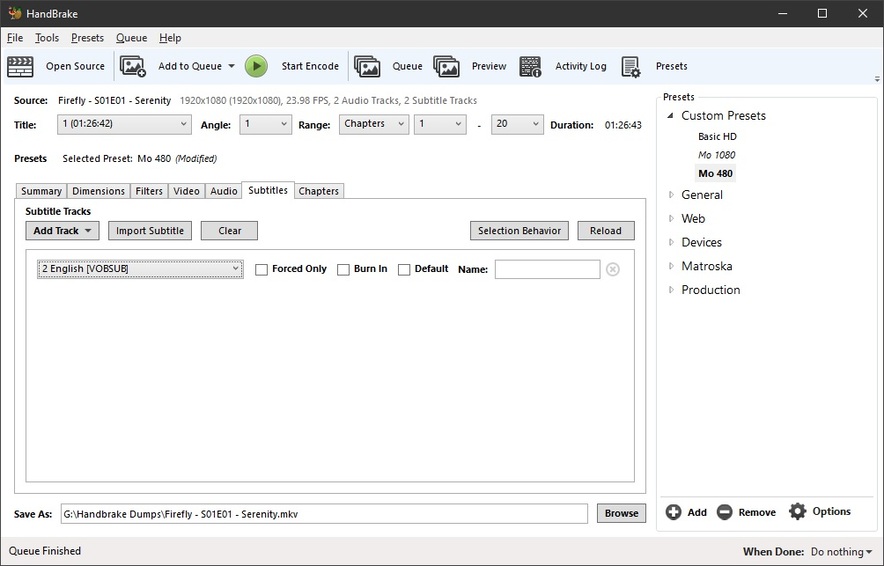
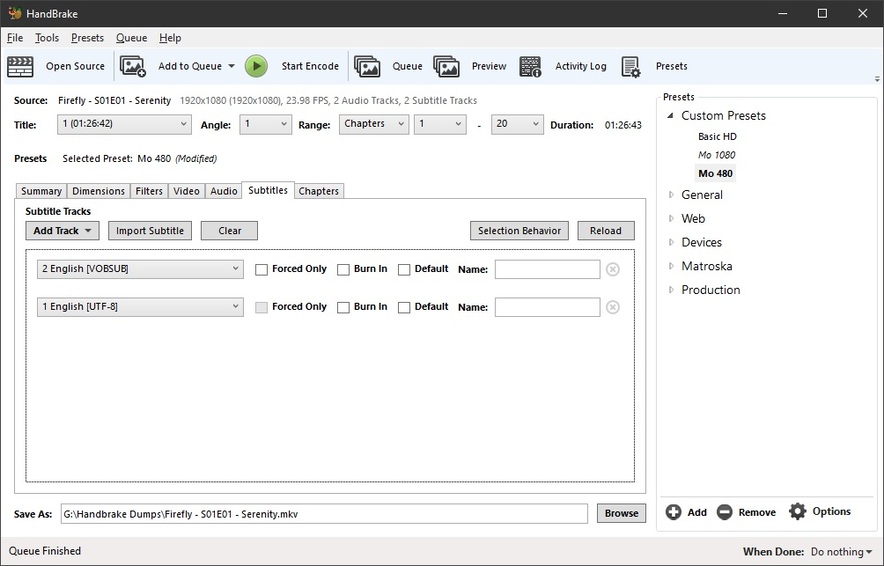
Add the sub track and don’t do anything else - it’ll be copied to the output file.
UTF-8 Text Subs will be turned into UTF-8 ASS subs.
Image based subs should just copy through as is. <— I have no idea.
Make another 240 Preview and take a look.
Here’s the info on the original.
There’s plenty of it - that won’t be a problem, but the raw disk rip would be optimal. <— if it is the raw rip - that’s optimal! lol
General
Unique ID                                : 220708987981352875791662641731202514886 (0xA60B0140CA464B7A19BE953E1488FFC6)
Complete name                            : E:\MOVIES\12 Years a Slave (2013)\12 Years a Slave (2013).mkv
Format                                   : Matroska
Format version                           : Version 2
File size                                : 14.9 GiB
Duration                                 : 2 h 14 min
Overall bit rate                         : 15.9 Mb/s
Encoded date                             : UTC
Writing application                      : HandBrake 0.10.2 2015060900
Writing library                          : Lavf55.12.0

Video
ID                                       : 1
Format                                   : AVC
Format/Info                              : Advanced Video Codec
Format profile                           : High@L4.1
Format settings                          : CABAC / 3 Ref Frames
Format settings, CABAC                   : Yes
Format settings, Reference frames        : 3 frames
Format settings, GOP                     : M=3, N=24
Codec ID                                 : V_MPEG4/ISO/AVC
Duration                                 : 2 h 14 min
Bit rate                                 : 15.0 Mb/s
Width                                    : 1 920 pixels
Height                                   : 1 080 pixels
Display aspect ratio                     : 16:9
Frame rate mode                          : Constant
Frame rate                               : 23.976 (24000/1001) FPS
Color space                              : YUV
Chroma subsampling                       : 4:2:0
Bit depth                                : 8 bits
Scan type                                : Progressive
Bits/(Pixel*Frame)                       : 0.301
Stream size                              : 14.0 GiB (94%)
Default                                  : Yes
Forced                                   : No
Color range                              : Limited
Color primaries                          : BT.709
Transfer characteristics                 : BT.709
Matrix coefficients                      : BT.709

Audio
ID                                       : 2
Format                                   : AC-3
Format/Info                              : Audio Coding 3
Commercial name                          : Dolby Digital
Codec ID                                 : A_AC3
Duration                                 : 2 h 14 min
Bit rate mode                            : Constant
Bit rate                                 : 640 kb/s
Channel(s)                               : 6 channels
Channel layout                           : L R C LFE Ls Rs
Sampling rate                            : 48.0 kHz
Frame rate                               : 31.250 FPS (1536 SPF)
Compression mode                         : Lossy
Delay relative to video                  : -5 ms
Stream size                              : 614 MiB (4%)
Title                                    : Surround
Language                                 : English
Service kind                             : Complete Main
Default                                  : Yes
Forced                                   : No

Text
ID                                       : 3
Format                                   : PGS
Codec ID                                 : S_HDMV/PGS
Codec ID/Info                            : Picture based subtitle format used on BDs/HD-DVDs
Language                                 : English
Default                                  : No
Forced                                   : No

Menu
00:00:00.000                             : :Chapter 1
00:06:02.922                             : :Chapter 2
00:10:13.589                             : :Chapter 3
00:12:58.837                             : :Chapter 4
00:16:24.709                             : :Chapter 5
00:19:18.925                             : :Chapter 6
00:25:01.768                             : :Chapter 7
00:27:48.517                             : :Chapter 8
00:32:08.027                             : :Chapter 9
00:36:07.933                             : :Chapter 10
00:39:39.186                             : :Chapter 11
00:45:16.773                             : :Chapter 12
00:47:36.204                             : :Chapter 13
00:52:27.036                             : :Chapter 14
00:54:34.247                             : :Chapter 15
00:59:34.088                             : :Chapter 16
01:01:47.763                             : :Chapter 17
01:06:04.603                             : :Chapter 18
01:09:55.751                             : :Chapter 19
01:12:48.048                             : :Chapter 20
01:15:27.749                             : :Chapter 21
01:18:31.933                             : :Chapter 22
01:21:08.548                             : :Chapter 23
01:23:46.747                             : :Chapter 24
01:26:26.031                             : :Chapter 25
01:28:18.936                             : :Chapter 26
01:31:22.578                             : :Chapter 27
01:34:10.204                             : :Chapter 28
01:38:14.072                             : :Chapter 29
01:41:50.372                             : :Chapter 30
01:45:18.955                             : :Chapter 31
01:53:09.967                             : :Chapter 32
01:54:46.564                             : :Chapter 33
02:00:22.274                             : :Chapter 34
02:04:07.457                             : :Chapter 35
02:07:25.780                             : :Chapter 36
Made your settings and saved as a preset. just doing 2 chapters (WHICH BTW - I want in my files). Make watching things easier if you just want to get to a certain point… LOL
I did not add the SUBs yet. I set the AUDIO to passthrough AC3.
Most importantly will be what happens when your eyeballs hit the media.
I do want to see the ‘encode’ report.
Note:
As Soon as you can - change the frame rate to Same as Source and make it Variable. Might do something else with rips, but for these we’d better stick with what’s there. <—Mine are always SAS/Variable - for decades without issue.
They won’t do that in an Other Videos Library - they’ll just be called their file name - and won’t add to existing bundles, generally making a nuisance of themselves… at some point.
Create the Other Videos Library. Move everything to it. Scan the movie library. Empty Trash and Clean Bundles.
Now… so it looks pretty good, eh?
Try a few more.
Get some more eyeballs/displays/devices involved.
OK I have watched with the PLEX APP on the SAMSUNG TV and the FIRESTICK APP on the same TV…video plays perfect. Sounds good, looks good - no motion blurring.
Played on the FIRESTICK on the SONY TV - the same as above.
2 questions:
1… I cannot get the time to change on the SONY FIRESTICK APP…all others it is showing 24 format - which is what I want. Cannot do it on this TV. Ideas?
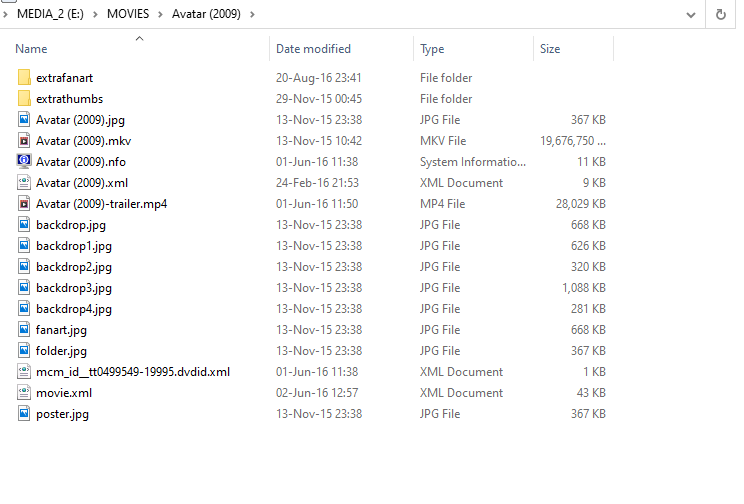
On the old MEDIA SERVER - I had each movie in a folder with other files (see above). Does this help? I think I remember seeing a setting on the initial setup where you can set this (something like - Each movie is in own folder).
THANKS AGAIN FOR YOUR HELP… Know what I am gonna be doing over the nights… lol.
p.s… will let you know how adding the SUBS goes on my next re-code.
The FireTV app is buggy.
The control is in the plex app settings, but it freaks out often and displays a broken icon.
Yes, putting each movie in a unique folder, named exactly like the movie is a good idea. Movies in their own folders that don’t change are excluded from scans - and that’s a good thing.
FileBot and I just finished doing my entire movie library.
I wouldn’t want to do that again - even with Filebot - but it’s otherwise great when scans take a few seconds.
Thanks… I will - once I have re-coded them all - do the folders thing again.
Does PLEX use the additional stuff in the folder (posters, etc) - see image – should I removed the old MEDIA CENTER MASTER (mcm_id_xxxxxxxx) and movie.xml files? or is PLEX gonna download its own stuff?
You don’t need any of that crap. <— in fact, get rid of it all. You don’t want it in your file system. It will ultimately confuse Plex. Delete all but the video file.
Update - I re-coded AVATAR the entire movie last night, using the same settings I did for the 2 chapter re-code. I added the SUBs in as well.
It was ODD, as the file size was smaller than the much shorter 12 YEARS movie. Not that I am complaining mind you.
The SUBs did not get burned in…and it took over 10 hours to re-code.
I have just watched the movie - plays great - not a single hiccup. Sounds great - showing 5.1 Audio too.
The thing I like about re-coding my existing files - which is why I made them all 1920x1024 when I first made them - they fill the screen (no damned black bars).
I appreciate all your input. The SUBs are not required, but I liked having them as an option. Will do some research on extracting them into a file (.SUB or .SRT).
That’s because with HEVC at 2650kbps your video stream ain’t as big, but looks like it is. You could probably go down to 2250kbps, but 2650kbps results in about 1.3G per hour, 2250 would probably go about 1G per hour.
Let’s see the MediaInfo on it.
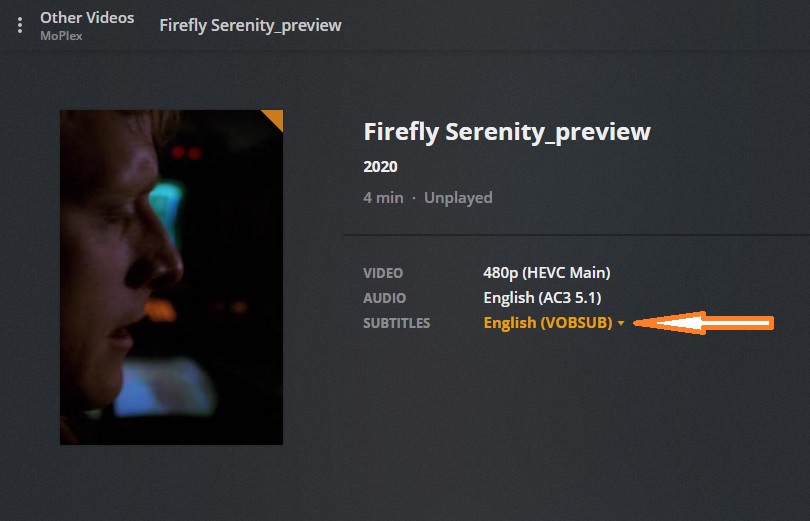
Here’s mine when doing this with some VOB subs:
(add a track - select the correct sub track - check nothing else and VOB/PGS subs will just come along for the ride while UTF Text srt subs are magically transformed into ASS subs with formatting - oh, joy)
If you select ‘Burn In’ - the subtitle track you have loaded will be ‘Burned’ onto the video - permanently - you don’t want that, do you? <—unless they’re the ‘Forced’ Foreign Language Track, then you probably do… maybe.
General
Unique ID                                : 9965519535389911906707387326615013478 (0x77F4A0C2FDCFDB7E3559E8071C84866)
Complete name                            : G:\Handbrake Dumps\Firefly - S01E01 - Serenity_preview.mkv
Format                                   : Matroska
Format version                           : Version 4
File size                                : 41.8 MiB
Duration                                 : 4 min 0 s
Overall bit rate                         : 1 462 kb/s
Encoded date                             : UTC 2020-03-21 16:38:53
Writing application                      : HandBrake 1.3.1 2020010400
Writing library                          : Lavf58.29.100
ErrorDetectionType                       : Per level 1

Video
ID                                       : 1
Format                                   : HEVC
Format/Info                              : High Efficiency Video Coding
Format profile                           : Main@L3@Main
Codec ID                                 : V_MPEGH/ISO/HEVC
Duration                                 : 3 min 59 s
Bit rate                                 : 1 049 kb/s
Width                                    : 720 pixels
Height                                   : 480 pixels
Display aspect ratio                     : 16:9
Frame rate mode                          : Constant
Frame rate                               : 23.976 (24000/1001) FPS
Color space                              : YUV
Chroma subsampling                       : 4:2:0
Bit depth                                : 8 bits
Bits/(Pixel*Frame)                       : 0.127
Stream size                              : 30.0 MiB (72%)
Writing library                          : x265 3.2.1+1-b5c86a64bbbe:[Windows][GCC 9.2.0][64 bit] 8bit+10bit+12bit
Encoding settings                        : cpuid=1064959 / frame-threads=3 / numa-pools=8 / wpp / no-pmode / no-pme / no-psnr / no-ssim / log-level=2 / input-csp=1 / input-res=720x480 / interlace=0 / total-frames=0 / level-idc=0 / high-tier=1 / uhd-bd=0 / ref=3 / no-allow-non-conformance / no-repeat-headers / annexb / no-aud / no-hrd / info / hash=0 / no-temporal-layers / open-gop / min-keyint=24 / keyint=240 / gop-lookahead=0 / bframes=4 / b-adapt=0 / b-pyramid / bframe-bias=0 / rc-lookahead=15 / lookahead-slices=0 / scenecut=40 / radl=0 / no-splice / no-intra-refresh / ctu=64 / min-cu-size=8 / no-rect / no-amp / max-tu-size=32 / tu-inter-depth=1 / tu-intra-depth=1 / limit-tu=0 / rdoq-level=0 / dynamic-rd=0.00 / no-ssim-rd / signhide / no-tskip / nr-intra=0 / nr-inter=0 / no-constrained-intra / strong-intra-smoothing / max-merge=2 / limit-refs=3 / no-limit-modes / me=1 / subme=2 / merange=57 / temporal-mvp / no-hme / weightp / no-weightb / no-analyze-src-pics / deblock=0:0 / sao / no-sao-non-deblock / rd=2 / selective-sao=4 / no-early-skip / rskip / fast-intra / no-tskip-fast / no-cu-lossless / no-b-intra / no-splitrd-skip / rdpenalty=0 / psy-rd=2.00 / psy-rdoq=0.00 / no-rd-refine / no-lossless / cbqpoffs=0 / crqpoffs=0 / rc=abr / bitrate=1050 / qcomp=0.60 / qpstep=4 / stats-write=0 / stats-read=2 / cplxblur=20.0 / qblur=0.5 / ipratio=1.40 / pbratio=1.30 / aq-mode=2 / aq-strength=1.00 / cutree / zone-count=0 / no-strict-cbr / qg-size=32 / no-rc-grain / qpmax=69 / qpmin=0 / no-const-vbv / sar=255 / sar-width / : / sar-height=32:27 / overscan=0 / videoformat=5 / range=0 / colorprim=1 / transfer=1 / colormatrix=1 / chromaloc=0 / display-window=0 / cll=0,0 / min-luma=0 / max-luma=255 / log2-max-poc-lsb=8 / vui-timing-info / vui-hrd-info / slices=1 / no-opt-qp-pps / no-opt-ref-list-length-pps / no-multi-pass-opt-rps / scenecut-bias=0.05 / no-opt-cu-delta-qp / no-aq-motion / no-hdr / no-hdr-opt / no-dhdr10-opt / no-idr-recovery-sei / analysis-reuse-level=5 / scale-factor=0 / refine-intra=0 / refine-inter=0 / refine-mv=1 / refine-ctu-distortion=0 / no-limit-sao / ctu-info=0 / no-lowpass-dct / refine-analysis-type=0 / copy-pic=1 / max-ausize-factor=1.0 / no-dynamic-refine / no-single-sei / no-hevc-aq / no-svt / no-field / qp-adaptation-range=1.00
Default                                  : Yes
Forced                                   : No
Color range                              : Limited
Color primaries                          : BT.709
Transfer characteristics                 : BT.709
Matrix coefficients                      : BT.709

Audio
ID                                       : 2
Format                                   : AC-3
Format/Info                              : Audio Coding 3
Commercial name                          : Dolby Digital
Codec ID                                 : A_AC3
Duration                                 : 4 min 0 s
Bit rate mode                            : Constant
Bit rate                                 : 384 kb/s
Channel(s)                               : 6 channels
Channel layout                           : L R C LFE Ls Rs
Sampling rate                            : 48.0 kHz
Frame rate                               : 31.250 FPS (1536 SPF)
Bit depth                                : 16 bits
Compression mode                         : Lossy
Delay relative to video                  : -79 ms
Stream size                              : 11.0 MiB (26%)
Title                                    : Surround
Language                                 : English
Service kind                             : Complete Main
Default                                  : Yes
Forced                                   : No

Text
ID                                       : 3
Format                                   : VobSub
Codec ID                                 : S_VOBSUB
Codec ID/Info                            : Picture based subtitle format used on DVDs
Duration                                 : 3 min 53 s
Language                                 : English
Default                                  : No
Forced                                   : No

Menu
00:00:00.079                             : :Chapter 2
00:03:07.600                             : :Chapter 3
00:03:59.652                             : :Chapter 4
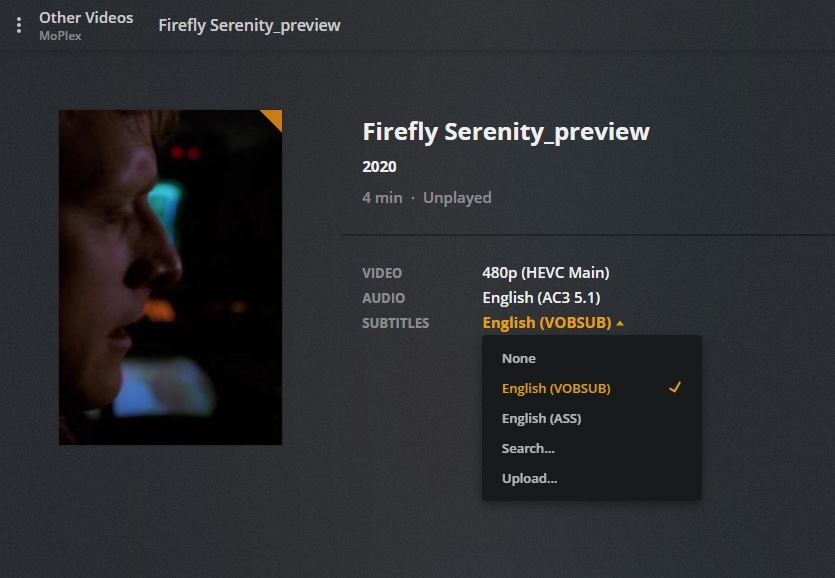
And here are all the tracks for this item - I happened to remember I had the VOB track for the commentary as it flies around the screen so it won’t be in the way of anything - and is very confusing…lol
and there you have it. <— perfectly fine text subs, making an ASS out of themselves. <—I don’t let that happen at my house <— srt subs are muxed in during the final audio/sub clean-up pass with Xmedia Recode <—only takes a moment and is worth it.
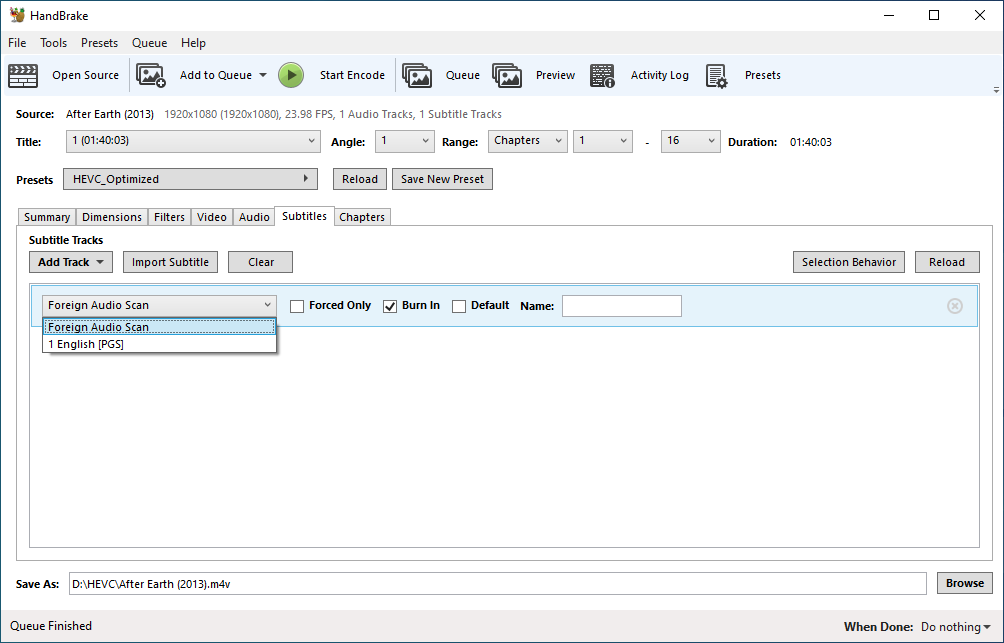
I tried what you suggested - and the SUBs do not make it into it. The image above - I just OPENED SOURCE >> chose my saved PRESET and then went to the SUBTITLES tab and took the screen shot.
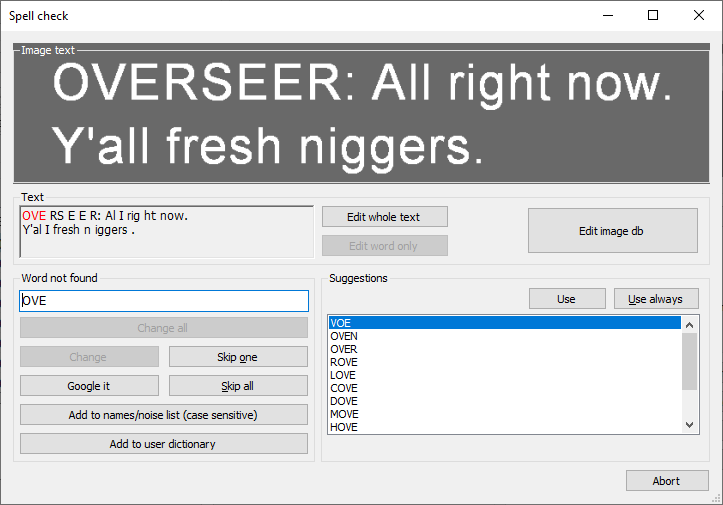
I found an app which will pull the .SRT out of the .MKV - but the file when saved is a all ‘jacked’ up. Spaces where should be none and all sorts of craziness.
I know I fought a while with making the .MKV files to have the embedded SUBs. Being that when I made them (2+ years ago) I forget what I did.
From the reading over the weekend - .M4V files will not hold them, but .MP4 will.
I put the extracted .SRT file into the folder with the .M4V file…and re-scanned the library. In PLEX the GET INFO does not show them (see attached .XML - made me rename it to .TXT):
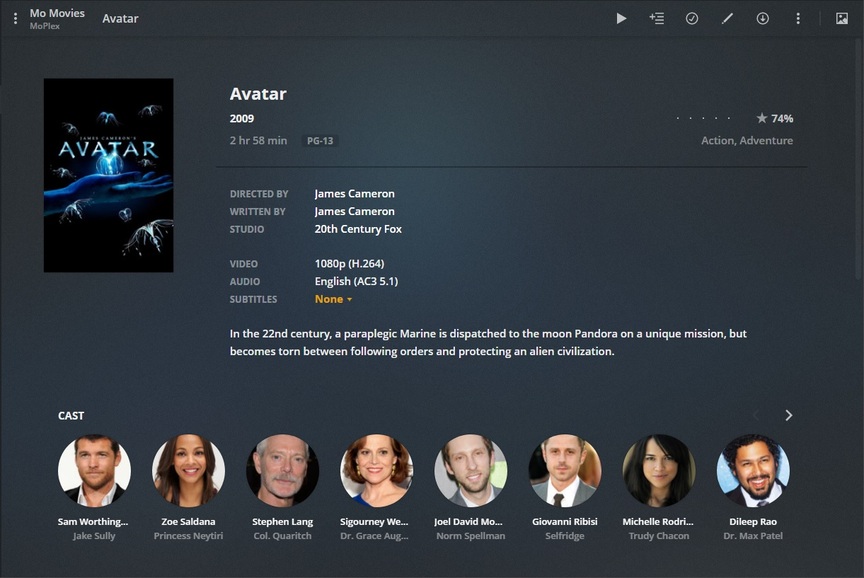
When I looked at the movie in PLEX after putting the file into the folder - it showed SUBs - but unknown (.srt). I opened the .srt file and it was blank - except for time entries.
Now when I try and create the .SRT file it is doing weird things - see image (ignore the language - but that is the first line in the movie)