Server Version#: 1.13.0.1275-bbd8d37b
Player Version#: latest
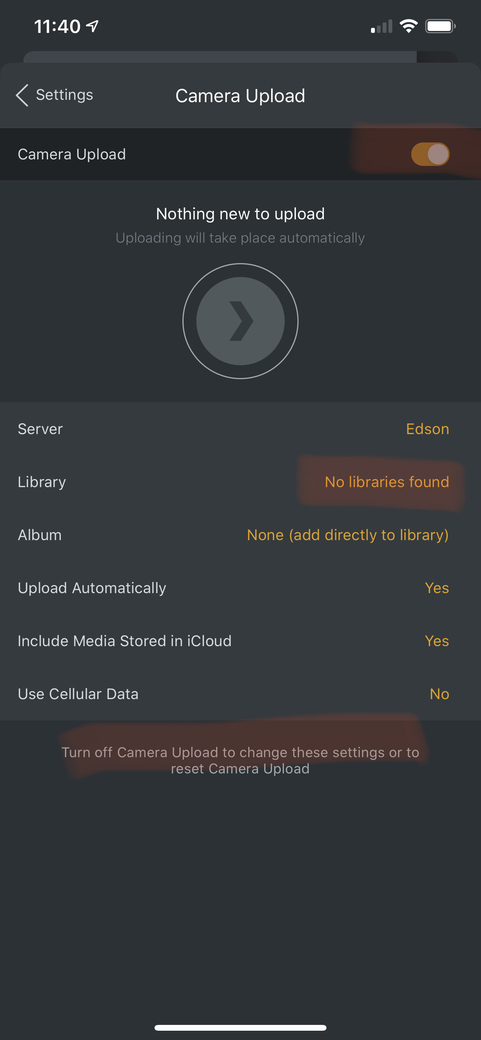
Camera upload on my device is stuck in “on” state and the toggle is disabled, but does not see any libraries (“No libraries found”) and so it says “Nothing new to upload” at the top. Because of this, I can’t disable camera upload to change settings. The library where I used to upload photos is still there and has files on desktop client and on iOS player, as is my wife’s which seems to still be working fine. Just my device is misbehaving. This has been happening since July last year (the last photo that successfully uploaded was from then)