Good things are happening to the Picasa Web Albums plugin…
Picasaweb.0.2
With it being a bank holiday the pace of life has slowed to give me an opportunity to make the Picasaweb plugin more usable.
The most important technical change is we are now on Plugin Framework v1 which means we have far more control over functionality. Some of the benefits for the plugin are as follows:
The plugin is now locale-aware. As Picasa is used globally its only fair that non-english speaking people can also benefit from the plugin. Every single string is now externalised into the plugin bundle’s Strings directory. en.json is obviously provided for english speaking users but it now obviously opens up the possibility for other developers and friends of Plex to contribute json files for other locales.
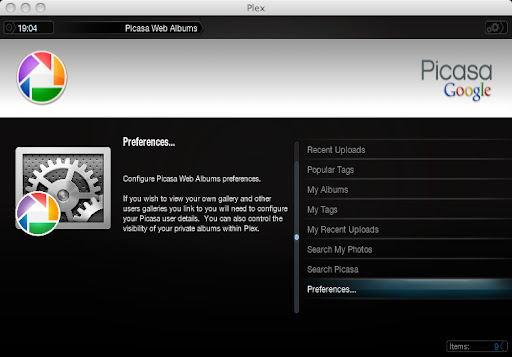
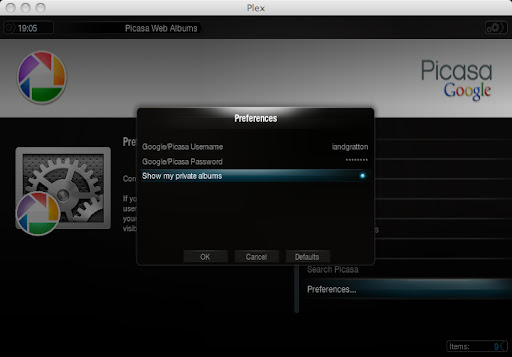
The plugin now has full user perferences support. The new v1 plugin API has full support for preferences including presentation of a dialog for the user to edit them. This makes the plugin that bit closer for the mainstream as you no longer have to edit init.py to configure which Picasa albums you would like to view. We have a slight issue with storing a non-encryped preference (i.e. the users google password) but its not mandatory that you supply a password as I’ll explain later on.
Lots of new features. I now make use of many of the other feed sources that the gdata.photo.service python API provides. Areas of ‘hopefully’ provided functionality are as follows:
[list]
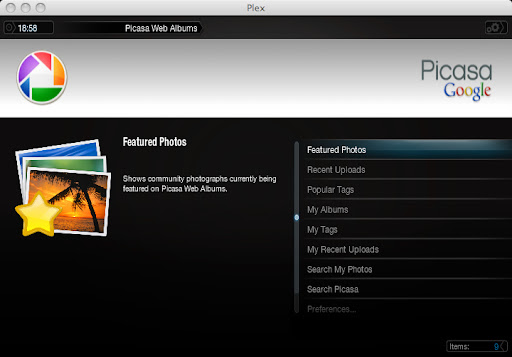
[]Featured Photos - pages through the photos currently featured on the Picasa community site.
[]Recent Uploads - pages through photographs that have recently been uploaded by Picasa community users.
[]Popular Tags - lists the most popular tags within the Picasa community. When a tag is selected you can then page through all the community photos with the selected tag.
[]My Albums - shows the registered user a list of their Albums. When an album is selected you can see all the photos it contains
[]My Tags - lists the regisered user’s list of tags placed on their photos. When a tag is selected you can then page through all the users photos with that tag
[]My Recent Uploads - pages through the registered user’s photographs in most recent first order.
[]Search My Photos - search through the registered user’s photographs by tag and keyword.
[]**Search Picasa **- search through all community photographs by tag and keyword
[/list]There are a few other little bits and bobs I’d like to get working but I think that is more than enough for now as it makes 0.2 massively more functionally rich that 0.1.
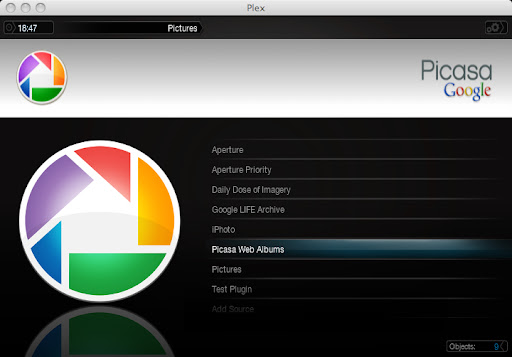
Check out a few screenshots.
As always if you can't see the images peep in my gallery [here](http://picasaweb.google.com/theoriginaliangratton/PlexPicasawebPlugin#).
The GUI side of the plugin is now almost there. It just needs all the gdata service wiring back into it. Will make it available via the Wiki once it is ready for some testing.
Authentication now works - and the plugin knows contextually if it should authenticate or not. This allows the plugin to view non-public items when working within the confines of your own gallery (i.e. albums, pictures and searches). You can obviously override the default behavior by unckecking the ‘Show my private Albums’ option on the preferences dialog. If this option isn’t set the plugin won’t bother attempting to authenticate against google - we dont want to burn Kw’s of electricity on their server farm - unless we have to LOL.
You can now browse your tags - which will soon lead on to finding all your photos that have the selected tag and bring back pages of results on Photo mode. There will be items to move forwards and backwards a page too.
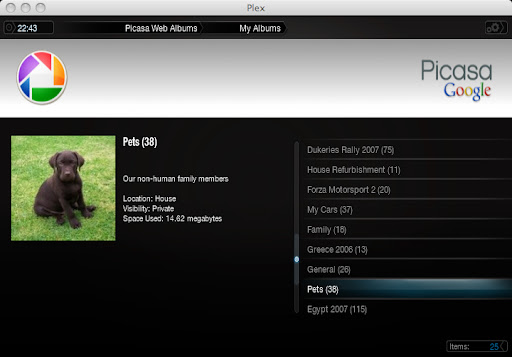
You can now browse your albums - Gives back a list of each gallery along with a count of the photos it contains. Your private albums visibility preferences are taken into account here. Each album gives the album summary, location, the albums visibility and (if your are authenticated) the amount of space the albums content is taking up in your picasa storage space.
there are a few new screenshots [here](http://picasaweb.google.com/theoriginaliangratton/PlexPicasawebPlugin?feat=directlink)
When I am less sleepy I'll get the Photo view working for tags and albums. The view logic is fundamental to making all the community feed types work so it should progress quickly after this. I need to figure out how to add items into the context menu (press 'c' it comes up) so that I can nagivate from a photograph to the show the tags and albums associated with it. This will give pretty much endless depth to browsing of picasa :blink:
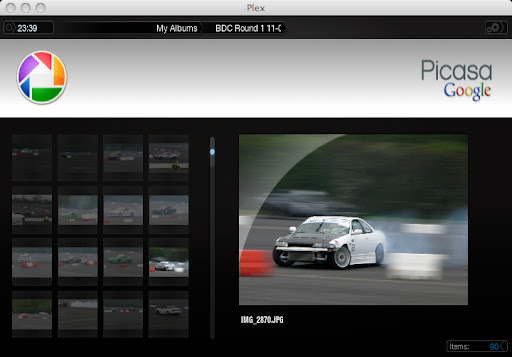
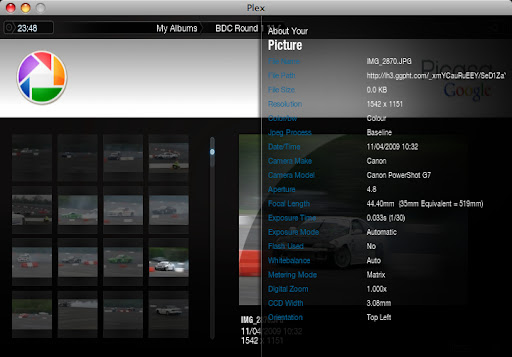
Yay - photo view works again. Improved summary data now includes filename, summary text, dimensions and date taken. The rest of the exif information can be obtained by pressing ‘i’ in plex.
I've also just figured out how to get a proper gdata feed of a picasa users linked galleries (gdata refers to them as contacts) so hopefully this will allow me to do the 'My linked Albums' view that is currently missing from what I have now.
Hopefully get a longer stab at this over the weekend. All other feed types will be easy after these base types are handled correctly.
The latest Picasaweb.0.2.zip bundle is available to plugin devs via campfire. Hopefully not long now before this is ready for the masses. Unfortunatley I can’t place the new .zip file onto the Wiki as it will only allow files of up to 2.5mb in size. As this plugin makes use of very pretty custom icons for all the different contextual items you can view the .zip file is unfortunately 7.5mb in size.
Maybe Elan or Isaac can somehow get this on if I can’t ?
Hopefully it wont be long before it can be obtained via the App store. I’m very very happy with how this has all turned out.
It seems that pictured-based plugins are fun. Maybe I’ll try and do something with flickr next for you guys.
I hope I’m not the only one who finds it humorous that the screenshots for the picasa plugin for Plex are hosted on picasa. I had a bit of a chuckle out of that.
Good work on this. I hope it makes it to the app store.
Thanks very much :lol:
I've integrated it into the plugins source code and it will now be included in any new builds I make.
Also looks like google are introducing some new feeds/functionality into picasa too. There is now a Fans of your photos section that appears on the web site. Doesn't look like the gdata api supports it yet but I'm sure its only a matter of time.
This is an absolutely fantastic plugin, my congratulations go to the author, I am liking it very very much and can’t wait until it auto updates in the store.
My files was encoded incorrecly. Now it's OK. :unsure:
Moreover :
1 - Is it possible to localize the name of the plugin ? For exemple in French : Picassa Web Albums -> Picassa Albums Web
2 - Is it possible to localize the preferences ?
3 - Seems to have error when there are special characters in Album name !
Thanks for taking the time to build up the french locale file.
They are very good points.
1. Yes this could be done. I have a constant PLUGIN_TITLE which I can just get from the locale file with L("PLUGIN_TITLE"). I'll do this in subsequent builds.
2. Preference names are actually picked up from down inside of ~/Library/Application Support/Plex Media Server/Plug-ins/Picasaweb.bundle/Contents/DefaultPrefs.json. Each pref is defined as:
so - the 'label' part of a preference is what is used as the caption on the Preferences Dialog. I've just talked this through with some other plugin devs and if I do something like:
it will do a L("PREF_LABEL_USERNAME") behind the scenes to resolve the local-specific string. Nice. I'll work this into future builds.
3. You are correct. My Flickr plugin suffers in a similar way. I have tried all the various techniques to get around this in Flickr and I've got a hunch about what needs to be done to fix this.
I've been away for the last week so give me a few days to recover and we'll crack these general encoding issues once and for all (fingers crossed).
I’ve just made some interesting headway with general character encoding issues we seem to have in plugins. If you are interested please click out the Flickr Plugin Thread