Picasaweb Plex Plugin

I'd like to try and make one
Hi Folks,

I've been using XBMC since it branched from the early media centre that was available via EVOX back on the original Xbox.

Since moving over to Apple as a front end OS (well - and virtualised win32/linux/solaris environments depending upon what/who I'm working for) I've really loved what the Plexapp branch out of XBMC has become esp the app store nature of publishing plugins. Once cash permits a new mini will find its way under the TV to replace my old console.

I feel I've had so so much wonderful use from XBMC over the years its only fair I try and contribute something back to the community to try and say thankyou and help myself in the process (I needed a picasa plugin - one doesn't seem to exist)

I've not had much exposure to python but I'm sure its not going to be too hard to come to terms with after other languages. After a quick peep under the covers of the Aperture Priority plugin and it seems pretty easy to see how you hook your callbacks into the plugin architecture.

I've also taken a look through how the Google gdata.photos.service python package works and it seems to save you XML parsing because under the covers it uses the Element Tree package so you just access everything via object collections and properties. Is Plex on python 2.4 or 2.5 ? I think it makes sense to use the google api however it will probably add a few MB to the size of the plugins bundle (and hopefully keeps compatibility as picasa changes).

Over the coming weeks I'll see if I can get a fairly basic picasaweb plugin working for named public galleries in my spare time (it will be a 'useful' way of learning python and a nice bit of mental exercise). The gdata package has support for authentication by token but it's probably easier to use the SingleUser client authentication model and keep the users crypted password locally.

I need to understand some of the XBMC/Plex Plugin interface to to get a handle on how I can persist my plugins settings etc (and deal with storing an encrypted google pasword once I get round to non-public galleries). Dev Documentation is sparse right now - but I'd hope I can help with formalising some of that too as I go). Is there any doco for the base Plugin packages for XBMC anywhere so I can understand what else the Plugin object exposes (setting persistence etc.) ? Is the source for this down in the Plex app bundle somewhere so I can just browse the source ?

Being able to register one gallery would be neat - being able to register multiple galleries (i.e. friends, family members etc.) would be really sick (and not much extra work if done correctly) with options for public/private based on secure password storage would make for an excellent random slide show. i.e.

Picasa Plugin Root
|--Picasa Gallery 1
|--Picasa Gallery 2
|--Picasa Gallery 3
| |--Albums
| | |--Album 1
| | |--Album 2
| | | |--Picture 1
| | | |--Picture 2
| | | ...
| | | |--Picture x
| | |--Album x
| |--Tags
| | |--Tag 1
| | |--Tag 2
| | | |--Picture 1
| | | |--Picture 2
| | | ...
| | | |--Picture x
| | |--Tag x
|--Picasa Gallery x

I'm not sure there is much point in trying to build anything for the Picasa Mac desktop app - after all it just watches directories on your HD for changes so the pictures are already accessible via regular path sources in XBMC. Being able to pull from web albums seems much more useful to me.

Wish me luck.

Ian.

Welcome! It’s always good to have new developers on board :slight_smile:


Plex’s plug-in system uses the standard OS X Python installation with a few custom libraries (mainly to provide better XML support) - on Leopard it’s 2.5. Our plug-in architecture is a new system written from the ground up for Plex, completely different to (and incompatible with) XBMC plugins.


The YouTube plug-in uses the GData API, and it works quite nicely.


All the plug-ins released so far use a “preview” version of our framework. We intended to have a finished version out much sooner, but shenanigans with certain websites & other unforeseen problems slowed this down a bit. We’ve already deployed a beta version of v1 through the App Store (to test framework updates via the store instead of packaged with Plex releases, and to make sure we can handle multiple concurrent framework versions existing at once), and we’re just putting the finishing touches onto a final version now. Once that’s out, we’ll be releasing full documentation & code samples - this would have been done sooner, but there have been a few drastic changes to how it works, and some huge improvements in functionality, so it made sense to wait until it was feature-complete. The basic API docs should be out within the next week or two, with sample code & tutorials coming soon after that.

Right,


I’m just starting to do some of my dev env setup for this so I figured I’d document what I’m going to use to develop and test my Plex plugin in case it helps somebody else figure stuff out.


Dev & Plex runtime environment

Early '08 2.2GHz black Macbook with OS X 10.5.6

4GB RAM

500 GB HD

Plex 0.7.13 pre compiled build.


Dev Toolset

Eclipse 3.4.x Ganymede SR2. As I’m new to python I dont really know if there is a more suited IDE (well other than vim) for it. I use Eclipse almost daily for J2EE and its a powerful and productive place to be.


PyDev Eclipse plugin - Python support for Eclipse including syntax colouring, python perspective and support for debugging (however I’m not sure there is any sort of test container other than Plex itself. There was a previous XMBC test harness for old style python plugins but I guess we are not quite that far with plex yet (and the need for this is less as there isnt the hassle of ftp to the xbox to test either).


PyAntTasks custom Apache Ant taskdefs to support python compilation and test etc. I really like apache ant - many other things like mavern have come along to help us Java developers but sometimes you cant beat the simplicity of this.


You can stash this .jar file into /Applications/eclipse/plugins/org.apache.ant_1.7.0.v200803061910/lib (That could change as Ant versions are incremented) and add it to your ant runtime path in Eclipse. You will also find that Eclipse spouts warnings about it not being able to find pyAntTasks.properties when you add the custom taskdef into your ant build file. The latest version of pyanttasks is compiled against Java 1.6 so you’ll need to add that to the list of installed JRE’s (if its not already there) and then configure the Ant external tool configuration to use this instead of the default on OS X (Java 1.5).


build.xml

My ant build script is now complete (even though I have no code LOL). Which has all the targets required (i.e. clean build dist) that allow me to build a Plex plugin bundle with the appropriate structure including any 3rd party libaries I depend upon, the plugins resources directory and property list.


I’d like to be able to build info.plist from an svn or cvs tag but I’m not sure how to do this right now. The property list editor in the OS X dev kit will have to do for now.


I’ve attached my build.xml in case anyone finds it useful. Its generic enough to take the plugin name from the ant.project.name property so providing you have src, etc, res and lib directories it requires no changes for other plugins. <_<


I suppose I’d better crack on and write some code now. I think my next bit of effort will be to understand how I can map nouns that come through in the HandleRequest callback to the contextual items in the tree I described in my first post so I know what I need to ask gdata for and when.


Still have some concerns how I can capture and store picasa usernames and passwords but I’ll work off a hard wired set for now in my code.


so far so good.


build.xml


I’ve just uploaded a new version of the Ant build script. It now has some additional targets that help with release and deployment tasks. The targets are:


build - this just compiles all your source code and pulls together all your projects libaries and resources into a .bundle that can be deployed into Plex Media Server.


deploy - actually deploys the plugins .bundle file into the Plex Media Server plugins directory. There is no support for doing things with Site Configurations right now but it will be simple to add. Right now i attempt to use an task down in here to invoke something like


ps -ef | grep "Plex Media Server.app" | grep -v "grep"


to check that Plex isn't running when the deploy target runs but I can't get it working right now. Just stop plex when you run this task to ensure your new plugin version loads up.

**release** - builds a new .zip file containing your plugin's bundle based upon the plugins name and version (these are set via the plex.plugin.* property set defined within the file).

Well - the plugin actually does something now.


I’m just figuring out the best way to track my depth in the user->gallery->album/tag->photo tree via the noun list so I know contextually what I need to fetch from the gdata.photos.service API.


I’ve simulated the ability to have multiple picasa users registered but I’ve obviously not figured out how to capture that data (username/password) and persist it yet - I’m sure its only a matter of time though.


I’ve figured out how to pull thumbnails from resources in my plugin bundle for DirectoryItems that are not photographs (i.e. users, albums, tags). I got it wrong first time and there appeared to be a blank image cached in the thumbnail database ? - once I’d cleared the thumbnail and fixed the code the correct thumbnail then appeared. It may be quite nice if you can specify a no-cache option on resources directly from within the plugin bundle - maybe there is and I just havent found it yet.


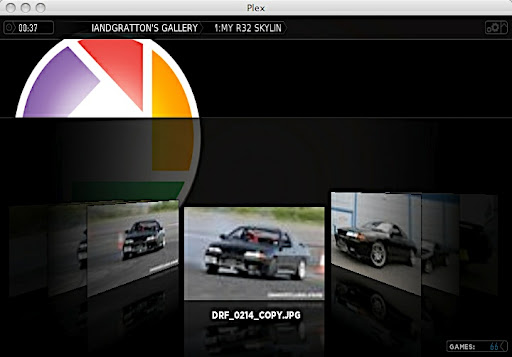
a Few screen shots


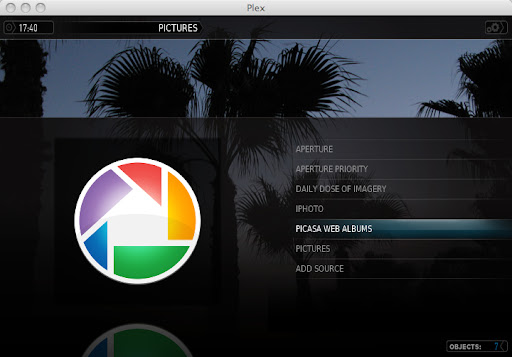
The plugin appears in the pictures section


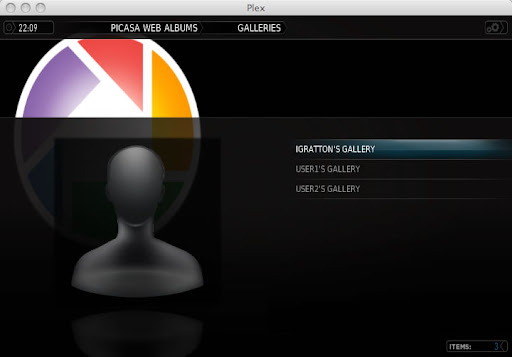
The view of configured galleries after selecting the plugin


(I'm hoping I'll be able to replace this with the users picture as configured in picasa when I get a bit further along).

lets see what happens next.

Well,


I’m happy with the way all the view and navigation works now. Its still all dummied data and not yet via gdata api but the framework is now in place to support all of the views required from my hierarchy in the first post.


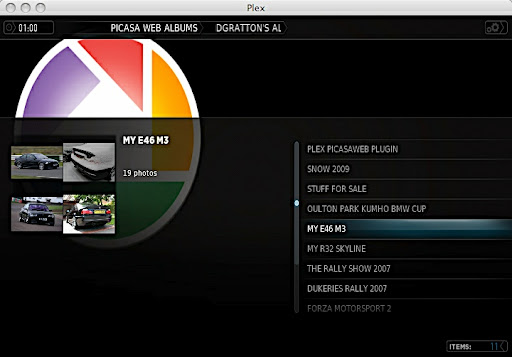
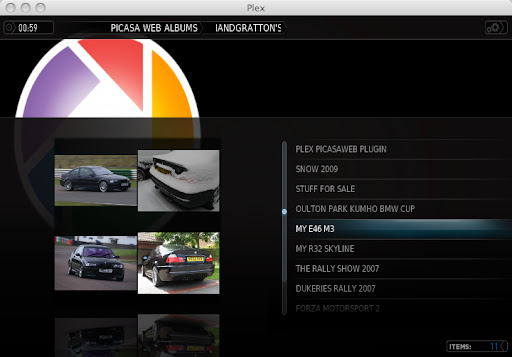
Once a users Gallery is selected it goes off and gets the albums (infolist supplied)


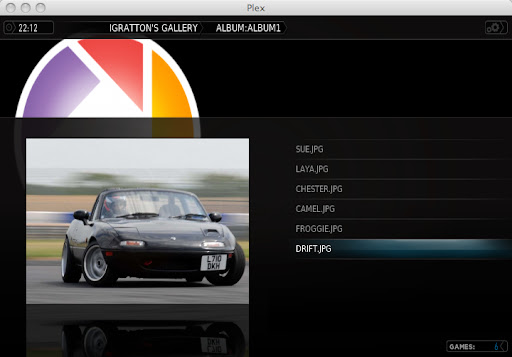
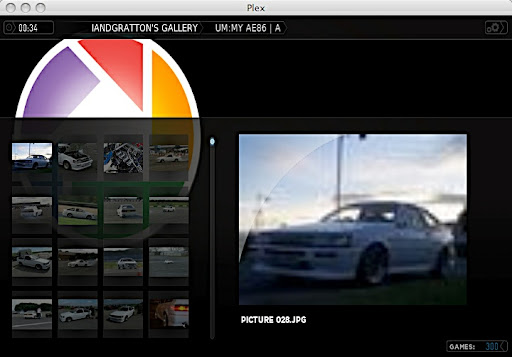
Then obviously when you select an Album you see the photos inside (list and infolist shown)


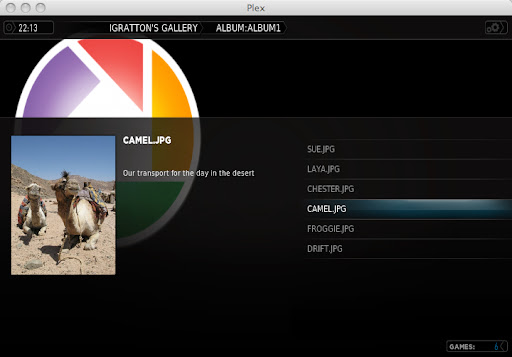
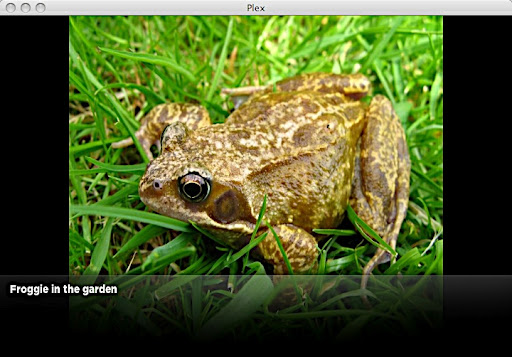
Then obviously the single photograph including any comments the user may have made.


Hopefully not too long now - once the gdata calls are in the only thing that remains will be adding galleries and persisting authentication settings. I'm not sure if the gdata API will let you look at a users public galleries without being authenticated - if it does we can maybe just show public galleries to begin with.

I've also forgotten about having a choice of viewing photos by either Album or Tag for the time being. View by tag appears to be broken on Picasa web albums right now.

Also - I'm going to add an additional target 'deploy' to build.xml that will replace the plugins .bundle under ~/Library/Application Support/Plex Media Server/Plug-ins as its getting quite tedious copying it in manually LOL.


Agreed, we've discussed this too and hope to come up with a solution shortly.

Thanks for posting all the detailed information. For some reason the images you've attached don't show up.


Sorry - man - I'm new to the forums so I've not had much of a chance to browse about yet.


Sorry - they should be working - if not you can see them in my picasa web album [here](http://picasaweb.google.com/theoriginaliangratton/PlexPicasawebPlugin#)

I can see the images attached… BTW that plugin looks great!

Good Good News.


I’ve got the plugin working perfectly using the gdata api and public galleries :wink:


As I’m not authenticating via the gdata service to get a token I can only view a users public galleries.


the only small setback at the momment is that I have a set of hard coded ‘real’ picasa web usernames.


It seems like the Plugin API is short of a mechanism to allow for settings and plugin configuration. I’m not sure I can do any better than allow you to use something like an XML file in the plugins “~/Library/Application Support/Plex Media Server/Plug-in Support” or an XML file within the plugin. something like


[codebox]


[/codebox]


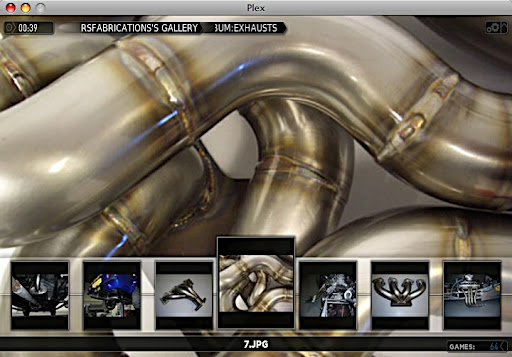
Here are a few screen shots - You’ll just have to trust they are coming from my public galleries.


there are sooooo many things that I can do with the picasa gdata API - but I need to understand how to capture user input from within Plex before they are any use. Until I figure out to do this and capture/modify plugin settings I dont think this is suitable for 'end-users'. Those that are prepared to edit the list of google user names in the code (1 line) that governs the list of galleries displayed may wish to give it a try.

Does anyone know of any free screencast software I can use for the mac ? if so - I'll do a video of it in use for you.

Building plugins for Plex is indeed a relatively painless experience.

What next I wonder, a Facebook updates viewer, Twitter notifier (that would be neat with growl-style notifications in Plex - strange I even wrote that considering I dont use twitter myself LOL)? you'll have to wait and see ;)

Hi Folks,


I’ve just made Version 0.1 ready for testing.


You can get Picasaweb.0.1.zip via the plugins page on the Wiki


Note: Please read the installation notes as you have to make a small change to init.py to add in which galleries you want to see. This change is detailed on the wiki. Isaac tells me the revised plugin API is available soon - once that is ready I’ll release a new version with preferences support to make the plugin more ready for the mainstream.


I’ve looked at the Youtube plugin and that seems to be able to bring up an input dialog to search youtube. If I get some time this weekend I’ll try and implement searching of Picasa Web Albums community photos too - and after that it won’t be too hard to implement searching in the context of a gallery too. <_<


Its been fun writing this plugin and I hope you find it useful.

Looking forward to your feedback.


Ian.

Hey Ian,


I tried it out, and looks pretty slick. A few comments:


Is there a slideshow mode? I couldn’t figure out how.


Shuffle mode would be great, especially at an album and gallery level.


I really like the zoom feature!

Howdy Anville, thanks for trying out the plugin :smiley:


You can choose ‘recursive slideshow’ when you are on the album list of a specific gallery (if you press ‘c’ in Plex to bring up the context memu it will be there). It doesn’t seem to appear down at the picture list (i.e. inside a specific alubm) view though.


I’m not sure if Plex’s slide show functionality will just go through the images in order or attempt to randomise what it finds.


As soon as I switch to the newer plugin API I’ll be able to add quite a lot of new functionality and do away with the need to edit the plugin’s .py file to modify the list of galleries you can view. I have a pretty busy week ahead of me at work but maybe I can get round to porting to the new plugin API towards the end of the week.

I installed the plugin and the Picasa option showed up in the Pictures list. I added two users to the list and they both showed up. After I selected one, it listed the albums for that person but when I went to view a particular album, the system just froze for about 30 seconds and then made the “click” sound and moved down to the next album, never displaying the individual photos themselves. I should mention that some of the thumbnails show up on the left of the album list but I can’t actually browse to or display individual albums. I’m using the most recent version of Plex (0.7.15) on an Intel macbook pro.


Howdy man,

the only thing I can think is that the gallery you tried to view contains no public albums (i.e. they are all marked as private). Right now the plugin only shows public albums as no authentication is being done against the picasa service. If you try and go to the following url:

[http://picasaweb.google.con/](http://picasaweb.google.con/<user-name>)

where is the same name you registered in the plugin. Hopefully you'll see no public albums (in line with what the plugin is doing).

The other issue could be that the album has loads of photos within it so plex was struggling to grab all the thumbnails ? I have an album with 300+ photos in it and I dont see this. Does this consistently happen ? I dont see this happen on my regular 2008 Black Macbook - it was fine with plex 0.7.13, 0.7.14 and the current (0.7.15)

Once the newer plugin API has been released into the wild (maybe it has - I've been a bit busy for plex this last few weeks) I'll get round to moving the plugin over to it. This will give me the ability to capture username/passwords etc. so I should be able to authenticate against the gdata picasa service and show private albums too. The picasa API supports upload, movement of photos between albums etc. - however, I dont see why you would want to do this via plex so the view the plugin will give will be readonly/view.

lets see how my workload pans out this week.

The new framework has been released, should be on your drive already, with auto-update :slight_smile: There are a number of plug-ins on the store that use it, and we’re working on great documentation for it as we speak.


Howdy elan, I kinda figured it was there - I'll take a peep through the plists for the plugins and find out which one is going to be most suitable to look through to get an idea on things. I had a real quick look at the pitchfork one some weeks ago - but I'll try and port the Plugin this week fingers crossed.

Any ideas on our man above's problem ? I've seen a bit of lag on larger albums when viewed for the first time (this is sometimes the case on disk-based directories with lots of photos so not so specific to picasa - although the problem is slightly more apparent in my plugin as thumbnails are made from jpgs stored out on the net so there is a HTTP get for each one instead of a local file read) - but I guess this is purely down the the group of threads that go and thumbnail all the images back into the database.

The gallery definitely contains mostly public albums, though there are a few that are marked as private. As for the number of pictures, that might be the issue. The gallery has 78 albums and while I don’t know how many pictures in total are there, it takes up 2.55 GB of Picasa’s storage. What can I say, my wife likes to snap pictures of our little one. :slight_smile:

OK, all useful to know. Here’s what I think is happening.


When you are browsing a normal directory-based picture source in Plex or XMBC it will always go ahead and try to build thumbnail images for folders based upon their content. Even though I run Plex on my Macbook I still have a few regular soft-modded xbox’s about the house hooked up to TVs running XBMC. Some of my picture folders are nested quite deeply on an smb share (year/event blah blah). When the folders are new content and they have lots of files they can take a while to thumbnail When I go into the top-level of such a directory i imagine threads are spawned that do:


Q: Can i find a thumbnail in the picture database that matches this items URL/path (i.e. file:// http:// smb:// or whatever) ?


Yes : its all good so grab the pixelmap for thumbnails directory for the media type and render it.


No : Dang I have to find a new image for the thumbnail. I need to look within the folder/path to see what I can use as a thumbnail image. With a regular disk or smb based share its not so bad as their is a directory listing to enumerate for media types and pick one (however a folder that contains only folders has to start a deeper search within the actual folders contained within etc.)


When this happens within a plugin the only means that Plex has of enumerating what can be used as a thumbnail pixelmap is for it to invoke a call to the plugin’s RequestHandler() callback function (which the plugin registered when it was loaded) and get back a list of DirectoryItem objects from which it can read the .thumb property. This will give it a URL from which it can pull the image it will base the thumbnail pixel map on. When I first started building my plugin I was logging what it was doing each time my handler got called. In the scenario we’ve described above you can see Plex hitting the plugins RequestHandler() callback behind the scenes - almost certainly looking ahead for thumbnails. Its the only way of getting at the data it needs - its exactly what it must do.


This is a real trival task for a local source on your hard disk. Enumerating files and directories is massively quick. A source thats at the end of a URL means you are at the mercy of protocol and network - in the case of most plugins this will almost always be a HTTP URL. Right now your connection speed, contention, and especially load on the hardware (be it a single server or farm) that is the source of your image. A small amount of this is also down to the plugin developer - I’ll try and give some tips on what seemed logical guidelines to follow:


There is also the mechanism that is used to pass data between a plugin and Plex itself. At the end of each call to a Plugins RequestHandler() function python-native lists of DirectoryItem and PhotoItem objects are serialised into XML. I guess this is because of the way the Plex Media Server binary code has to thunk into the python code of the plugin. When this kind of thing happens I it boils down to mapping native c/c++ types onto the data types of python - probably some kind of string pointer I expect. Or maybe the media server is built in something else ?


Building XML is pretty quick - you can just pump out a string or build in some form of XML serialisation to do it for your objects. Parsing this XML can be a little more time consuming - Again some form of XML serialisation library or binding objects can help here - but its no where near as fast as a serialised native language object. It would be interesting to understand how plex itself interacts with a plugin but right now I have no real urge to wade into the main source of Plex - I dont write much C these days and it would probably hurt my brain a bit LOL.


A plugin is also hosted within Plex Media Server which I guess will also mean there is the slight overhead of communication between the main Plex binary and the media server itself. This is almost certainly out of process. I wonder if a plugin is also single threaded or if it can service many requests concurrently ? Out of interest I did:


	   lsof -p `ps -ef | grep "Plex Media Server.app" | grep -v "grep" | awk '{ print $2}'` | grep "LISTEN"


The above finds the Plex Media Servers process id and then passes it to lsof to find which TCP ports its listening on (Plex listens on a few ports locally too - maybe something to do with the UPNP server or clients working on plex:// paths ?). You get back something like:


	   Plex\x20M <pid> <uid>  10u	IPv4 0x790c66c	  0t0	   TCP *:32400 (LISTEN)


You can then snoop all the traffic that goes to that port by doing something like


	   sudo tcpdump -X -i lo0 port 32400


I hope I have understood Plex correctly but I think it gives some insight into why obtaining a non local image via a plugin is many times slower.

So I guess when you are writing a plugin its worth keeping in mind:

1. You are almost certainly parsing a feed or hitting some remote service somwhere for your data. Are you parsing or handling that data as efficiently as possible - can you pass additional contextual parameters to the service you are calling to only fetch back the specific data you need over the network? If so - do it - its less data for the service to spit back onto the wire and less data/XML for your plugin to process.

2. When you are building DirectoryItem objects think about what you are pointing the .thumb property at. Is this a full size super high res image ? or does the service provide a thumbnail version of that image already ? if so - use it - less data over the wire again.

3. Point 2 also counts for PhotoItem objects - if there is a thumbnail sized image and a regular sized image make sure you set the references to them and dont just use the full sized image. I am pretty sure Plex would favor the thumbnail before resorting to the full image.

All these little things seem fairly trivial and obvious to me - they will almost certainly only save small fractions of seconds - but any time saved is a slicker more responsive application and a better user experience. The savings also reduce network usage and possibly even benefit the end service the plugin is taking data from - its win win for everyone.

I guess I come from an era where there wasn't an abundance of processing power available and you had to work to make applications fast on far less processor capacity than your average mobile phone or toaster for that matter. I believe Processing power and super high-level languages make developers lazy. I hate it when people think adding more processing capacity is aways the solution to a problem.

Rule #1 - Don't become a candidate for [Daily WTF](http://thedailywtf.com/Series/CodeSOD.aspx).

Picasa is super easy to get thumbnails from. The image URL always consists of http://lhX.ggpht.com/…/s1024/filename.JPG


To get the thumbnail instead of the high res image, all you have to do is change the s1024 to s144 and you have the thumbnail resolution.


I don’t know if that helps here at all, but I figured I might as well mention it.

Hi Jason,


the Google gdata API that is used to access picasa already exposes thumbnails for albums and photographs so I’m already dealing with that. You do something like:


# Get the Photos for the current Album<br />
		 <br />
 gd_client = gdata.photos.service.PhotosService()<br />
 gd_client.source = GDATA_CLIENT_NAME<br />
 <br />
 photos = gd_client.GetFeed("/data/feed/api/user/%s/albumid/%s?kind=photo" % (user, album))<br />
 <br />
 for photo in photos.entry:<br />
	 dir.AppendItem(PhotoItem(photo.media.content[0].url, title=photo.title.text, summary=photo.summary.text, thumb=photo.media.thumbnail[0].url))<br />
 <br />
 # Give the list back to Plex<br />
 return dir.ToXML()


photo.media.content[0].url is the path to the full size image
photo.media.thumbnail[0].url is the path to the thumbnail image.

I'll try and get round to porting the plugin over onto the new API this weekend.