Server Version#:Plex Server Version 1.18.2.2058 on Ubuntu 18.10
Player Version#: Plex for Windows Version 1.4.1.940-574c2fa7
Hi folks, I’m having some issues trying to use Alexa voice control to play anything on Windows player. It all works fine on my Android phone (movies and music) but when I try to do the same thing (play/resume movies) on my Windows player I’m getting 2 distinct errors and nothing plays.
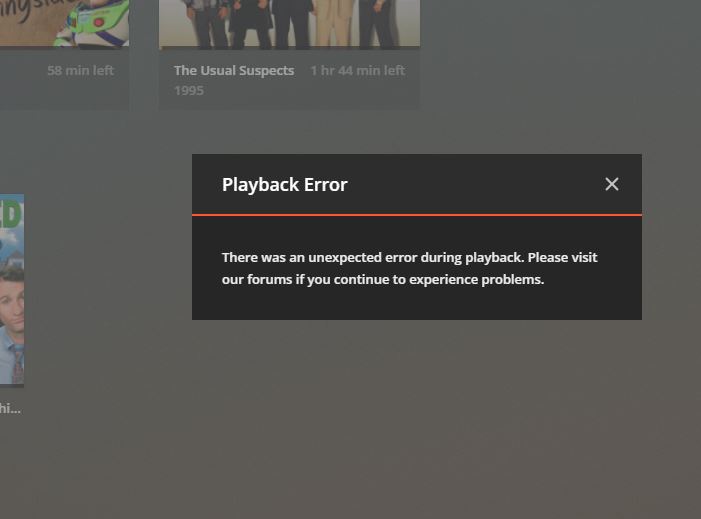

When I try to start music using Alexa, it starts playing on the Echo device and I’m not seeing any sort of activity on my Windows Player (other than the dashboard activity - playing on Echo).
Everything works fine if I start movies/music manually - using a mouse, issues are happening only when using Alexa voice control.
Any help would be greatly appreciated.
Thanks!
Update - Tried to play using Alexa voice commands on my LG Smart TV (WebOS 3.8.0) and found more issues unfortunately:
-
Alexa ‘sees’ the TV but only by model number (so it starts asking me if I want to view the movie on LG55UJblablabla) not by the ‘friendly’ name set up (all my other devices ‘see’ the TV as ‘Living room tv’)
-
Once I confirm I want to watch the move on this particular TV, everything dissapears (like it’s getting ready to buffer - blurr background) and freezes. Waited for a few minutes and all I can do is exit the app.
-
Relaunching the app after this seems to be even more troublesome. 1 of 2 things happen:
3a: everything loads ok but it doesn’t allow me to access the seetings anymore (all Movies, TV Shows, etc work as expected, just the seetings page/section is not opening)
3b. it reloads the app still with the blurred background (frozen app). -
It all seems to go away only if I turn TV off and on again, then relaunch Plex for LG app.
Again, as with everything else, all works as expected if I’m using the remote.
