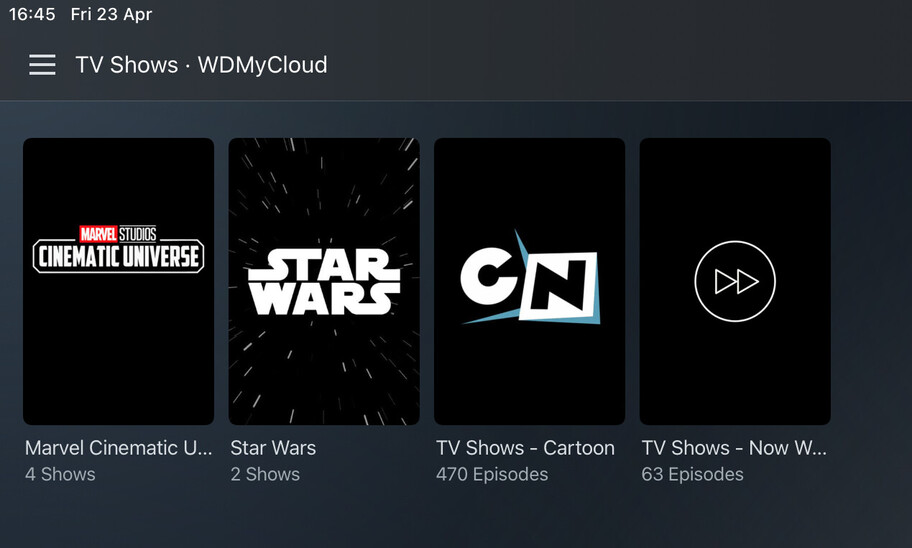
I couldn’t find a feature suggestion for this. If there is, then please give me the link so I can up vote it.
It would be great if playlists had a view mode option like when viewing libraries. For example, I now have 3 libraries for TV series. This is fine but of course searching and things like related shows will only display those available within the same library. Being able to do this would be a game changer because all your series (tv show) content would be under a single library, where you could then create smart playlists for whatever sub-categories you wanted. This would also mean when selecting an actors name you are shown everything they have been in within the larger single library.
Although I do have some smart playlists, I don’t use them for this reason. It is very difficult to navigate and view the pictures for each item in the playlist.
Hopefully others will find this suggestion useful.
Thanks for that. I’ve had a quick read - even though this other suggestion is focused on music, it would achieve the same result. The other suggestion does however seem quite specific (e.g. “retains the hierarchical structure (Artist → Album(s) → Tracks) of the main library”). My suggestion is only for the ability to have a view mode option within playlists.
Currently it’s defaulted to a list type view which you cannot change. For example in a library in the top right, there is a 3x3 grid symbol which is a drop down to select the view mode. In my original post, I got over excited in explaining the different use cases if this was an option .
What do you suggest in order to have either suggestion get the most attention and hopefully more votes?
When I jump into playlist for networks, it is hard to navigate because they treat the layout like it’s a music playlist. So for movies and tv shows on playlist, can we have the default navigation to tv shows and seasons, like, click the playlist, see the default layout for tv shows and see the default layout for seasons and shows instead of navigating through some arduous layout intended for music playlist?
I second this idea. My entire TV series viewing experience is smart playlists, especially since on deck got messed up. I end up reverting to Infuse on ATV as it retains the view regardless of it being a playlist.
@Goliath2727 and @blackzwe, don’t forget to vote on this suggestion (if you have any used votes).
Also in response to Can we add customization to the playlist and smart playlist? - #2 by BigWheel , while Collections would achieve the desired result, they are very time consuming in that you have to add the the relevant collection tags to each movie or tv show (unless there is an automated way of doing this I am unaware of). The larger your library, the more of an issue this is of course.
The beauty of “Smart Playlists” is that they will dynamically update as your library changes. If “Smart Playlists” were not a feature of Plex then I guess Collections would be an option, as both standard Playlists and Collections are manually created. Even then the view mode on both standard and smart playlists would be a great feature simply to more easily view your content.
Where did all these extra collections come from? I didn’t add them.
There are three ways “automatic” collections can be made.
You may have enabled the Use collection info from The Movie Database metadata agent setting. When enabled (it is disabled by default), that will try to gather collection information from The Movie Database. This may cause many unwanted collections to be automatically created, particularly collections where you only have one item. You can disable that preference in the server metadata agent settings for the “Plex Movie” and “The Movie Database” metadata agents. This will only prevent collections from getting automatically added to items added to your library in the future . It will not remove collections from existing library items.
If you are using Plex Media Server 1.20 or above and are using the Plex Movie agent you can set how many items minimum to create a collection. You can set it to Disabled if you do not want it to automatically create collections.
If you have MP4s with an embedded “Album” tag, the Local Media Assets agent may pick it up as a collection. Be aware the Local Media agent also picks up external subtitles, extras, and other embedded metadata in MP4s (and other files), so be aware of this if you choose to disable the agent source.
Thanks @tom80H I’ll have a look at that. For me the main difference between Collections and Smart Playlists is that Smart Playlists can be customised per the users requirements. For example we sometime like to play an old black and white film, so I’ve created a Smart Playlist for any movies pre-1951.
Nice . This looks very promising. I’m sure this will achieve the same functionality I suggested. I’ve got required PMS version, just waiting for Plex Web 4.56.3 update. Will report back once tested.
Sorry guys, replied there without thinking of the obvious. The only scenario where this doesn’t work is where you have a custom/random (standard) playlists. For example dedicated playlists for Mum or Dad.
So while it definitely solves the issue for Smart Playlists (99% sure without testing it), it doesn’t solve it for standard playlists. I should have included this use case in the original suggestion.
if we are talking video playlists, which I assumed was the essence of the suggestion. If you are making the static playlists at the show/movie level, you use Manual Collections, as in using tags, as has been the available all the time, if you are talking about smart playlists, then you can use the new Smart Collections, see attached:
I have both, manual in the first 2 collections and the other 2 being my smart collections. The only challenge you will face with the manual collections is if your playlists are at the episode level. @tom80H correct me if I am wrong here…
Hi @blackzwe. Yes definitely videos we’re predominantly interested in. I understand it is possible to do it that way. I’m also thinking of all the users though (based on how technical or number of steps involved, and effort to change current playlists to collections).
Currently it is easier to add items to playlists as you can do this directly from the library (⋮ > Add to Playlist > …). To add a tag to the item you have to edit the item, go to tags tab, then add the tag and save. It might not sound like much but for existing playlists with some 200+ videos, this will take some time. Even if this could be done at show level. We have playlists covering movies and tv shows.
But looking at @tom80H response, adding to collections may be just as easy. @tom80H is this available with Plex Web 4.56.3 ? I’m currently on 4.55.0 and don’t see that option. I’ve checked at movie, tv show and episode level.
Yes… it’s part of the big upgrade released yesterday and requires PMS 1.22.3 and Plex Web 4.56.3 – to use this version of Plex Web you’ll need to use the hosted version for now (http://app.plex.tv/desktop)
Edit: as an alternative you can use the Plex desktop client for Mac/Windows (version 1.31.0 or newer). This has been updated yesterday and includes the version of Plex Web required to use those features.
 .
.
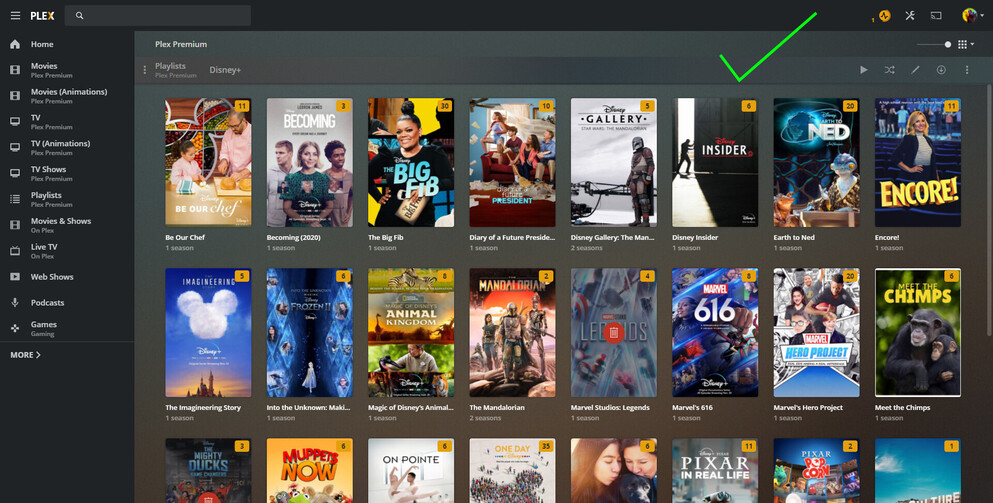


 . This looks very promising. I’m sure this will achieve the same functionality I suggested. I’ve got required PMS version, just waiting for Plex Web 4.56.3 update. Will report back once tested.