Server Version#: 1.40.1.8227
Player Version#: 10.13.0.466
I just got myself a GPU to be able to do hardware transcoding with Plex, and while playing around with it at home to test, I was initially confused by very high CPU usage despite it supposedly using hardware transcoding.
After some googling I’ve learned that when Plex burn in subtitles, it uses software transcoding, even if it say it is using hardware (should really be fixed to report correctly)
But then that lead me to my next issue, why is it burning in subtitles? My test players (Android Phone, Galaxy S23, and Nvidia Shield Pro Android TV) both support direct play/stream of PGS subtitles, so I did some more testing.
It turns out that if I select “Convert automatically” as video quality, in stead of say the 1080p 20Mbps option (which is the highest outside of “Convert automatically”) Plex chooses to burn in subtitles despite the player supporting the subtitle format. If I chose 1080p 20Mbps I get proper transcoding with direct play/stream of the subtitles.
For me, this behaviour essentially makes hardware transcoding useless, as the main transcoding scenario for me is when the bandwidth isn’t good enough for a direct stream/play, even though the hardware is.
Can this be fixed? Or is there some workaround so that I can get it to direct stream the subtitles (outside of using inferior formats such as SRT)?
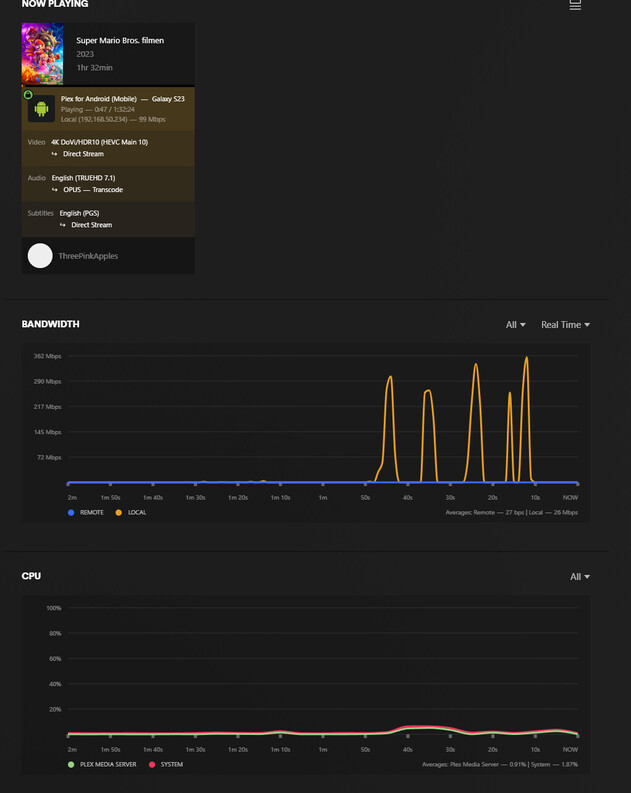
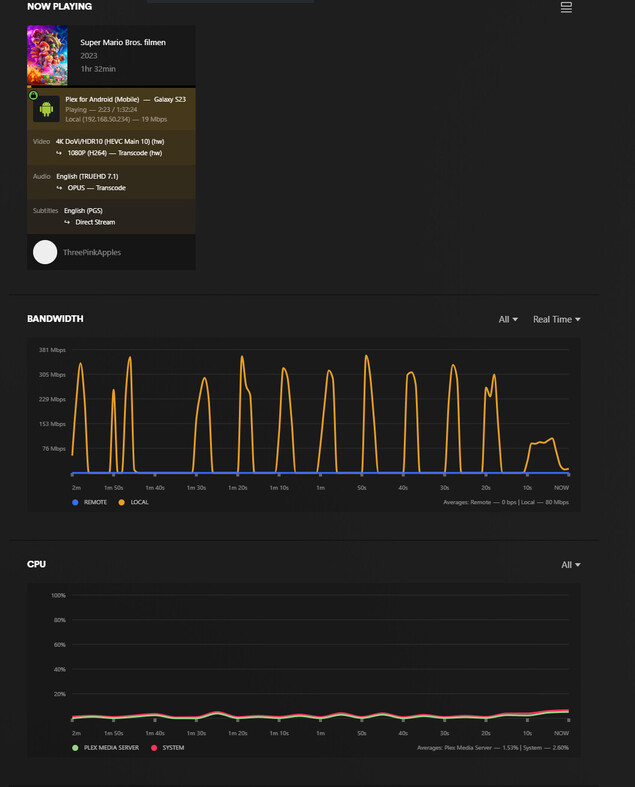
Below are some screenshots from the dashboard when testing this out on my Galaxy S23. First one being direct stream, second being 1080p 20Mbps, and last one “Convert automatically”