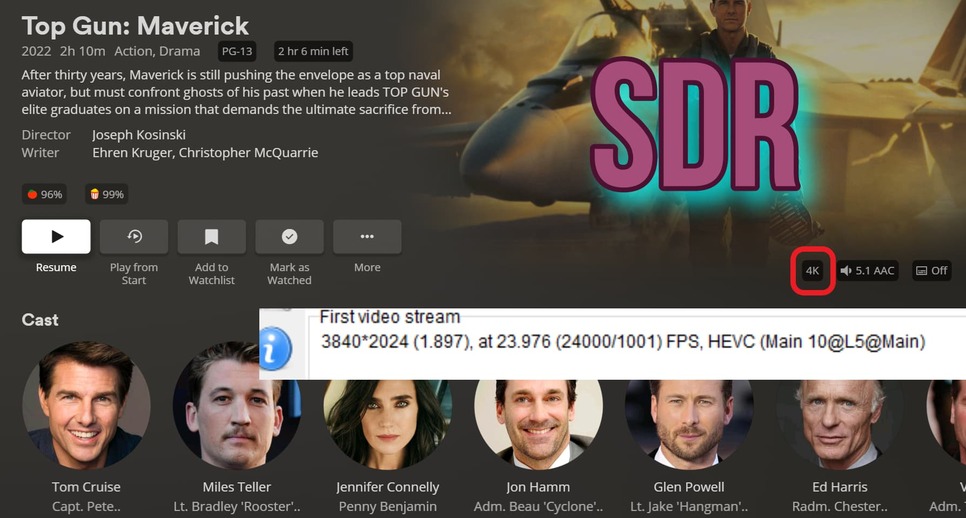
Plex can’t recognize an HDR format movie and can’t play HDR correctly

Server Version#: 4.100.1
Player Version#:8.16(5285)

Why can a certain movie play normally on my PC (potplayer) and display HDR, but Plex can’t recognize that it is an HDR format movie and can’t play HDR correctly. Other HDR movies are normal, only these format movies plex can’t recognize HDR.
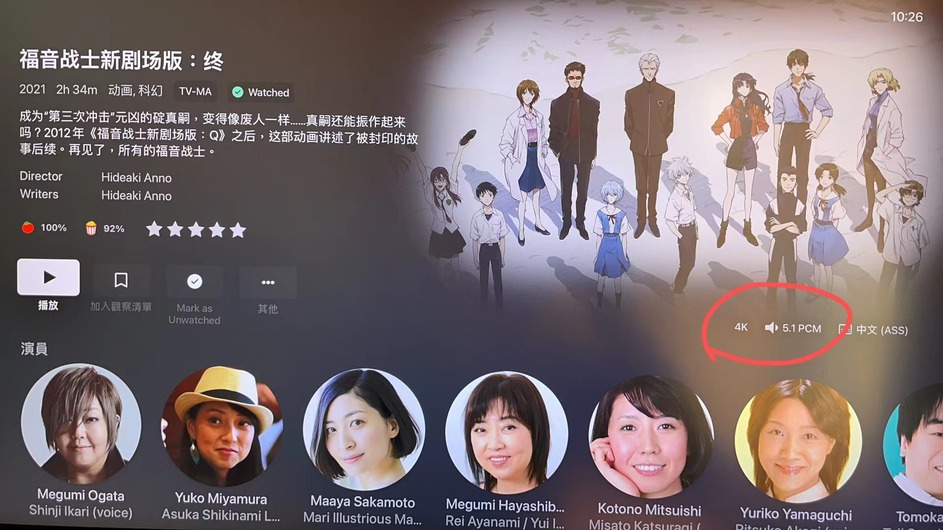
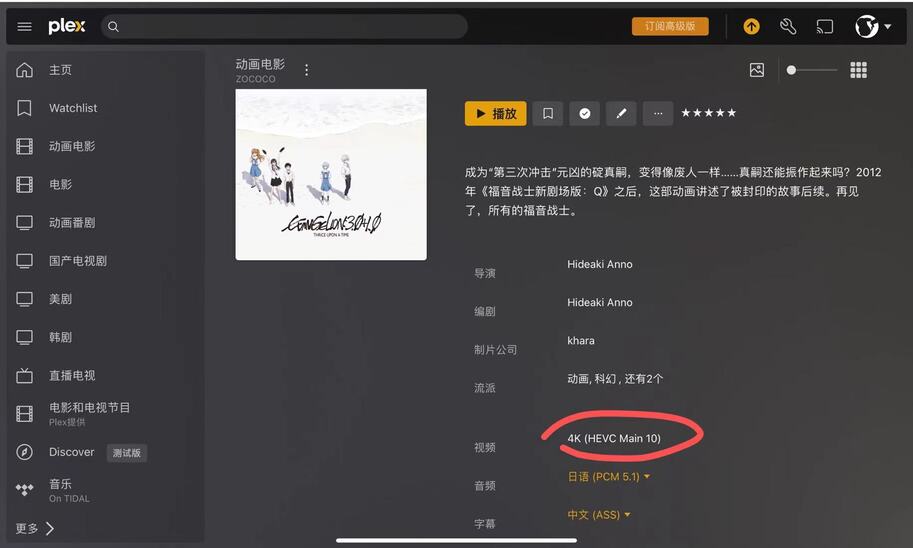
The video file information is below.
General
Unique ID : 125663174418003765447290394652856959995 (0x5E89D8D863AA4FCAAD19ED8AAEF243FB)
Complete name : Z:\Evangelion.3.0+1.01.Thrice.Upon.a.Time.2021.mkv
Format : Matroska
Format version : Version 4
File size : 69.6 GiB
Duration : 2 h 34 min
Overall bit rate : 64.3 Mb/s
Encoded date : UTC 2023-03-10 13:36:18
Writing application : mkvmerge v73.0.0 (‘25 or 6 to 4’) 64-bit
Writing library : libebml v1.4.4 + libmatroska v1.7.1
Attachments : SourceHanSerifSC-Regular.otf / SourceHanSerif-Regular.otf

Video
ID : 1
Format : HEVC
Format/Info : High Efficiency Video Coding
Format profile : Main 10@L5.1@High
Codec ID : V_MPEGH/ISO/HEVC
Duration : 2 h 34 min
Bit rate : 55.0 Mb/s
Width : 3 840 pixels
Height : 2 160 pixels
Display aspect ratio : 16:9
Frame rate mode : Constant
Frame rate : 23.976 (24000/1001) FPS
Color space : YUV
Chroma subsampling : 4:2:0 (Type 2)
Bit depth : 10 bits
Bits/(Pixel*Frame) : 0.277
Stream size : 59.5 GiB (86%)
Language : Japanese
Default : Yes
Forced : No
Color range : Limited
Color primaries : BT.2020
Transfer characteristics : BT.2020 (10-bit)
Matrix coefficients : BT.2020 non-constant

Audio #1
ID : 2
Format : PCM
Format settings : Little / Signed
Codec ID : A_PCM/INT/LIT
Duration
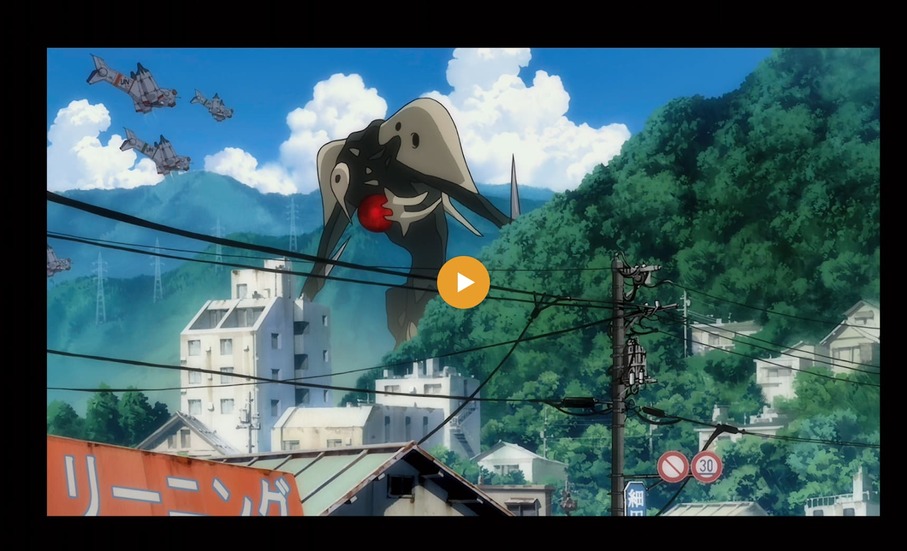
Will need to see the server debug log files ZIP which captures the start of playback to know why this is happening.

Subtitles is a common problem. Your logs will tell if that’s happening.

Plex Media Server Logs_2023-03-11_12-24-21.zip (3.7 MB)
Thank you, I have uploaded my PMS log files.

One thing I see immediately,

You have HEVC HDR and you don’t have a Plex Pass to use hardware transcoding on the QNAP.

At that bit rate, and if you are needing tone mapping, the J4125 CPU will get buried and not be able to stream it. (HEVC is very hard to transcode without hardware assist)

Can you cut me a 50 MB sample of it and post a link so I may check what PMS does with it here?

I ask because Anime is also very tough. I don’t know why but I see it become a problem a great deal.

Hi, the movie file is so huge, I cut 30s sample (312MB) upload to GoogleDrive. Please check the link.
https://drive.google.com/file/d/1TXHQkBmaEhqxU-AHysPIBC_v6VCAdz-I/view?usp=sharing

@ZoCoCo

Thank you for the sample.

This is playback with hardware transcoding active.

Here is the dashboard showing the playback
I play it on my iPad with no problems either

I think the issue here is not having a Plex Pass but needing to transcode the files

From his first screen shot it appears as though this file isn’t even being recognized as HDR


I looked at my HTPC, Shield and Plex for Windows and they all display HDR
I don’t know what client he’s using, do some not display this?

The top one is his test file and the bottom one is my HDR file. I’m a bit new to this so forgive me if this is a dumb question, but doesn’t this mean he has an SDR file?

The colorspace definition is slightly different than what we see for normal UHD HDR 2160p movies

Example:

Full HDR movie as we know it.

HEVC 10 bit color anime movie

It’s not SDR but not perfectly defined “UHD HDR10” that we often see.

Notice the colorspace changes. One is bt2020nc while the other is bt2020-10
Not full "HDR’, just HEVC 10 bit color.

Should the player know the difference? I don’t know.

I’m not worried about how it displays right now.
Playback is the issue I see. Apple players need transcoding and there’s no hardware assist here.

2 Likes

::OK, thank you, maybe my PC potplayer recognize these format movies HDR incorrectly.

This topic was automatically closed 90 days after the last reply. New replies are no longer allowed.