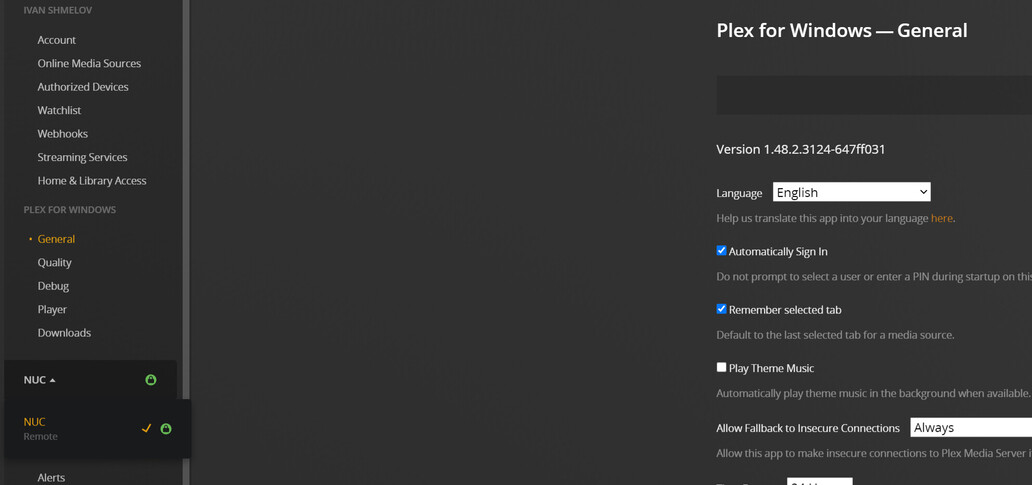
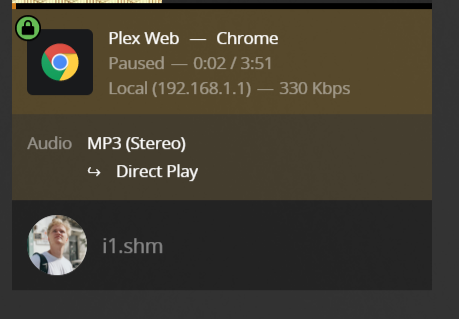
I remember that I tried, but refused a long time ago, so it was running not as a service for a few years
Deleted with no issues
Around 2 weeks ago
Repeated the whole process, with re-login step before claiming the server, including re-login on a client, but nothing changed - DNS request is still looking for an old IP.
Could there be any place on a client, where old IP is stored?
Sorry, I am unable to comment on that as I don’t know your local network.
The only remaining idea I have is to fully remove the server from your account.
But this would require all clients to be reset https://app.plex.tv/desktop/#!/settings/devices/pms
(and the shared user you have to also be granted access to the new server ID.)
Removed the server, cleaned the registry, and re-claimed the server, but nothing changed - neither server nor client tried to send a DNS request with new PMS IP
btw, all clients (desktop and mobile) were picked up without resetting and I still can’t see PlexOnlineHome key in the registry, 3 others are propagated
Regarding the network - win 10 PC is the only client in the whole network, having problems. android phone, 2 Shields, Plex web are okay
Does the plex web app behave the same? https://app.plex.tv
If the web app behaves as expected, close Plex for Windows, and empty out its configuration folder. C:\Users\Peter\AppData\Local\Plex (NOT Plex Media Server)
Exactly the same - both are routed through the router
I suspect, that for app.plex.tv it’s expected behavior, but the Windows client previously was capable of direct connection
Closed Plex for Windows, cleared the folder, flushed DNS on both computers, restarted the PMS, and nothing changed - still remote with traffic going through the router.
Also, noticed another strange DNS request from the PMS (check the token)
Seems that there is something still wrong with the windows app - I’ve cleared the cache multiple times in the last hour, but it’s still displaying PMS as ‘remote’ and there is 5-6sec delay before any music track starts playing and it happens only in windows client - plexamp, plex android are totally okay, no delay
This could also be caused by its ability to HDMI bitstream and/or a configured “Refresh Rate Switching Delay”.
i.e it doesn’t have to be caused by an indirect connection,
There’s some help in this support article for finding out what your authentication token is:
In the resulting page, there should be XML entries showing resource information for each of your open/logged in servers and clients. The product type is noted, so they should be easy to distinguish.
Look for entries which don’t show your current IP numbering, particularly for the server.
Regarding the Pi-Hole, are you running a local recursive DNS server on it, such as Unbound? If so, it’s in that DNS server’s configuration where you’ll likely need to carve out the exception for *plex.direct. For instance, in my own Unbound configuration (running on a Pi-Hole), I have the following configuration directive: