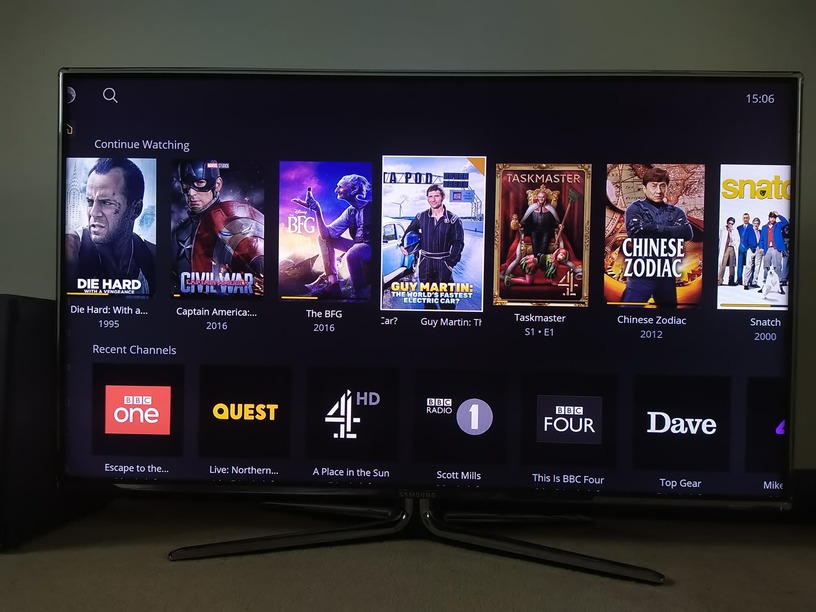
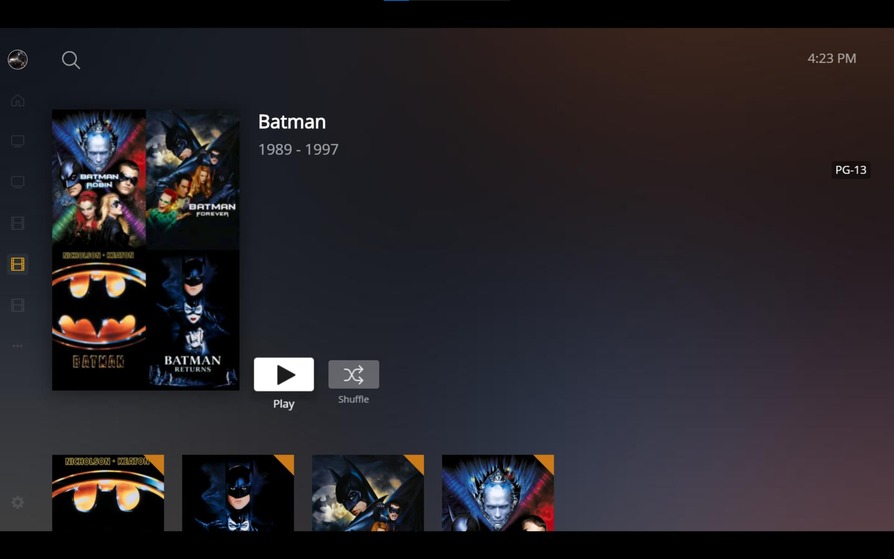
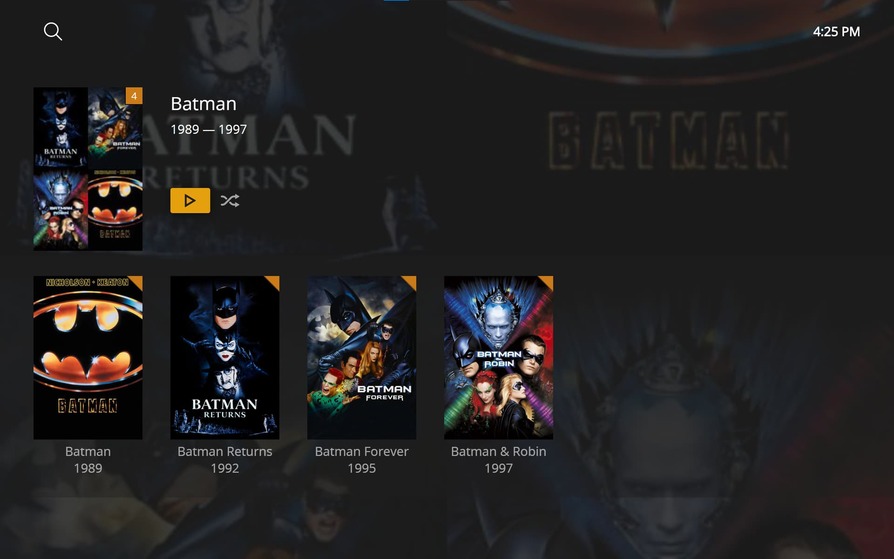
Hoping the UI is given the ‘modern content layout’ treatment as seen on the Roku/apple and other TV apps. This should include background artwork focus colours, inline details, etc.
As it stands the DVR guide is lacking any artwork or background treatment when browsing the guide.
When viewing Movies and TV Shows no ‘extras’ are showing. Hope this can be added.
No record settings in the guide or when viewing a programme.
As a Roku owner I have the new modern layout and am loving it so far. Really hope that HTPC will emulate that as close as possible, whilst also enhancing the feature set with power settings befit of a power-user app, such as choice of player engine.
Plex HTPC for Mac and Windows v1.6.1 has been released.
PLEASE NOTE: If you are running Plex HTPC for Mac and Windows v1.4.1 or earlier you will need to manually update to v1.6.1 and higher. There was a (now fixed) bug in our updater code present in that release that will prevent the application updating automatically.
Here are the release notes for this release:
NEW:
Update button and status icons
Update metadata item progress bar style
Switch from showing Played/Unplayed to Watched/Unwatched
Colorize status badge icons on details screens
FIXED:
Fixed error attempting to use invalid browser language
Tweaked audio/subtitle offset button colors
Fixed channel names not being displayed for channels without a logo
Fixed invisible icon when focusing on Watch Together invite button
Fixed invisible checkboxes when focused
Fixed Empty Home message not being shown in some cases
Fixed trailer button disappearing when returning to a movie screen
Fixed poster shadow showing when there is no image
Fixed error message overlapping hub content when removing last pinned source
Fixed Live TV full channel titles being displayed rather than callsigns
Fixed art always showing dimmed in the guide
Fixed episodes hub on show with merged seasons
Fixed dimmed art remaining when returning to library screen
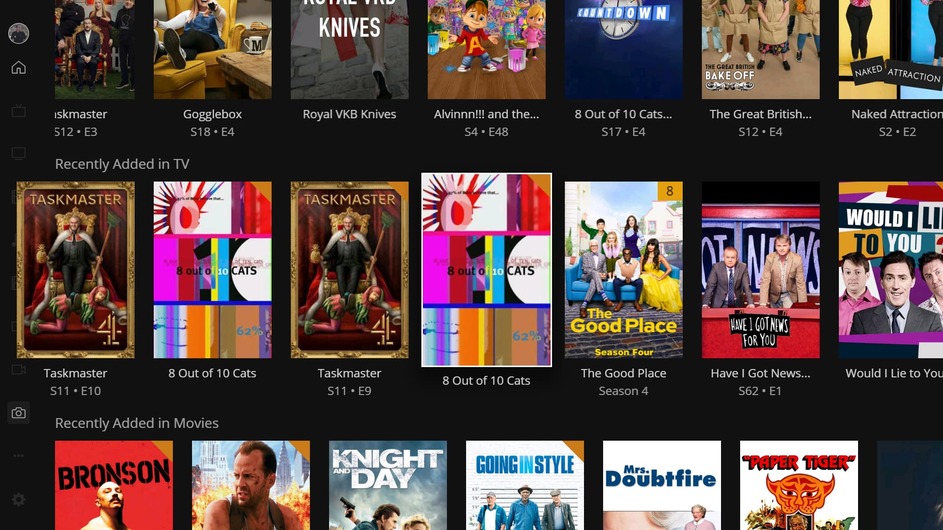
With the release of v1.6.1 it seems that the border/view port of the collapsed sidebar isn’t being respected by either the Home page or the Recommended tab of libraries (tested with Photos, Movies, Music, TV and Videos) and can be overwritten as follows:
I have scrolled the Recently Added in TV list and now the artwork for Taskmaster S11 E10 overlaps the menu.
I previously scrolled the Shows On Now list, which overlapped the menu, then when I navigated back to the menu and it’s redraw caused the artwork for Taskmaster S12 E3, that is currently airing, to be overwritten and truncated.
I haven’t scrolled the Recently Added in Movies list and as you can see the artwork for Bronson displays in the correct location.
Note: This also appears to be happening in the Samsung Tizen app and XBox One app v5.25.2 so I assume it is common to all apps that share this code base.
@captain_caveman2k I’m not seeing that border problem on my windows 10 system.
Are you running in a window or non standard resolution?
@gbooker02@Moussa : Glad to see the show art appearing correctly when browsing around the TV Guide. As my comment above, will you be following the new ‘Modern layout’ going forward with the artwork background focus colours and other improvements. Would help combat the large blocks of grey seen all around the interface.
Also would love to see TV and Movie extras show up in season/movie views.
The screenshot was taken in Full Screen mode on my second 1920 x 1080 monitor.
However, I have just re-tested it on both monitors in Windowed, Maximised and Full Screen - restarting the app in between (just in case the app remembers previous settings) and the app has the same issue on both monitors in all three modes.
In summary I am seeing the issue with the following:
Plex HTPC v1.6.1 - on Windows 10 Professional v10.0.19044.1288 as described above
Plex for Tizen v5.25.2 - on Samsung 49" The Frame (2019) - QE49LS03RAUXXU (Tizen 5)
Plex for Tizen v5.25.2 - on Samsung 50" The Frame (2020) - QE50LS03TAUXXU (Tizen 5.5)
Plex for XBox One v5.25.5 - on XBox One v10.0.22000.2624 (xb_flt_2110co.211005-2200)
The problem is even worse on the XBox One as the left half of the collapsed menu is not visible as it appears off screen:
This is intentional. We’re trying to use more of the screen. Only the current hub you are looking at should do this. Other hubs will hide behide the sidebar when not in focus.
That looks like an overscan issue. Check the XBox’s “TV and Display” settings.
Ah okay - At least it is intentional and not a bug.
However, for what it’s worth. I must confess that I don’t like it as a) it looks messy and b) you don’t gain much.
If you compare the three hubs in the screenshot I enclosed I have:
The Shows On Now hub that has been scrolled has the left most item appear under the sidebar.
The Recently Added in TV hub which has been scrolled has the left most item appearing over the sidebar.
The Recently Added in Movies hub which hasn’t been scrolled appears to the right of the sidebar.
Not only are all the left edges wonky, but I can’t see the full side bar as a result and all three hubs still show the artwork for 6 and a bit items - the first two probably 6.75 and the last has 6.3 maybe (if there was a 7th item present).
Cheers for the tip. I have checked the General → TV & display options and found Overscan → Apps can add a border, under Advanced → Video fidelity & overscan, which was ticked.
I un-ticked it but it made no difference
Maybe something has changed in the Windows 11 based XBox OS but this didn’t happen previously.
Not only that it only happens with Plex and with the Compressed sidebar - the non-compressed full sidebar menu displays fine and not off the screen. I also don’t appear to have the issue with the All 4 app from Channel 4 or the BBC iPlayer app.
Any hubs (1st row) that have been scrolled will go under the sidebar when not in focus. The 3rd one is to the right because it is at the left most item so it hasn’t scrolled.
I get how that can look a little messy. The idea to show half the poster is to indicate that there is something there. Same reason we show half a row up and down. You’d be surprised how many times users couldn’t find something because they didn’t try to scroll in a certain direction.
Do you need /want to see the sidebar while scrolling around?
Possible. I don’t think we’ve tested on Windows 11 yet.
Overall very happy. Plays everything I’ve thrown at it without issue. Yet to see this ‘choppiness’ that others speak of (my HTPC is nothing special - Ryzen 7 2700x
Remote control is great (Harmony 650 via Flirc).
Would like to see a scrollable size detail view that PMP had, as that allows more content on screen plus viewing movie summaries without having to open each individual movie.
I was a long time Kodi user but got tired of the constant tinkering so moved to PMP.
PM HTPC is a great replacement.
Can’t find the update button but I’m on the latest version.
Can’t always get the watched/unwatched buttons to show on content, seems haphazard (using long press).
Really appreciate the ongoing effort Plex are putting into this.
I run Plex on ATV, iPhones, Roku, my HTPC. All without any issue.
Tested the new version , for myself I still don’t see any improvement on video processing. more enhancements to the UI which is good, but the video is still not were it needs to be for the home theater experience compared to other options.
I recently switched over to Plex HTPC and I am loving the fluidity and UI so far.
However, while travelling away on a trip today I installed Plex HTPC on a laptop (Windows) so that I could watch remotely. I noticed it had black bars on top and bottom while running the app.
Plex HTPC v1.6.1 on a 16:10 with black bar issues:
I have the Lenovo Legion 5 Pro which has a 2560x1600, 16:10 aspect ratio and I find the black bars quite distracting and odd while using the app.
I am well aware that I will eventually see the black bars when playing any 1080p content but black bars when in fullscreen is just weird.
Plex HTPC Settings -> Advanced -> Resolution -> Auto | HD | FHD | 4K
I tried all of the above to see if it could fix this issue but it doesn’t seem to work. Is there a bug with the scaling and/or resolution for the app on a 16:10 aspect ratio? And if so I would greatly appreciate a fix and/or support for 16:10 in future releases.
The other way around. Your laptop has a 16:10 screen ratio.
You won’t find this ratio on tv screens, only on computers.
Building a UI is easier if you restrict yourself to a fixed aspect ratio. Which is what Plex has done with the HTPC app and implemented a 16:9 user interface. Which is what video and TV screens nowadays have.
If your video picture has a 16:9 ratio and your screen has 16:10, you will always see black bars on top and bottom. Unless you are zooming-in to the picture, thus cropping areas from the side of the picture.
By default, Plex will always opt to show you the whole of the video picture, instead of throwing parts of it away.
In my opinion, It still lacks compared to other home theater playback options. the rendering and processing just doesn’t hit the right level of picture quality for the home theater or main room playback, I am sure it is awesome for laptops and pc users, but i think that defeats the purpose of Plex HTPC.