How often will this be updated and what is the ETA on merging it with the current stable releases?
Nope!
Depends on how many problems we find!
Thanks for testing everyone. So far it seems like most problems happen on Synology and macOS. We will have a look at these platforms next week and hopefully fix it and deliver a new update.
it has bothing todo with synlogy. i tested a debian files on x86_64 musl based system and can verify that no settings save operation works. there is no hint in the log why this happens.
Can you provide steps to reproduce?
plain simple. just install it. (to avoid any permission problems i used it even with root permissions).
then just run it. go to an settings dialog and press save
the settings could no be saved will be displayed in red then just right beside the button.
for running i used the default init “plexmediaserver.init” script which is located in /usr/lib/plexmediaserver/lib
i checked also /var/lib/plexmediaserver/Preferences.xml. this contains just the settings for the first step setup, nothing if the new settings have been stored in there.
macOS 10.13.6. 3 days running, everything is working for me excepting the menu bar chevron is stuck trying to launch the server (spinning wheel) even if the server is running and working well. Some users use it remotely, direct plays & transcoding, I use it for local streaming without any issue, the DVR records my shows as expected. I have to report that I cannot access to server settings, it said “its unavailable”. I tried on the server computer desktop browser, the Plex app, with no luck.
On Fedora 33 I am experiencing the same problem with being able to save Settings changes. If I go to Settings and General and try to toggle any of the check-boxes they all fail to save with multiple attempted clicks. In the “Network” console of the browser it appears that the PUT to save changes has been blocked withe following error NS_ERROR_DOM_BAD_URI an OPTIONS attempt failed with a CORS error “CORS Allow origin not matching origin”
Hi @PimpDiggler and @brainslayer Can you please try using the hosted Plex Web App (https://app.plex.tv/desktop)
I believe there is an issue with the current bundled web app that is triggering a CORS error when saving settings or starting playback.
2 Likes

First impressions are good on FreeBSD (TrueNAS 12.0-U2.1, non-plugin 12.2-p3 jail).
First launch took longer than most Plex upgrades, but that’s not a problem, just an observation.
I had a problem with Home Screen content not loading until I Reset Customization. But I was using the local web app. I can’t swear if that issue was related to the preview server version, the browser I used, “universal continue watching”, or even the CORS issue.
I had the same CORS issue as reported above with the built-in app, but the hosted Plex Web App works.
Clients seem OK. I’m almost convinced that even Direct streaming starts faster, but … placebo?
Browsing & loading thumbnails definitely seems faster. I rolled back to compare, and it’s definitely an improvement.
That worked and yes I was using the local address of my server when I was attempting to change the settings localLan:32400/web
the hosted webapp works.
Been running this since Sat, Ubuntu 20.04.2, forgot I had even done it as neither I or any of my users have noticed any issues.
Running behind NGINX, no issues playing or changing any settings using the bundled / locally hosted web app either
1 Like
Same behavior in my Synology DS1621+ running DSM 6.2.4-25554:
- Automatic library updates stopped working
- No settings could be saved, error message displayed was 'settings could not be saved`.
Please use the hosted webapp. We are working on a fix and will provide updated builds soon.
2 Likes
Will there be an updated Windows build? I am hoping to see improvement in the transcoder performance.
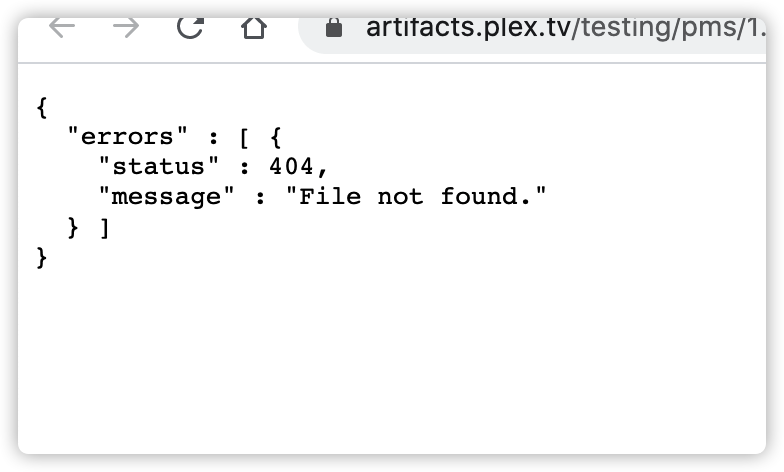
Links above have been update to version 1.22.2.4204-0a657c52f - everyone that have tested and ran into any issue should retest with this version.
Nice to see these new builds, will these contain the same fixes as the “normal” beta releases?
IE will todays new 1.22.2.4204-0a657c52f build contain the same fixes as 1.22.1.4200?
