@chris_decker08 Is the regression issue just for this experimental version, or all Plex versions?
@boblinthewild just this expiremental version
1 Like
Thanks. Can I safely assume the experimental changes won’t get promoted to production until Intel fixes the regression?
i5-11400, Server 2022, Hisense Roku 4K HDR TV.
Updated from 1.40.1.8190 → 1.40.2.8424. For the couple 4K videos I have with SRT subtitles available, subtitles don’t show unless unless I force them to burn in. PGS automatically burns. With burned subtitles everything is brighter, otherwise seems much too dark. Burned subtitles still show HW transcoding but uses much more CPU and playback is spotty (rebuffering / “Your connection to the server was not fast enough”).

As far as I know, subtitles being burned is always software based, and is pretty CPU intensive, especially for 4k.
1 Like
Sure. But to connect the dots:
- It’s showing (hw) when that’s not the case.
- I have no workable option for subtitles w/ 4K transcodes on this Roku device.
I did just try a forced transcode of 1080p w/ SRT, that works.

@tby its showing hw encoding and decoding, which is still hw accelerated, however burning in subtitles (currently) forces all the processing done in between (including tone mapping) to be software based. So it is doing both hw and software processing. Does the public 1.40.2 have the same issue displaying subtitles?
@boblinthewild that is a correct assumption
1 Like
An FYI to run Ubuntu 22.04, not 24.04.
Ubuntu 24.04 ships with the Linux 6.8 kernel, which does not yet work with Plex Media Server due to missing Intel driver updates. Plex is working with Intel on the updates.
Note this affects any Linux distribution with the 6.8 kernel, not just Ubuntu.
Ubuntu 22.04 + Hardware Enablement has the Linux 6.5 kernel, which does work with Plex Media Server.
For updates regarding Plex & Ubuntu 24.04, follow this thread: Ubuntu 24.04 & HW transcoding .
1 Like
@FordGuy61 What I am saying is, that I had been able to enable hw transcoding (when disabling it in the webui) in ubuntu 24.04 with intel drivers. Not the ones shipped with Ubuntu though. I made some tweaks at some places though. It resulted in hw transcoding with hdr tonemapping in hardware as I mentioned, as N100 cannot software tonemap (too slow)… I cannot remember how I did it, and I have installed Windows 11 Pro in the meantime because I wanted to find out why my computer kept crashing. It turns out I have a unrelated hardware problem in my RAM, so I will need to fix that first. I disabled some stuff in grub, installed non free vaapi driver, build and installed libva from intel git (github) etc… There is a webpage that describes this on reddit. You cannot run HDR tonemapping currently without building beta drivers from github… So, I had it working with hdr tonemapping in ubuntu 24.04. It means, that plex ffmpeg implementation already supports it, but intel needs to fix the driver for 6.8 kernel, which you can by building from source.
We are in the middle of implementing that fix already, however that is off topic for this thread.
I have updated the links with a “fix” for the darkness issue. I have adjusted the contrast, saturation, and brightness to what I personally believe looks reasonable, and have added fields to the transcoder settings to let you guys play around with them if you disagree. I do not intend to have these fields when this feature is set so hopefully we can agree as a community on what looks best.
3 Likes
I find the saturation to be pretty high, curious what other think. Also, it’s hard for me to tell well due to PM-1390, which makes ARC not worth using tbh :(. It would be great if anyone has a setup with actual color measuring devices.
That said, I found these settings to be pretty good:
saturation: 0.9
contrast: 1.1
brightness: 11
1 Like
Long time lurker here. Tried the latest build of PMS, running on a tiger canyon i3 Nuc, I can get 1080p to 720p transcode with tone mapping working fine.
I tried to test a 4k to 1080p but none of the playback devices offered it, which I find weird.
However, I keep getting audio transcoding (sw), shouldn’t it be direct play. It only transcode when I try to step down the video res/bit rate with hdr videos.
edit: Here is a revised Google Sheets Grid with some tone mapping settings and comparison metrics, if you have some suggested settings or scenes to add, let me know.
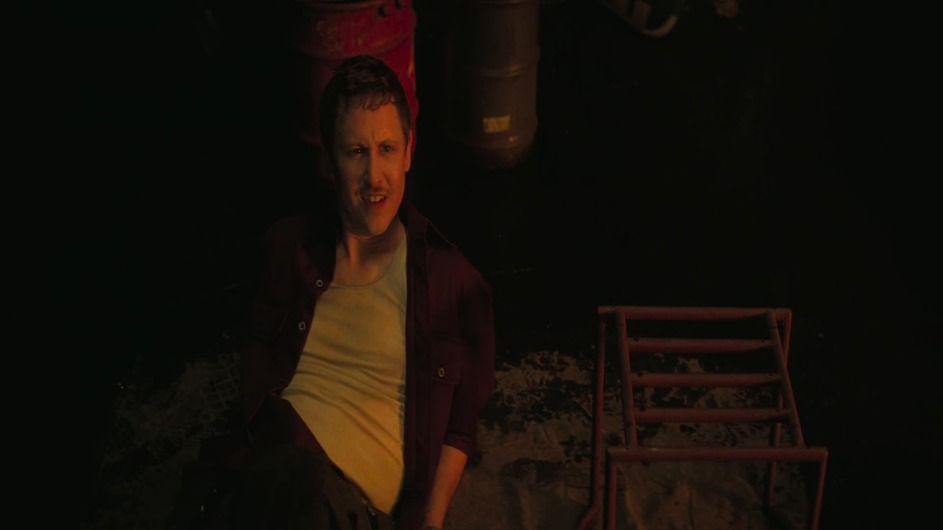
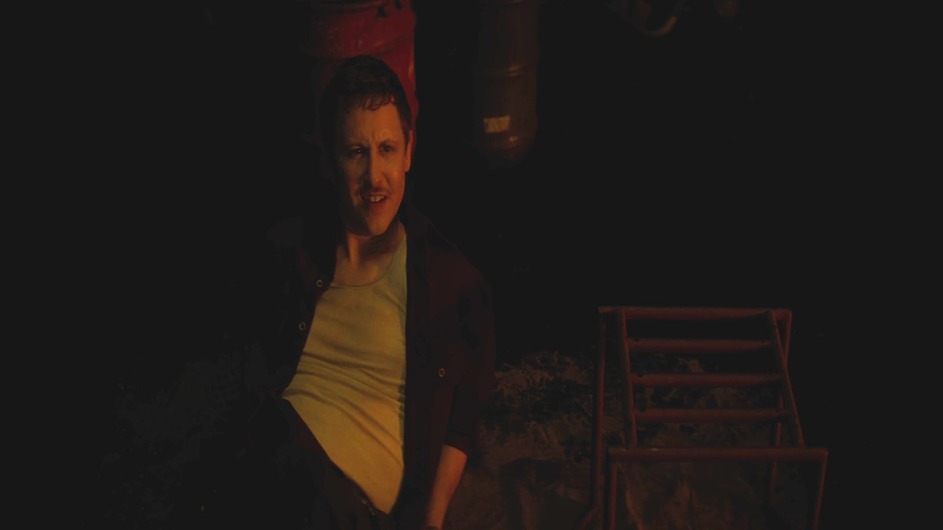
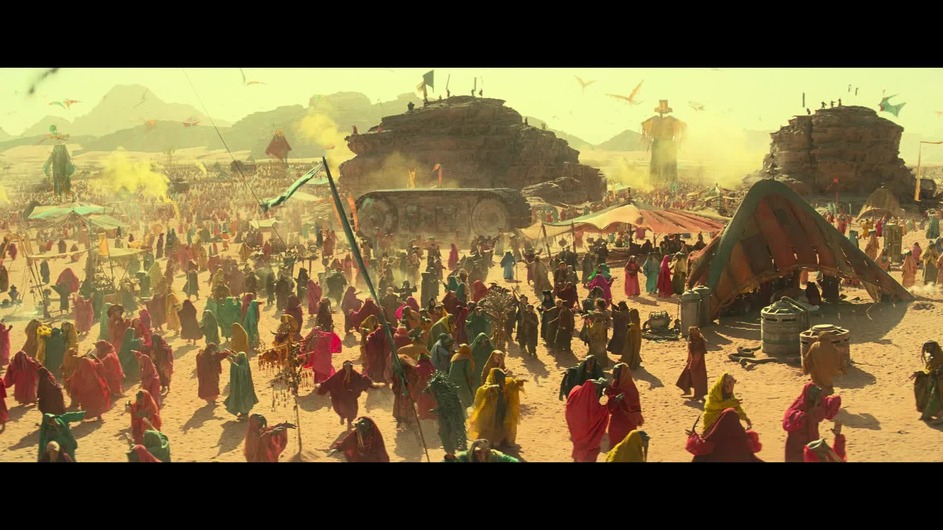
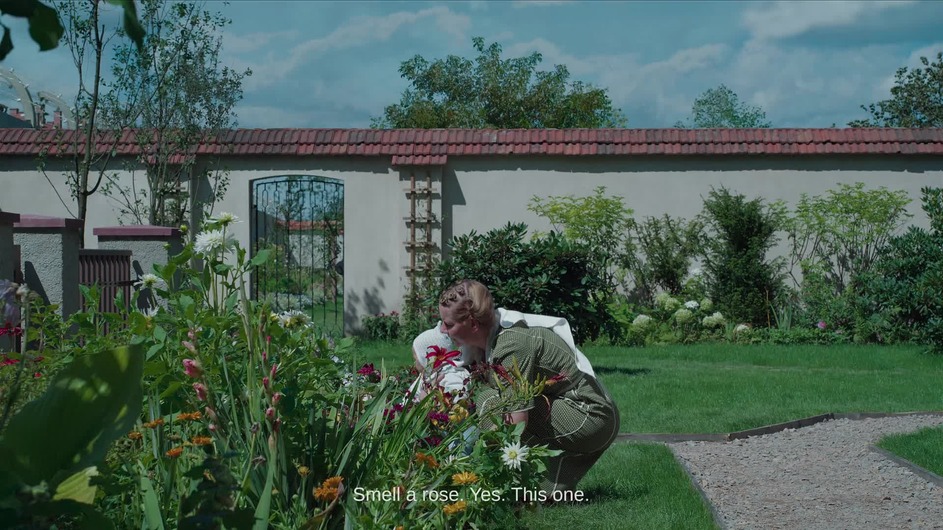
According to the Python script I wrote, and the selected scenes, the optimal Settings using the MS-SSIM Metric to compare against the Software Tonemapping were
Settings: Saturation 1.00 Contrast 1.78 Brightness 20, Average Score: 0.9767287373542786
Each Image was rendered using the Plex Transcoder using the same commands as Plex itself.
Software Reference:

Intel Hardware

Software Reference:
Intel Hardware:
Software Reference:
Intel Hardware:

Software Reference:

Intel Hardware:

Software Reference:
Intel Hardware:

Software Reference:

Intel Hardware:

Software Reference:

Intel Hardware:

P.S.: As I said, if somebody has any other scenes I should add to the Tests, let me know.
1 Like
Interesting, I like the objective approach. I feel like the contrast and brightness is pretty high - you can see see the blacks washed out in darker scenes in several frames, sky brighter (Dune), sand brighter and maybe color shift (Star Wars IX) (is it the same frame?, people seems to be in same position but some mountains and dragons? are not visible).
The Zone of Interest scene looks quite good though. Maybe it’s just an issue of Intel Hardware not being consistent?
I’ve noticed that too, it seems the Intel Hardware is generally too dark, but quickly starts clipping anywhere with areas of high HDR Brightness. So boosting any brightness/contrast is a tradeoff.
I specifically added these challenging scenes (Star Wars/Transformers) that illustrate this issue, generally in most movies it doesn’t happen that often.
I don’t think there is a way around it, other than proper libplacebo/tonemap_opencl support.
1 Like
@chris_decker08 Are there any other settings available? Specifically something that would affect bright spots. A lot of @tonigreywater images look good, but you can see bright spots are an issue such as the Transformers and the Wish scenes, but the Zone of Interest without bright spots looks good.
Drivers can take a while to come out sometimes, is there a preview version of the server available for those of us with Alderlake and Raptorlake in the meantime? What should we be looking for in the changelogs of the new intel drivers?
