Server Version#:
Player Version#:
<If providing server logs please do NOT turn on verbose logging, only debug logging should be enabled>
When streaming movies on roku the first 51 seconds are not played. I do not have this issue if playing the same movies from plex app (android) or plex server (raspberry pi) interface.
System: raspberry pi 4b with Plex Pass
Software has most recent updates.
Nada - that’s an odd one.
My usual suggestion to start is to reboot the Roku by pulling the power for 10 seconds or so. That clears some stuff that tends to stick in memory and can resolve oddities sometimes.
After that… if it’s still having problems, maybe grab the server logs (how to do that is linked by those words) and maybe provide some more details about the situation. What does it look like when that happens? What type of file\media is it? What are you using - what type of Roku and what kinda tv\audio setup?
Details: If I play some movies via plex app on Roku. The movies begin playing at some time after the beginning of the movie. In the case of the movie in the attached log, Cold War Killers begins at approximately the 50 second (per the plex progress bar) every time. That same movie played via the plex app on an samsung android phone or via the plex server on the host computer begins to play at 0 seconds. What does it look like via the roku? I would say normal. I select the play option, the screen displays a default background and the buffering percentage then begins at 50 seconds.
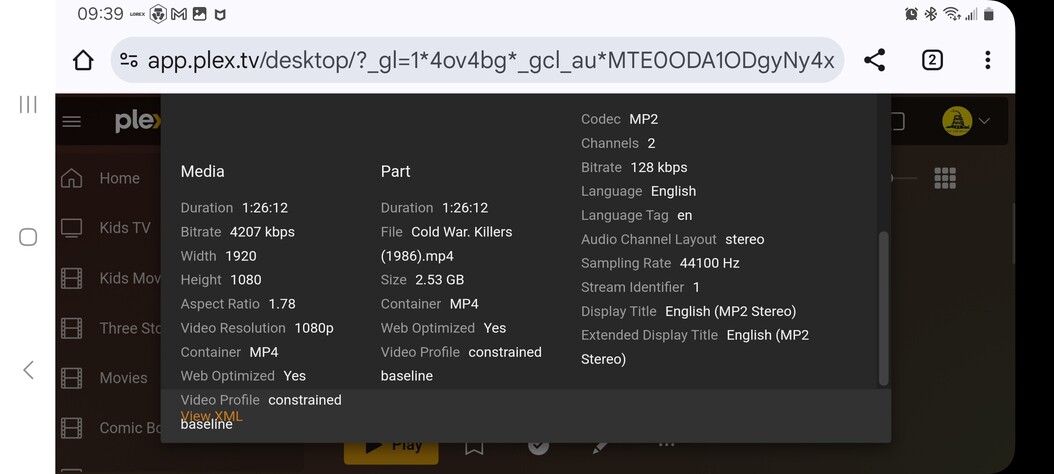
Media info is provided by 3 screen shots attached
Roku model: 3941x2 Roku Express 4k+ software version: 14.1
TV: Samsung model code:LN32B360. HDMI connection
Roku client logs are not available via roku settings>system>advanced system settings
Sounds like you got most of it covered there and it’s super odd so definitely think it’s going to take a plex employee looking at it as I have no idea myself. At least you’ve narrowed it down to being a Roku specific issue that’s definitely odd.
Maybe could try uninstalling Plex and re-installing it?
The media info looks a bit odd - framerate is 5 frames per second? MP2 Audio? When this file plays is it transcoding? This might be part of what’s causing the hiccup if it’s not reading the timing right because of the media transcoding oddly maybe. The server logs (and roku logs) probably show what’s happening there but I’m bad at reading them myself so hopefully someone from Plex will jump in on it.
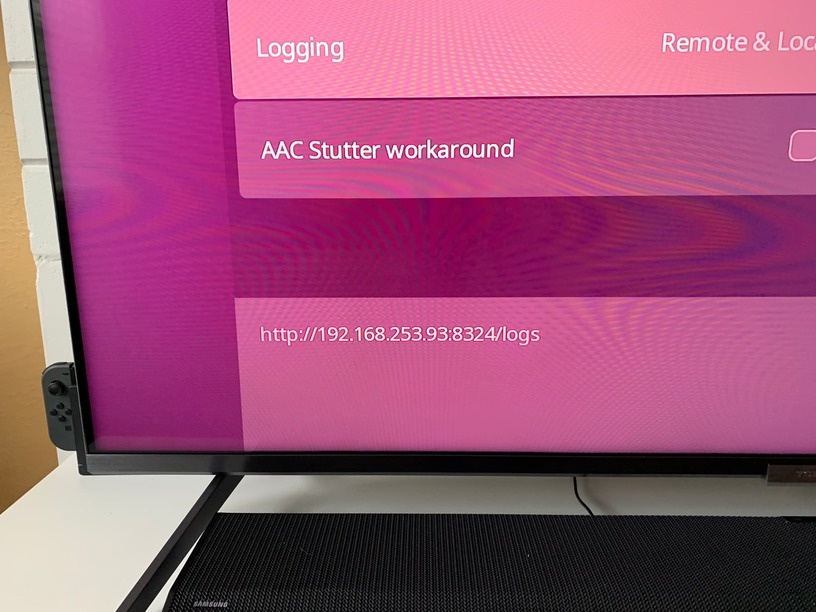
Regarding #7 for the Roku logs - you’ll find the option to enable it in the Plex app under Settings->Advanced, not the Roku settings (mixing that up is understandable - the documentation isn’t clear about it). You can set it for “remote and local” and then recreate the issue a couple times like you did for the server logs. If you go back into that setting and just highlight “local” option you’ll see at the bottom left of the screen the URL to get those local logs. It’ll look like this (happen to have a picture from my own recent reporting of a Roku issue):
I made a log per your instructions, but an ip address doesn’t display like your screenshot.
If I read the forum logging instructions correctly, that log (local and remote) is now stored on a limited access server for the knowledgeable to review?
I will open another thread on the forum and see if anyone responds.
Yeah, just post in this thread what time and date you did it and your Plex username that way the Plex employee can find it in that remote log.
To get the IP to show you have to select “local” when given which type of logging and then it pops up - it’s not very intuitive. But if you know the IP address of your Roku (check your router or the network info on the Roku) you can use that format from my screenshot and just put in your IP in place of what is on mine and that should work too.
It’s an odd one you’ve got so hopefully a Plex rep - or one of the community folks who are good with the server logs - will take a look at it here for you and can provide some help.
Server Version#: 4.141.0
Player Version#: 7.29 build 15
<If providing server logs please do NOT turn on verbose logging, only debug logging should be enabled>
Username: stevsmit
Approximate time log created: 1150-1159am us central
Issue: when I play some movies on roku plex app the movie starts at approximately 50 second point, per plex app progress bar. If i play the same movie on plex app on samsung phone android OS or on the plex server console on raspberry pi (linux) the movie begins at 00:00 seconds.
I enabled logging (remote and local) on roku, plex app and played a movie that displays this issue.
Plex forum topic that helps turn on logging say that log is now stored on a remote server that only a select few can access and review.
Can one off the select please review the log and provide some assistance?