Sounds like you got most of it covered there and it’s super odd so definitely think it’s going to take a plex employee looking at it as I have no idea myself. At least you’ve narrowed it down to being a Roku specific issue that’s definitely odd.
Maybe could try uninstalling Plex and re-installing it?
The media info looks a bit odd - framerate is 5 frames per second? MP2 Audio? When this file plays is it transcoding? This might be part of what’s causing the hiccup if it’s not reading the timing right because of the media transcoding oddly maybe. The server logs (and roku logs) probably show what’s happening there but I’m bad at reading them myself so hopefully someone from Plex will jump in on it.
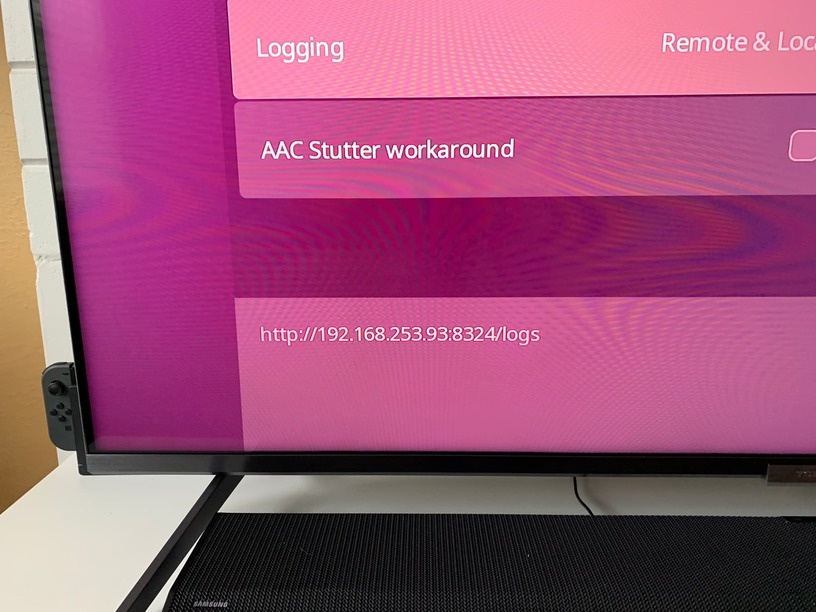
Regarding #7 for the Roku logs - you’ll find the option to enable it in the Plex app under Settings->Advanced, not the Roku settings (mixing that up is understandable - the documentation isn’t clear about it). You can set it for “remote and local” and then recreate the issue a couple times like you did for the server logs. If you go back into that setting and just highlight “local” option you’ll see at the bottom left of the screen the URL to get those local logs. It’ll look like this (happen to have a picture from my own recent reporting of a Roku issue):