Ok. I am trying to run the Plex app on my Samsung TV but when I connect to my New Nighthawk X6 Router and load the Plex App on the TV it tells me that the Plex Server is unavailable.
I have tried uninstalling the App and reinstalling it. When I enter the Pin that the APP gives me it appears to work and it shows up with my server name but the server is unavailable when I try to actually connect to it.
Now everything works when I go back to my old Wifi Router the Netgear N600 C3700 And connect everything to it. The TV loads the Plex APP and connects to the server with no problem.
I was on the phone with Netgear all day trying to figure out what the problem is because I’m pretty sure it is a problem with their router. But like most tech support they refuse to take responsibility and pass it off as a Plex problem.
Is anyone familiar with the settings I need to use out of the box with Plex and the Nighthawk X6 R7900 Router?
Just for the sake of clarity this is all In home in network and not attempting to do Remote access from outside. Thought i would think that should be obvious enough from the post.
I am having the exact same problem after upgrading the hardware from a previous R7000 to this new R8000 (X6) router.
Any advise would be great. Cannot connect to plex anymore with any of my devices (Samsung Smart TV, ipad, iphone). Reinstalling Plex did not help, same reinstalling apps on TV and ios devices.
The problem persists in 2018 -I’m also using a Netgear Nighthawk X6. With Win10 Pro, I’m able to ping the private address they suggest visiting http://127.0.0.1:32400/web. But it cannot be seen from an external connection, nor internal, to test an outside connection, I used my iPhone. I simply downloaded their newest version of PLEX, to see if it could see my media source, and there it was. However, it can’t talk with my media source, on the inside of my network? I searched for a similar problem on Netgears webpage, and found that it simply was not supported. (I’m not convinced) See this link from Netgear, hope it helps: https://community.netgear.com/t5/Nighthawk-WiFi-Routers/Plex-Media-Server-on-a-R8000/td-p/1371585
I’ve got a Netgear Nighthawk X6, and have no issues.
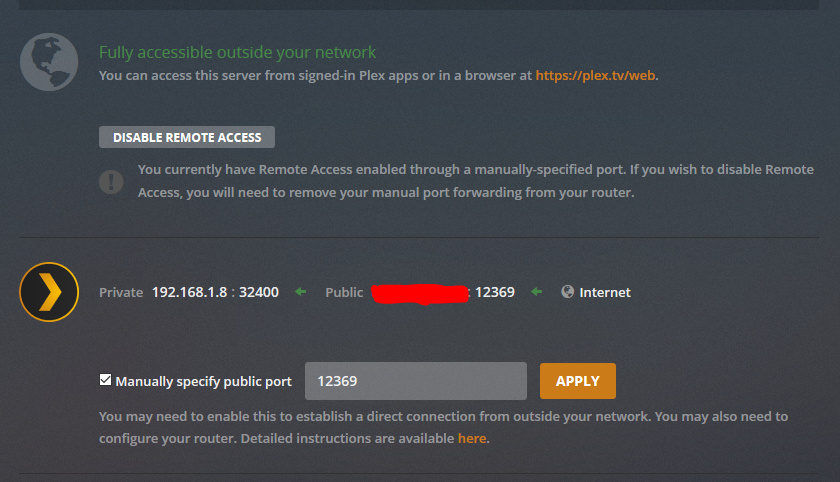
Set up a static port in Plex, and configure that on your X6. Choose the port of your choice, or use the port automatically assigned. Either way, you need to make sure it is consistent.