When you look at the size for PMS itself, you’ll notice it roll over at a size of 5.2Mb
Hopefully now as requested  Plex Media Server Logs_2019-04-20_22-28-35.zip (7.4 MB)
Anybody please?
Ups, and sorry here…
Got marked as read some time ago on my cell, and forgot about it when I got home, so missed it 
Please refresh my mind here…
Name of an episode that jumps?
All is described in very first topic in detail:
So at the moment there is only single library which is pointing to the Angular folder. Since the framework was evolving the new training for each versions were released where at the end it means they were adding new video files to the existing chapters (folders). I would like to keep those training coherent with the versions they are for (for the reference purposes etc.). The end result is that Plex intentionally merges same media files from those different folders (even with different prefix number) into single media. When I am switched to the FOLDER view, I want to have same visibility over medias as I would be browsing directly file system
Have a look at the example screens above. First pic is file system view, second is what Plex made out of it.. To me this is serious bug and requires escalation because there is no workaround other than delete other medias from the library. Renaming obviously doesn’t work, because those files have different prefix number they end up merged..
Thanks a lot. Michal
Just a thought here…
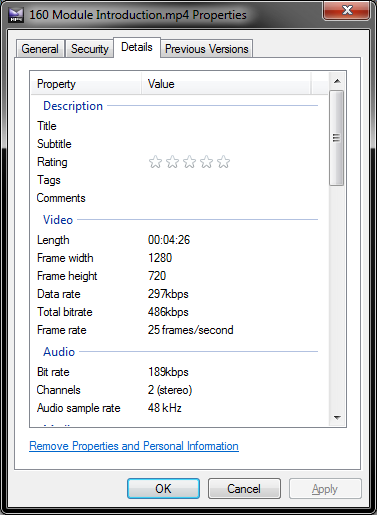
Are you using MP4 tags?
yet another week passed… any progress? here to help to get it resolved
See DM
For the reference fully reproduced logs: PLEX.BUG.zip (16.8 MB)
Basically the problem is very basic, when I am in the folder view of the library, content from different folder get mixed up (yes, completely different folder but with very similar content) resulting into omitting some video files. In that big ZIP file there are 2 PDFs, “file_system_view.pdf” is showing how files looks on the disk directly and the “plex_view.pdf” is showing what plex makes out of it… General conclusion is: when I am using the folder view in Plex I want to see media content as it is on the disk directly.
If you’re serious about creating an issue ticket, this BUG is very easy to reproduce.
Step 1: add an empty file to a library and let it be scanned
Step 2: change the file to a valid video file
Step 3: add another empty file to a DIFFERENT directory (not necessary to do a different directory, but gets the point across) and let it be scanned
Step 4: change second file to a different valid video file
The two files will be merged, if not right away, eventually. Doing a full scan might reveal the merge quicker.
This is terrible. It is a bug. It’s exactly what everyone keeps stepping in.
“Don’t write files byte by byte into the plex folder” is NOT an acceptable answer! Atomic moves are the only way to truly avoid that and that’s an absurd hoop to require users to jump through.
Anyone able to reproduce this yet and create an actual incident?
I did it at the time. They have all the logs I mention here… but seems there are many others in the pile and doubt it will be ever resolved…
The problem is the media scanner is generating a checksum property for the file which it HOLDS ON TO FOREVER AND EVER.
It’s mentioned upthread that if a file changes this will trigger a rescan of the file. This is fine and good, except the checksum property IS NEVER CHANGED.
If you had two files added at different times, and each file was momentarily empty when added, and plex scanned each file, plex now marks each file separately with the empty file checksum. Later on, plex looks at this checksum property THAT NEVER CHANGES and thinks … oh these have matching checksum properties! Clearly they are versions of the same content!
This part is a bit speculative but I wouldn’t be surprised if you add a file with the wrong name and it is a complete file, then Plex may match it incorrectly. You rename the file, rematch it, things look good. What happens if you then add a new file which really is the thing it incorrectly matched to previously? Is it going to see a relationship with that checksum and the old hash? I really don’t know but it wouldn’t surprise me at this point.
What’s the behavior if you “Split Apart” the videos showing as duplicates? This has to be performed from the “Movies” view, not “Folders.”
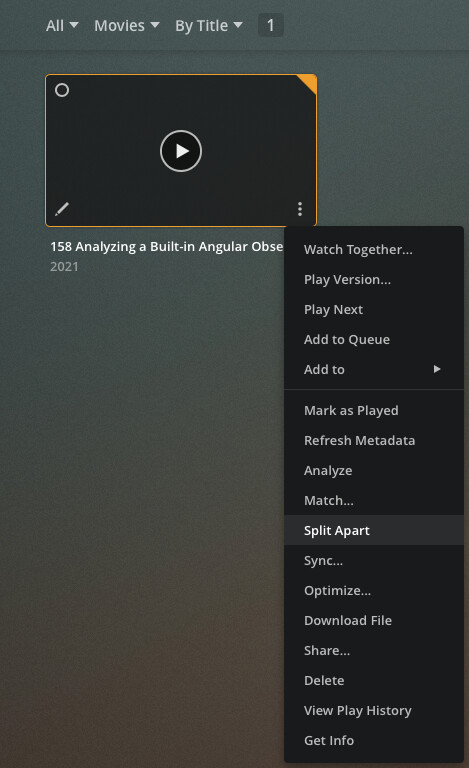
This should force Plex to treat them as individual videos instead of separate copies of the same video. Plex isn’t a dumb file browser when in folder view, but this should help it behave more like one.

That’s not the solution to the problem. I cannot do that for 200+ files… It’s kinda to be expected it is gonna be dumb folder viewer in folder view… Anyway I find the file, I did it and it split apart (for now)…

