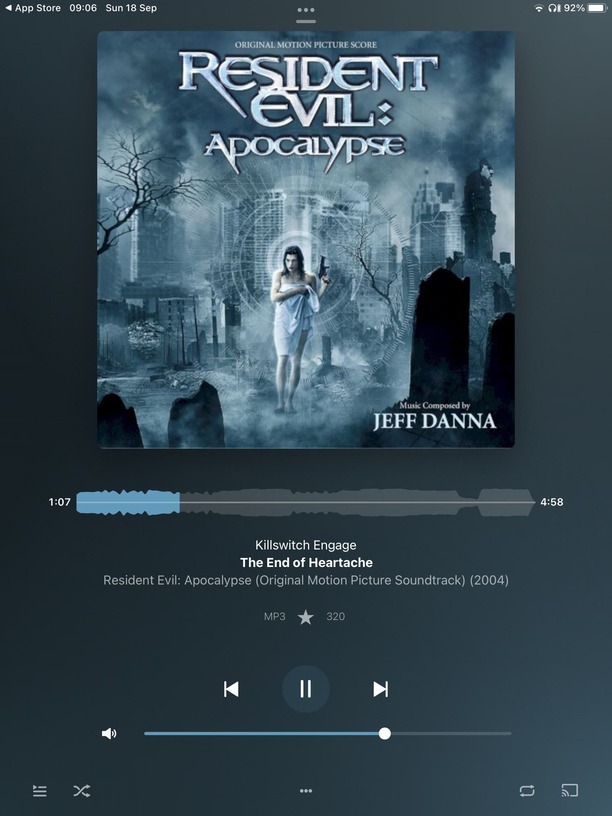
Love the new landscape mode… Makes very good use of screen real estate. I have an iPad mini, the album art is cropped at the top though, very distracting for a perfectionist like me .
v4.4.0 is a massive step backwards as far as UI is concerned. It was super easy to scroll to see the play queue previously. Now it has to be toggled on and off with a tiny button. But, I’m not looking at the play queue 99% of the time, so for that amount of time, the display is uglier than before.
Not to mention the lyrics don’t even display over in the play queue area…at least that would have provided a tiny amount of benefit.
It’s just ridiculous. It seems like this was #1 a bad idea to start with and #2 rushed to market. What problem were they trying to solve? What benefit were they adding?
The least they could do is give us a toggle to turn it off.
And added the ability to disable the side by side view in landscape to view the screen as before, with the large album art. Plexamp looks nice again. don’t get me wrong side-by-side is nice, but it would be cool if when you toggle it off, it goes back to the regular old mode where the album art is on display on the left, rather than tiny and centered.
Overall, awesome update. DJ thing is pretty cool. playing with it a little.
 .
.