Man, I did not realize I have to prove myself to other users of this place first before even being allowed to speak my mind and not be doubted. Is this some kind of a ritual here?
You have also skipped a couple steps - installing other apps that also do sample rate matching to make sure it would work on any other app.
I did not. I tested Mixplorer with its audio player which matches your description. And it doesn’t matter whether an app is a dedicated streaming app, or simply an audio playback app. PowerAmp is a “local” playback app and yet it doesn’t support bit perfect audio / sample rate matching at all (they made a decision not to).
Mixplorer cannot stream music, can it?
Not from any streaming platforms, but it can stream music from local network locations, i.e. Samba
Qobuz, Tidal, Apple Music
I do not have an active account with any of these, and I am not willing to create accounts and give them my details there just to test. Fortunately, I have the the power of the Internet at my fingertips, and the people there have indeed verified that Tidal, Qobuz as well as Apple are all capable of streaming bit perfect / sample rate-matched audio on Hiby’s hardware
Hopefully this serves as enough proof to redirect this discussion back to the main topic.
Well, you asked the previous user to prove themselves and doubted them, so fair is fair. You could also simply calm down and have a civil conversation with the people you are interacting with.
If you have confirmed that the device should be able to do it, then one other option you could do is to get Hiby to provide a device to the plexamp devs so that they can test it themselves. If you read above, you can see that it was an option requested in the second post.
The only way the plexamp devs would be able to track it down specifically to the Hiby device issue would be for them to have the device. Since the plexamp update works on other android devices that support bit perfect playback, it must be something peculiar about plexamp and the Hiby device. Help get them a device to test on.
I did not do any of this, what are you even talking about? I’m also pretty calm, although slightly irritated at the total derailment of this thread.
to get Hiby to provide a device to the plexamp devs
That’s correct, however would require more than just an expression of intent between the two companies I’m sure. I’ll make sure to ping them about it, but as a customer that’s all I can do.
The only way the plexamp devs would be able to track it down specifically to the Hiby device issue would be for them to have the device
That’s incorrect, this is not the only way and you’re making assumptions again. This is definitely the easiest and most optimal way though, assuming said devs would dedicate their time to work on this.
From a developer perspective it could be the exact opposite, the workaround used to add sample rate matching / bitperfect in Plexamp might only work on a limited number of devices. Without further context there’s not enough information to make a deduction (other than the code change would be needed on Plexamp side and not on Hiby side)
UPD: I’ve restarted and turned on sweet fades and loudness levelling. Sweet fades are working OK when two tracks have same sample rate, when they’re different - the songs switch abruptly. Speaking of volume levelling - seems to work ok
I have a HiBy R4. I have a Tidal account (and currently an Apple Music trial)
I do get bit-perfect playback on Tidal and Apple Music on my HiBy R4 (As well as using USB Audio Player Pro and Synfonium, and yes HiBy’s own app)
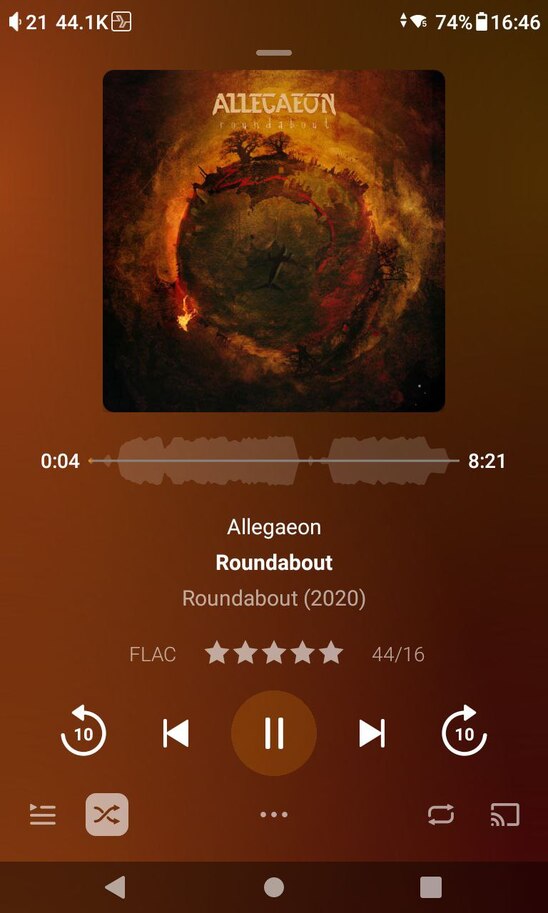
I do not get bit perfect playback on Plexamp. I am limited to 48kHz. And that is using every toggle suggested by folofjc. It does not work on this device.
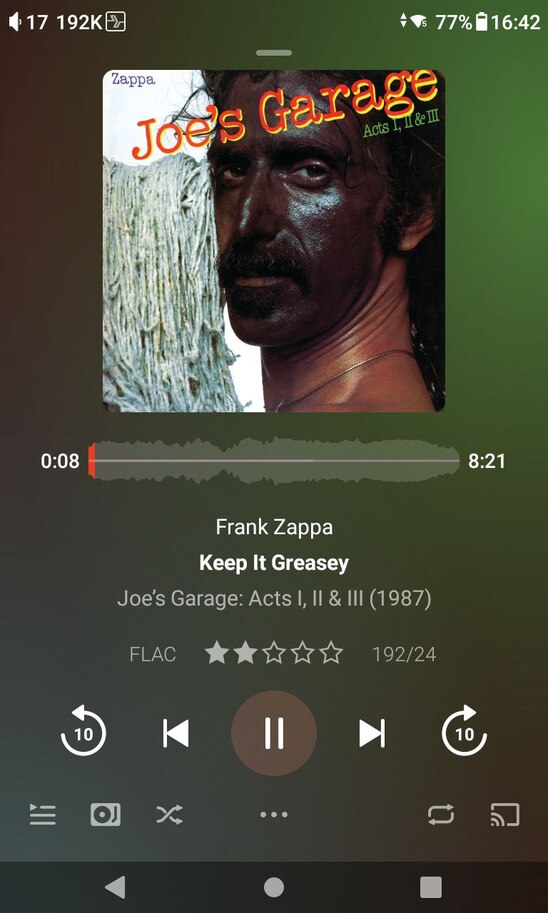
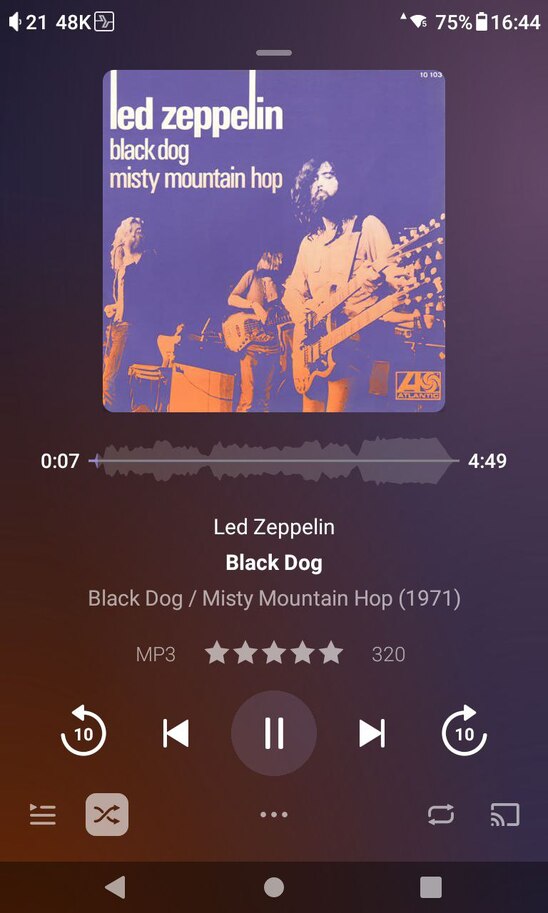
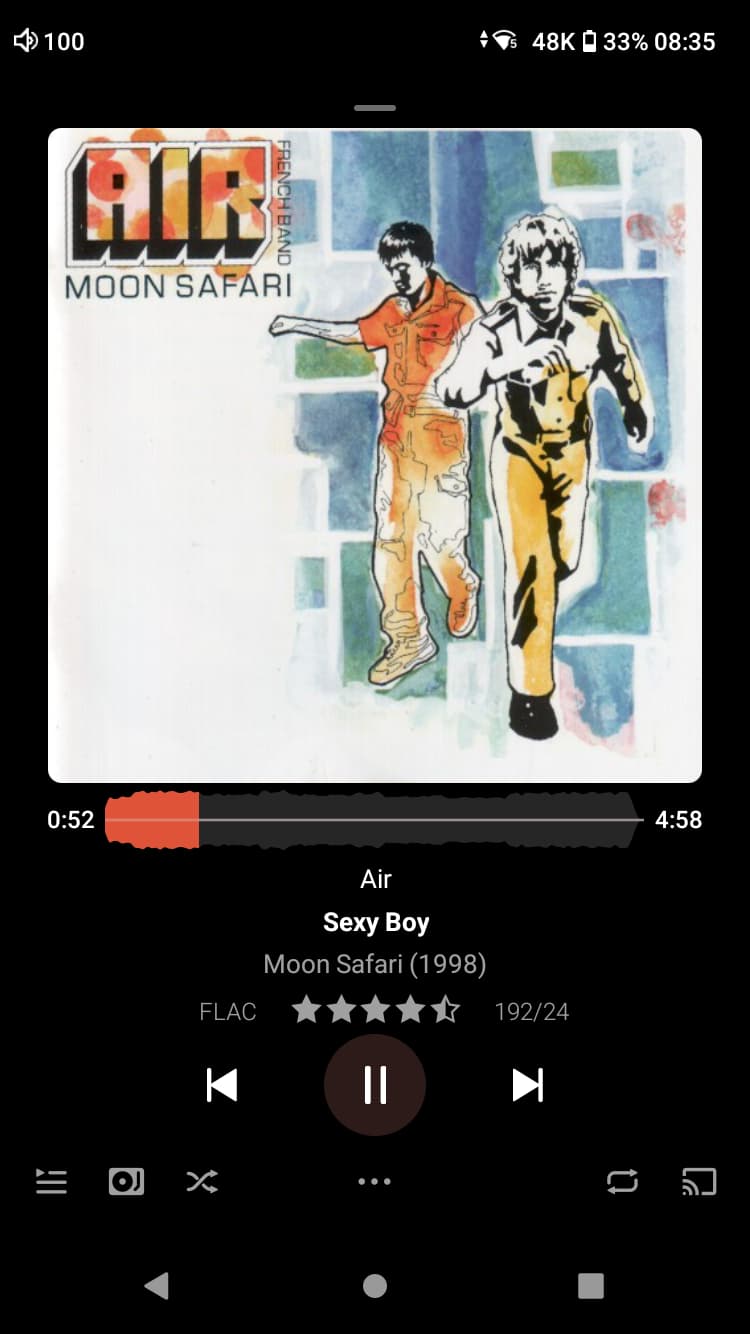
Sadly not sorry (I should have highlighted it in my screenshots better) - The top right of each screenshot shows the current playback sample rate on the DAP, where USBAPP and Tidal report 192K yet Plexamp reports 48K
I don’t have to disable volume levelling on my FiiO it still does strict sample rate switching with it on. Not bit perfect but I want volume levelling.
Oh so I see it now. Ok so Plexamp is receiving 192Khz at 24bits but the DAP is only reproducing/playing/receiving/etc… 48K of it. My best guess is for the Devs to work out whats going on they will need more time to test more hardware with software combinations and how the system software of the device handles audio output. Thanks for following up I didn’t see the 48K in the top corner.
I’m having the same issue with the Fiio KA11. Plexamp shows 44.1 kHz but Android seems to resample it to 48 kHz, even with strict sample rate matching.
That’s Android for you. Stock sample rate for Android phones/tablets is 48/24. Recent Android releases have added a more flexible audio pipeline but it doesn’t work on all devices if they don’t use stock and is a bit hit and miss DAC support wise.
DAPs are different in that they circumvent Androids standard audio stack to allow bitperfect and pass this to their internal DAC audio architecture. But as each DAP manufacturer has different ways of doing this it’s not a one fit all scenario and some may work some may not for Plex.
As your using an external DAC to an Android phone without any dedicated USB driver to allow bitperfect it will resample to the system audio rate of 48/24. This is why apps like UAPP have to custom add each DAC for them to work as well as bypass the standard system resampling. Some DACs may work others not, Android is a bit hit and miss unlike iOS which just works with USB.
It just by default shows the output rate on the notification bar of the HiBy R4, whatever app I use. It wasn’t anything I had to do to show this - it does it automatically?
That’s fine I guess, I’ve already moved away from PlexAmp due to this limitation. Seems there’s no intent on the PlexAmp team to actually address this even though there’s clearly users asking for it and the current solution is half-baked at best.
There are no Digital Audio Players on the latest version of Android. And apps like USB Audio Player Pro and Poweramp work fine.
Most of DAPs probably won’t ever be updated to newest Android version for multiple reasons (including Google’s T&Cs). Even very recently released DAPs with active device support (I’m looking at you, Hiby) don’t come with the newest Android OS.
Agreed with UAPP but PowerAmp doesn’t really work “fine”, while you can set output sample rate it’s not dynamically switched and the dev already confirmed on their forums that they’re not interested in implementing this either.
Incorrect, we’ve tried a number of things and were happy when the newest version of Android made it much easier to support. From what we’ve heard it’s working properly on a number of devices and growing, and assumedly will get even better over time.