Every time I post I am pointed to the already existing solution, so here goes again.
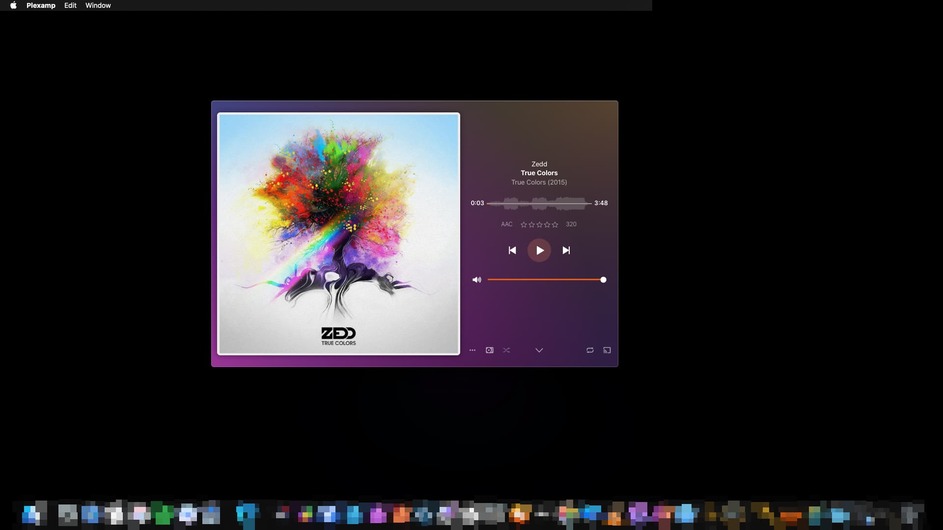
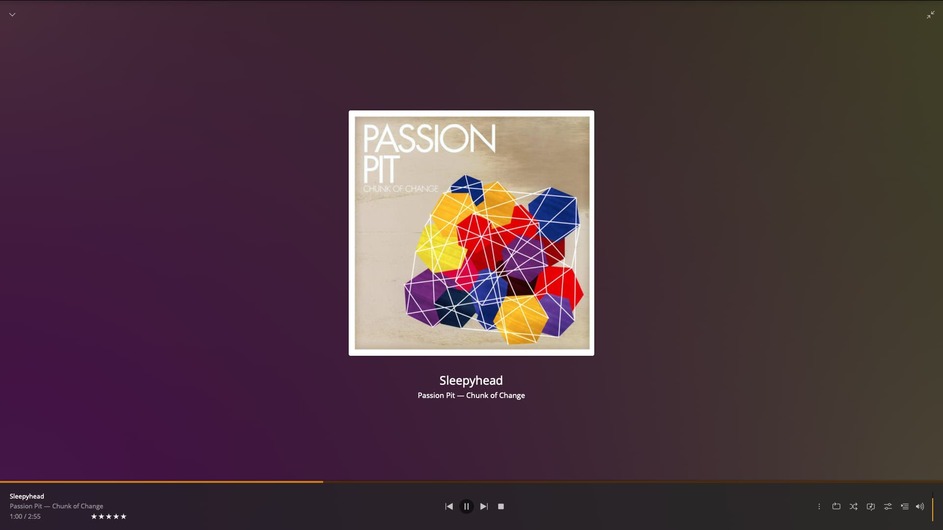
One of my favorite features of Plexamp for desktop is the landscape view, and how big I can view the beautiful album art of what I listen to. I am still able to view the player in landscape mode, but it only kicks in when the screen is rather short vertically, which doesn’t allow me to fill as much of my screen with album art as I was once able to. It seemed like before it was a ratio of H/W where now when the window reaches a certain amount of pixels high, it won’t enable landscape view no matter how wide the window is. Is there an easy solution I am overlooking?
For me (Mac desktop) it activates into Landscape at approx. 995 pixels vertically and if you squish it down horizontally, approx. 499 pixels. The LARGEST I can get the album art to come up is at 500x500 pixels and I truly think that’s by design.
If I activate PlexAmp in Fullscreen, the album artwork also results as 500x500 pixels. So for now, I think its safe to say that no matter how you try to manipulate the app itself, there’s currently nothing a user can customize.
I will also note that album artwork is ALSO 500x500 pixels, the max, if you were to play a track in the Plex Web app using a browser.
Edit: I’ve included both, Plex Web and a PlexAmp screenshots, both have 500x500 album cover limitations.
Have you enabled or disabled Settings > Appearance > Player > Side by Side Layout?
Posters are scaling to the full space available for me once in landscape mode (with Side by Side Layout disabled). There’s no 500x500 px poster size limit.
We won’t know what they want unless they respond. I was just pointing out if they didn’t like with whatever info was given in supposedly prior posts as a solution, their words, that there seems to be a limitation, which IF they indeed have SIDE BY SIDE LAYOUT TURNED ON, then yes… but if NOT then NO, there is no limitation.