2023-03-30 18:16:44.835 T:4060542848 DEBUG: CGUIMediaWindow::GetDirectory (plugin://script.plexmod/)
2023-03-30 18:16:44.835 T:4060542848 DEBUG: ParentPath = [plugin://script.plexmod/]
2023-03-30 18:16:44.836 T:3037512576 DEBUG: Thread waiting start, auto delete: false
2023-03-30 18:16:44.840 T:3627025280 DEBUG: CAddonDatabase::SetLastUsed[script.plexmod] took 5 ms
2023-03-30 18:16:44.841 T:3037512576 DEBUG: StartScript - calling plugin Plex(‘plugin://script.plexmod/’,‘12’,‘’,‘resume:false’)
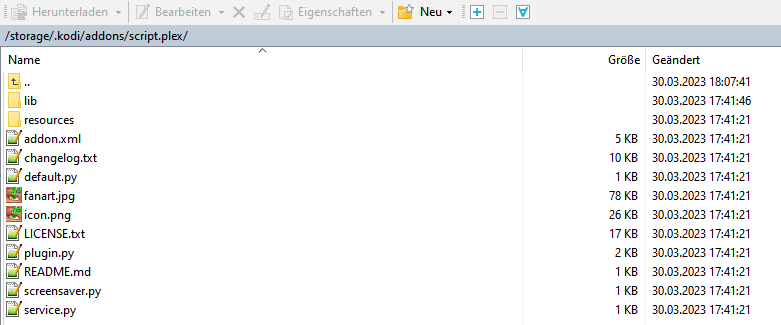
2023-03-30 18:16:44.841 T:3037512576 ERROR: ExecuteAsync - Not executing non-existing script /storage/.kodi/addons/script.plexmod/plugin.py
2023-03-30 18:16:44.841 T:3037512576 ERROR: Unable to run plugin Plex
2023-03-30 18:16:44.841 T:3037512576 ERROR: GetDirectory - Error getting plugin://script.plexmod/
2023-03-30 18:16:44.841 T:3037512576 DEBUG: Thread waiting 3037512576 terminating
2023-03-30 18:16:44.841 T:4060542848 ERROR: CGUIMediaWindow::GetDirectory(plugin://script.plexmod/) failed
2023-03-30 18:16:44.841 T:4060542848 DEBUG: CGUIMediaWindow::GetDirectory ()
2023-03-30 18:16:44.841 T:4060542848 DEBUG: ParentPath = [plugin://script.plexmod/]
2023-03-30 18:16:44.891 T:3037512576 DEBUG: Thread waiting start, auto delete: false
2023-03-30 18:16:44.891 T:3037512576 DEBUG: Thread waiting 3037512576 terminating
2023-03-30 18:16:44.950 T:3037512576 DEBUG: Thread BackgroundLoader start, auto delete: false
2023-03-30 18:16:44.952 T:3037512576 DEBUG: Thread BackgroundLoader 3037512576 terminating
Nope, no idea. It still tries to execute script.plexmod. maybe someone else is able to help. This feels like user error (or improper uninstallation of the other version, not sure).
Maybe I’ll re-add Leia support later. But please find out if you’re using python3 or 2, if you can.
CoreELEC
https://coreelec.org
##############################################
CoreELEC (official): 9.2.8 (Amlogic-ng.arm)
CoreELEC1:~ # python --version
Python 2.7.16
Hmm, then you should be able to install the 0.1.7a3 just the same as you can the official Plex addon. Weird.
I’ll see if I can put Leia back into the rotation.
0.5.2-beta0.1
Re-add Leia support
Yep, only had time for that one. All changes have been backported to Kodi Leia 18.9 (python2) and the main repository has been updated.
@der_gut I’ve tested the basic features as well as the search buttons on Kodi 18.9 on Windows. Please try.
Thank you for making such an effort.
I installed your repa, then installed the addon and it works.
But the search field remains empty, just like the original Plex addon.
There are no letters until you move the cursor over them.
This is probably a pure CoreELEc problem, where you can’t do too much.
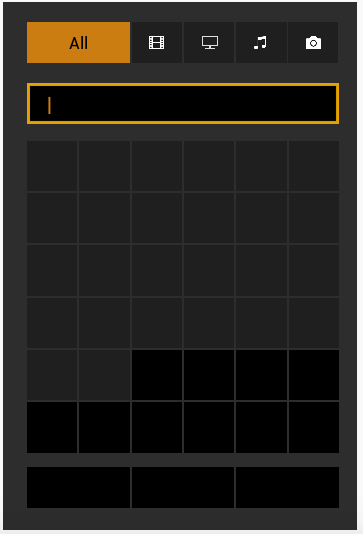
Are you maybe using a custom theme in Kodi? Or set a non-default font?
You can try posting a debug log (debug in Kodi and PM4K), maybe there’s some info in there after you open the search box.
Good idea, I’ll actually try a different skin.
Otherwise I use the xperience1080
update
I have now loaded the standard skin and the letters are there.
Try to use barebones default settings for skins and fonts. Any other skins are not supported by PM4K and the original Plex4Kodi.
Thank you that with your knowledge and effort the problem has been solved.
OK guys, I’ve added skin.plextuary to the repository. A slightly modified version of Nexus’s skin.estuary. It tries to hide the OSD as fast as possible on resume and adds a setting called “Show backdrop on pause” inside the skin’s OSD settings, which is off by default.
Installing and using this skin will remove the backdrop completely when pausing in PM4K, emulating the official Plex apps.
Please test and report back. This should be the new default skin for PM4K in the future.
The skin has been added for leia, matrix and nexus. It’s been spot-tested only, so there’s no release announcement and no confirmations, yet.
I’m dumb. How do I install that? Can’t seem to find it 
Hello,
Please check the repro under Kodi 19 Matrix not update to 0.25 under Nexus it works!
In the repository where you installed PM4K from, there’s now also a skin category.
For me it works, do you see an error? Log?
Edit: Can you manually trigger the update from the “install from repository” menu, then long-press on the repository and check for updates?
Edit 2: @THGhost your repository has to be at version 0.2.5-1 for the skin to appear. Either wait for it to auto update or trigger it yourself.
Tested Kodi Omega ALPHA1 just now; PM4K (nexus repository) seems to work like a charm. Version used: https://mirrors.kodi.tv/nightlies/windows/win64/master/KodiSetup-20230331-847a3478-master-x64.exe
0.5.2-beta1.1
All the small things
(this has the changes of 0.5.2-beta0.1 and 1.0 (unreleased))
Changelog
kodi omega 21 ALPHA1 tested (20230331-847a3478), working, at least on Win64
add skin.plextuary to the Don’t Panic repository (please use it instead of Estuary; install via Addons->Install from repository->Don’t Panic->Look and Feel->Skin->Plextuary)
re-add support for leia (Kodi 18)
fix collection view (@THGhost please test)
add collection view for shows
Note: Please check watching stuff from collections, there might be tiny chance of a watched-state issue. While testing I had a “collection is now watched and empty” issue. Probably my fault and shouldn’t be there for you.
Edit: updated the first post with the features this mod provides, in case you (or potentially interested parties) missed them 
This is working perfectly for me! Thanks, @panni!
Are we looking at a stable version here?
Seems like the last points on the immediate todo-list is buffer settings, then. Maybe I’ll tackle it soon.
So far so good => no bug, nothing wrong with the latest release 
