PMS Chinese Catalog Recognition Restrictions

 Hello, I am a Chinese user and currently trying to switch my media server from EMBY to plex. At present, it seems that there are some issues with PMS's support for Chinese directories.
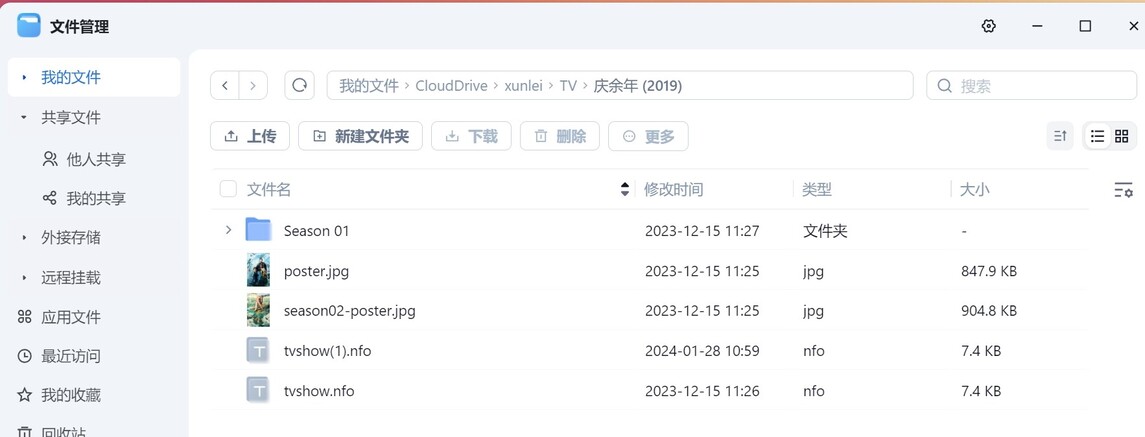
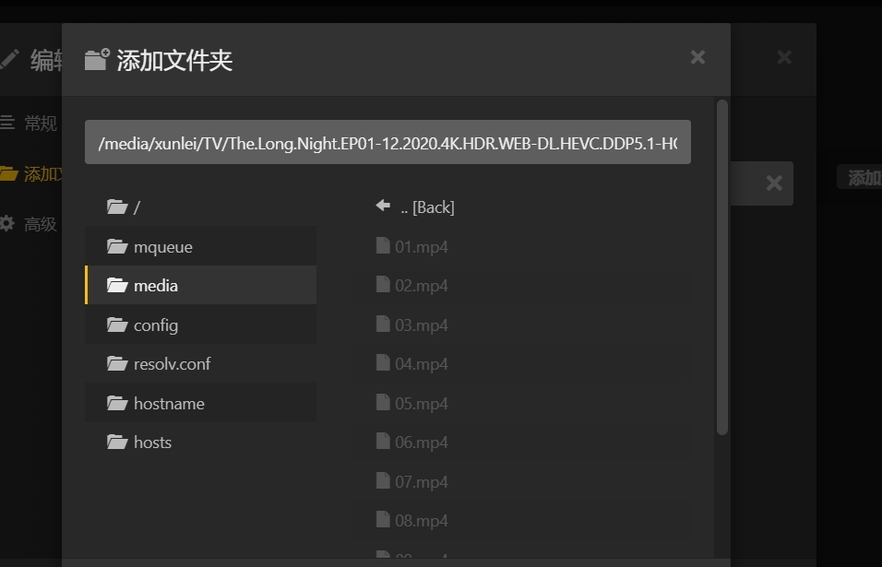
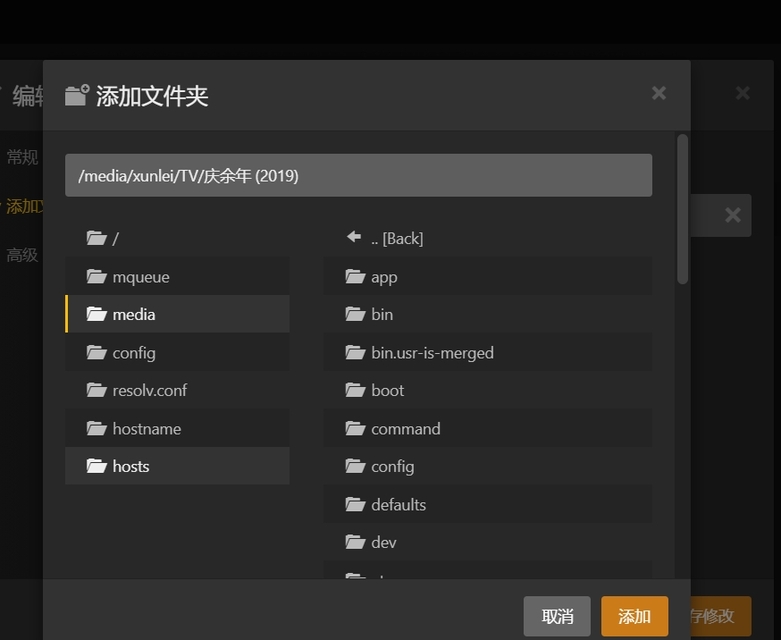
 I have media resources located on the network disk. Mount as a local disk through clouddrive2. When deploying PMS, it was found that the files in the subdirectories could not be found when adding the media library. I have checked the permissions in the DMS environment and there are no issues. After switching to different NAS systems for testing, the same issue was replicated. During the experiment, it was found that some subfolders were able to open files in the subfolders. After identifying the pattern, it was found that for files containing Chinese directories in the path, PMS only supports opening the second layer, and subfolders after the second layer will not be accessible. The English directory does not have this issue. I also don't know if other Asian languages have the same problem.
 This fault will not be replicated in PMS deployed in Windows environments, but will only occur in PMS deployed in NAS and Linux environments.

The issue was translated by a translation software, and we apologize for any
inconvenience in reading. i 'm sorry.

I am not sure why you are using CloudDrive2, but I assume that you are remote from the NAS?

Keep in mind that CloudDrive2 may be causing your issue.

If you are local to the NAS, then you can easily access the NAS via SMB on Windows, Linux, Mac to transfer files to/from the NAS. SMB is built-in to the OS’s.

I recommend that you store your Media on the NAS for both Plex and Emby in the following manner:

volume1/
    Media/
        Movies/
        Music/
        Photos/
        TV Shows/

volume1/ This is hidden in File Station, but all of your files live here unless you have more than one Storage Pool configured, in which case you would have volume1, volume2, etc… When adding Media to Plex, make sure you select this folder first (on the left).

Media/ You create this folder in DSM Control Panel->Shared Folders and this folder must have full permissions for Plex, Emby and your Admin user. You must also set the System Internal User to have full permissions for PlexMediaServer.

Movies/ You create this folder in File Station and place all of your Movie type files/folders here. You add ONLY this folder to your Movie library in Plex or Emby.

Music/ You create this folder in File Station and place all of your Music type files/folders here. You add ONLY this folder to your Music library in Plex or Emby.

Photo/ You create this folder in File Station and place all of your Photo type files/folders here. You add ONLY this folder to your Photo library in Plex or Emby.

TV Shows/ You create this folder in File Station and place all of your TV Show type files/folders here. You add ONLY this folder to your TV Shows library in Plex or Emby.

After you create the folders above and move your files to them, open File Station and right click on the Media folder and select Properties. On the Permission tab, highlight PlexMediaServer and click on Edit then make sure all Permission are selected, then click on Done.

Next, you MUST select Apply to this folder, sub-folders and files and then click on Save.

That will then write the correct permissions to ALL of the folders and files within the Media folder. Be patient, it can take some time to complete.

Note: When you translate any of the above to Chinese, make sure you do NOT mix dialects, Mandarin and Cantonese for example. Use only one dialect for all of your file/folder naming.

Fingers crossed, that should help with your issue.

Thank you very much for your help。

I have tested using EMBY to access the locally mounted disk of CloudDrive2 and have not encountered any similar malfunctions. System file management can also be accessed normally.


If the path does not contain Chinese characters, plex can still be accessed normally.

When the path contains Chinese characters and, the directory depth can support up to 2 layers.

This fault does not exist in PMS under Windows environment.

I guess PMS is not friendly to Chinese directory support in Linux environment.

Linux/DSM is very strict regarding permissions, which is why I laid out the instructions to correct any permission issues on your Synology NAS.

Also, Plex can be particular when it comes to folder/file naming. If your folder/file naming is incorrect, then Plex may NOT see your folders/files.

I also notice that you do NOT show a Synology filesystem in the images?
I assume you are using a Linux system for those images?

That is most likely because Windows does NOT have strict permissions, unlike Linux/DSM.

In Linux/DSM you must have the correct permissions set, otherwise Plex will be unable to access your folders and files.

Please read my first post from this line onwards:

After you create the folders above and move your files to them,

and follow the instructions given for your Synology NAS.

This topic was automatically closed 90 days after the last reply. New replies are no longer allowed.