Server Version: 1.41.8.9834
Player Version: web interface
I am able to spin up an instance of PMS as a docker container on my server (x86 linux).
If I establish a ssh link from my pc to my server (as shown in the PMS docker docs on github) I am able to connect to the PMS using the web interface. But this is not the desirable way, and not even possible on my other devices.
Trying to connect to http://192.168.8.2:32400/web fails. (IP is static)
I tried accessing the local URL both from chrome on android and firefox on my pc. Both failed.
This is the command I used to setup my plex container:
docker run \
    --name=plex \
    --network=host \
    -e PUID=1000 \
    -e PGID=1000 \
    -e TZ=Etc/UTC \
    -e PLEX_CLAIM=<up to date token> \
    -e ALLOWED_NETWORKS="192.168.8.0/255.255.255.0" \
    -e ADVERTISE_IP="http://192.168.8.2:32400/" \
    -v /root/plex-media-server-config:/config \
    -v /<my-local-path>:/movies \
    --device=/dev/dri:/dev/dri \
    plexinc/pms-docker
The settings provided as environment variables are indeed applied automatically:
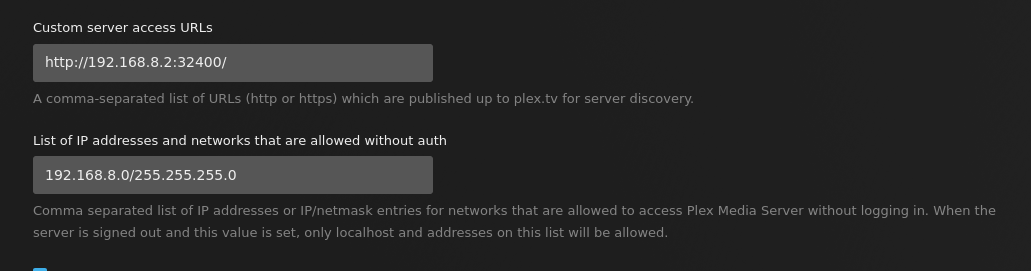
How do I debug / troubleshoot this any further? The logs of the docker container dont contain anything useful.
