Hoping someone can help me with a problem playing music by searching folders on Sony Bravia (Andrioid) TV player.
Problem 1. I often get to the top level folder of my music files and the screen shows no content (ie no folders appear) - I use the back button, do the same selection and then they show up.
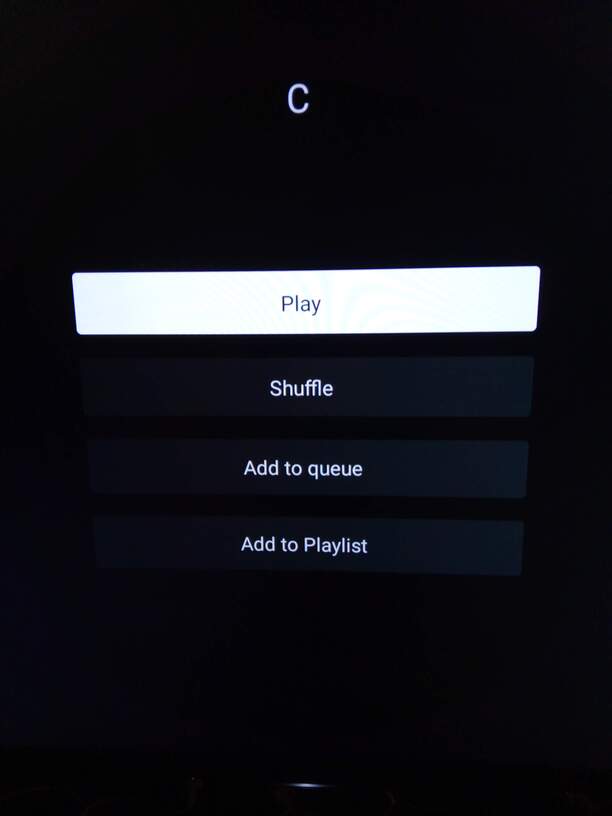
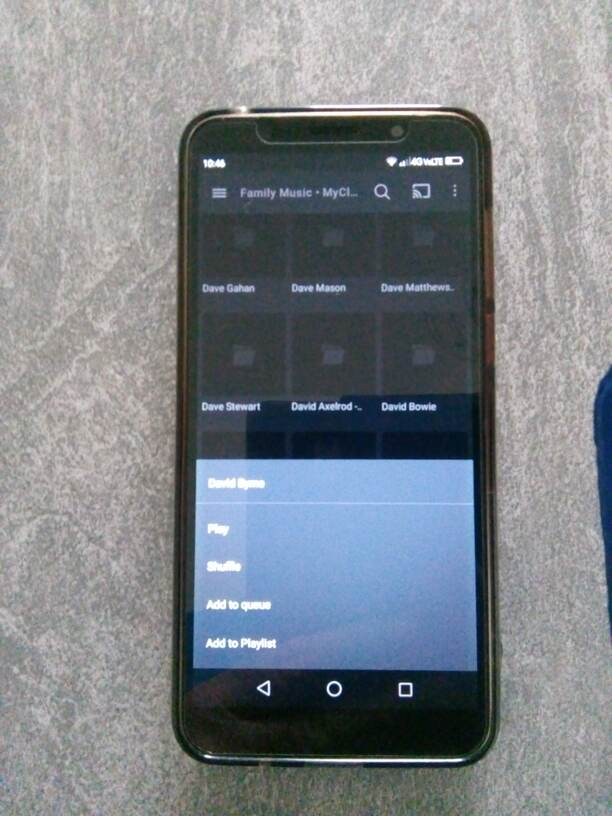
Problem 2. When folders show ok and I select one (say folder ‘C’ - ie all artists beginning with letter C), the screen on the attached picture is shown and the only option is to play all of the hundreds of tracks in this category. This happens in the majority of cases but on a few odd occasions the system works correctly and shows the next folder level down. This problem is not evident on Plex web/windows/android phone.
Does anyone else have a similar problem or can advise please?
(BTW - selecting videos or pictures by folder seems to work better - it’s mainly music that seems to cause this intermittent problem)
Thanks and Regards.
PMS version 1.24.5.5173
Player version 8.27.1.29871
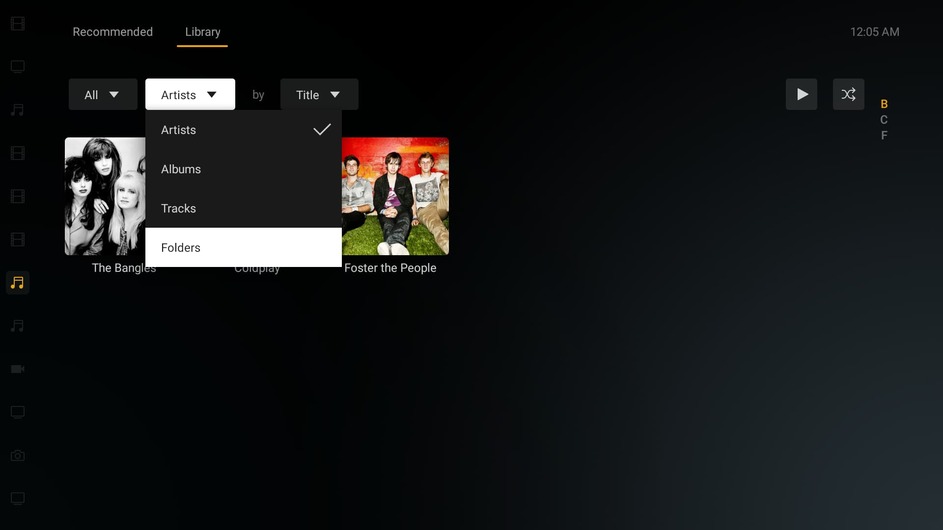
Can you provide some more details on the steps you are doing? I’m not able to reproduce your results or even get to a screen that looks like your image above. I created a small test library using folders by letters. This is what I see when I enter my music library.
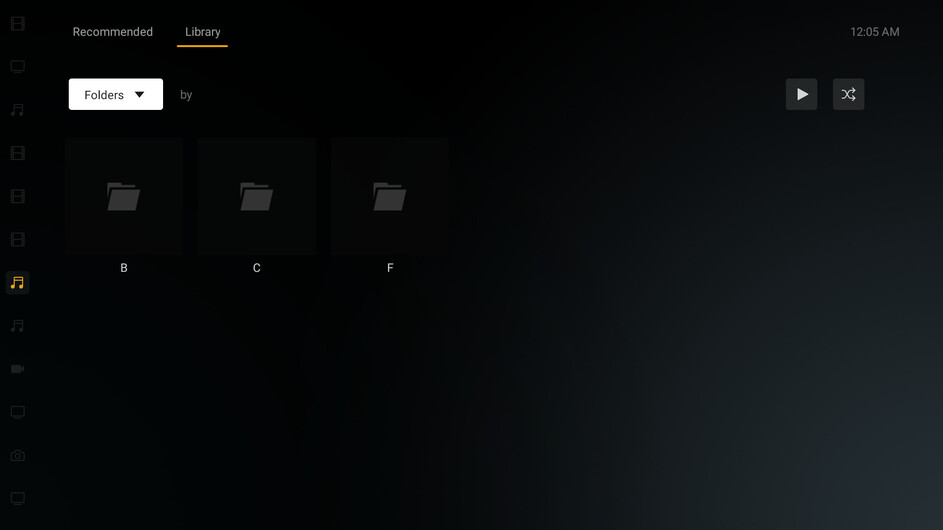
I change the view to Folders and see this.
Pick an artist and their albums are listed.
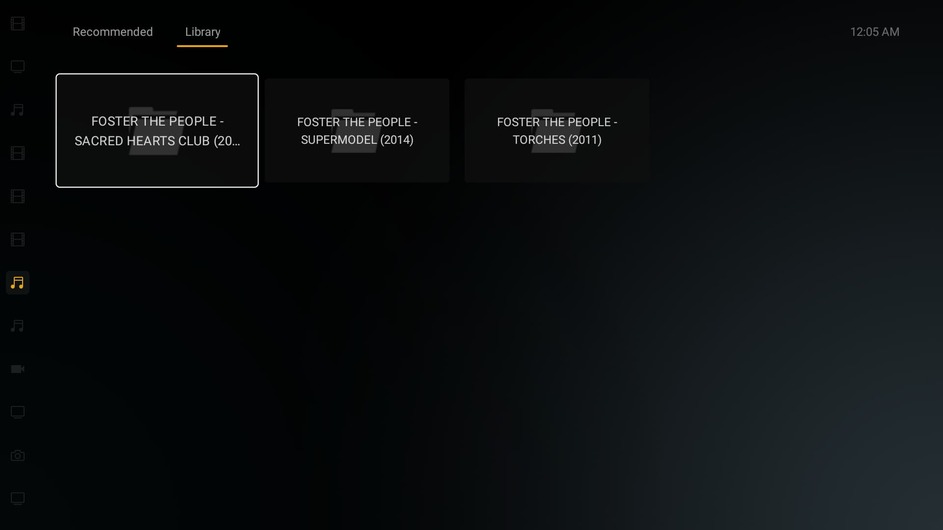
Pick an album and the tracks are listed.
This is the path structure I use for albums. I don’t use embedded metadata, so this works for me.
E:\Other\Music by Letter\F\Foster The People - Torches (2011)
The library points to E:\Other\Music by Letter
Hi There & thank you for taking the time to create a test library to check this problem out. Much appreciated!
Most of the time I also get the same results as your screen shots - exactly the same in fact and it works great.
Randomly though I get a situation where either a top level or any sub level in the folder structure will show a blank screen and none of the controls (up down left right etc) work - only the back key.
So I go back and then do the same thing and the sub-folders show ok, but again randomly I may get the screen in my
original post (all keys work ok) then I go back and try again and it works fine.
Not sure if these two situations are linked
I’ve noticed in also starting to happen to sub-folders in my videos collection too now, but mainly music.
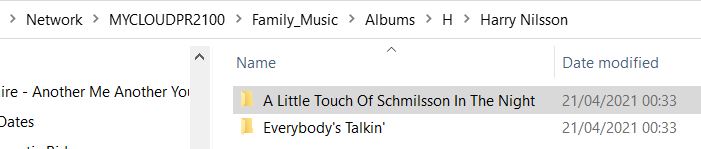
I have a similar file path structure (see attached) and my files are hosted on a WDPR2100 NAS. I don’t have this problem viewing Plex folders on my windows PC, nor on my Andriod phone - only the Plex app on my Sony Bravia TV (Model 49XD700x)
I’m not sure if my metadata is embedded or not (how to check?) but don’t think it is overall (but sometimes it cant find the
correct album image so I edit some albums to a picture I have in the album folder)
I have attached two videos to show the random nature of the issue - apologies for the lack of focus - not sure why
I couldn’t get it clearer. The first shows the problem where you see the screen you cant get to almost all the time (apart from near the end) and the second shows the two problems mentioned above at various times (ie a blank screen and a ‘Play’ screen), but you can see I flick between two different sub-folders towards the end and get the two problems appearing the then working ok again.
It always seems to happen when you specifically want to play a certain album with friends around (ie poor timing - as is the
nature of random problems!) and gives a bad impression of what Plex can do - cos when its working its brilliant!
I hope this helps track down the problem - but its going be difficult if you cant replicate it!
Let me know if you need anything else, and thanks again, Kenny.
Will forward videos as zip files asap but need to edit them down to max size allowed first.
Hope you can still see what’s happening ok - had to trim files a bit.
1a.zip (27.8 MB)
1b.zip (25.9 MB)
2a.zip (24.5 MB)
2b.zip (16.1 MB)
2c.zip (19.6 MB)
Just spent some time checking the folder views on my JVC Amazon Fire TV and I get the same first problem (occasional blank screen) but not the ‘Play All Folder’ problem (as yet).
Hope this helps.
Can you grab the android logs from that TV? I’m hoping the actions from your video will be there so I can check what happened when you clicked on that “Album” folder.
Stretching my abilities here! - but managed to get the logs from the Fire TV from this morning (showing blank screen) and the Sony TV from the same time as the video yesterday (showing both problems).
The files were huge & I presume the first column entry is the date so I tried to select only yesterday/todays entries since not sure how to save all data from the webpage.
Fire TV Log - 0202.txt (84.6 KB)
Sony TV Log - 0102.txt (1.2 MB)
Not seeing much in your logs. It shows you trying to navigate around, but there are no errors reported. Can you get me your server logs? Don’t worry about the size. Just send me the entire thing.
Here we are as requested
Plex Media Server Logs_2022-02-03_20-29-28.zip (7.4 MB)
- that was easier to do than I thought it would be - hopefully something in there that will help.
Can you confirm you saw the issue(s) ok in the video?
Thanks again.
Not sure if server logs show anything - but think I may have a clue as to the cause of the problem.
Today I was using my smartphone to play music by folder and I noticed that if I pressed quickly for a folder or sub-folder it showed the subfolder or showed the music tracks as normal.
However if I pressed the folder icon slowly (with a slight delay) a ‘play all from current folder’ screen came up! (similar to the one in my original post - see new picture attached).
Not sure if this is a new feature or not, I’ve never seen it before, but perhaps this is what is happening with the two controllers for the TVs - maybe they are not capable of sending a distinct ‘click’ to the screen all the time and a ‘slow click’ is being interpreted some of the time, thus showing the same/similar option screen (?)
Not sure how this could be resolved - maybe a change to the code could be made to better establish a ‘quick click’ (to go to a sub folder) rather than a ‘slower click’ (to play all from the current folder)
What do you think?
Any update on this problem please?
No, no update. We’re still unable to reproduce the issue so can’t figure out what is causing it for you. It may be something specific with your TV or remote. The “press” vs “long press” is controlled by Android so that’s not something we can change. The app just checks what the OS reports as the type of button press.
How many artists do you have in your library? I think there are just too many and your TV isn’t powerful enough to render all that data.
I can’t remember, but do you have any issues viewing the library normally, not in folder view?
Hi There - and thanks for the follow-up.
I originally thought it may be something to do with the Sony TV remote too, hence the reason I checked and found it on the other Android TV too (a JVC TV) so thought it must be a wider problem than the two TVs I have.
I suspect this is the cause of the issue tho since I have a similar problem when playing an album & trying to skip to the next track (on both TVs) - when you press to skip forward or back the result is that it skips two (or three) tracks and you spend ages trying to get one step to the track you want!
I don’t think my music library is too big - approx 970GB of data with about 12k folders/artists (?) and the problem happens whether the artist I’m choosing has a few or many sub-tracks/folders.
I don’t have the original problem viewing artists/albums in normal view - but the search function often doesn’t find the artist/album I want - but that’s another problem which we’d better not go into here!
Incidentally I tried Emby since I’m getting tired of all these problems spoiling my Plex experience and have not have any similar issues - I don’t know how that can be unless they do something in their code differently to help verify the ‘press’ vs ‘long press’ provided by Android.
I have not replaced Plex with Emby yet because I do like Plex overall, especially the UI, graphics and metadata presentation, and really would like to keep using it. Perhaps I can try to purchase a new Sony voice activated remote to see if that makes any difference!
Best Regards for now.
I just checked and the app does not specifically handle double clicks so if your remote is sending that, it could potentially be handled as a long press. Odd that it happens on 2 different TVs. Are you using the same universal remote for both TVs? Wondering if it’s the remote.
There is an Android TV remote app you can install on an Android phone. That will send commands instead of clicks so that may be a way to check.
Thanks for your reply - have had a busy time testing further options … (different remotes used on Sony & JVC TVs)
I tried the Sony remote app as you suggested but it did the same thing (but with other odd commands too), so I decided to purchase a new Sony remote controller with voice option (TV came without the voice remote option & I always wanted to try it anyway). Got the correct model from Sony and ordered it, but it does the same thing in terms of folder display/long vs short press issue. However at least I can speak the name of the album/artist I want to play now and then scroll down to the relevant ablum/track which is slightly less frustrating, if not ideal. So I reckon this is the best workaround possible.
However as this is the first time I have used voice commands I noticed an odd thing I wondered if you could shed any light on. During normal TV operation if you press the remote control microphone button the TV goes into ‘Google’ listening mode where the small coloured circles move up and down indicating it’s listening for an instruction/command such as ‘volume up’ or ‘play Elton John’ (in my case it plays Elton John on Spotify).
When in Plex if you go to ‘search’ option the microphone icon on the TV screen flashes red and if you speak quickly enough it searches Plex and comes up with (say) Elton John as if you’d typed it and then I scroll down to pick albums or tracks to play - ie the workaround as mentioned above. If however you hesitate or cant finish before the red mic icon stops flashing, and you press the mic button on the remote control to repeat your voice prompt the TV reverts back to the ‘Google’ search and will show (say) Elton John on Youtube or other website information. Is this normal behaviour and is Plex designed in this way?
Almost done here now but wondered if you can also help with abother Plex ‘oddity’ I found. I often include some videos taken on my phone in the pictures library of Plex (mp4 files) amongst the jpg pictures. When using Plex on Windows I can play the picture library folders fine and both pictures & videos play correctly & in sequence.
However the videos on Android phone or Andriod TV only play sound and the first frame of the video with the dreaded circular ‘working’ icon that never goes away. If I take the same video and place it in a Video library it plays just fine like on Windows. Does this mean I have to duplicate the folder structure I have for all my pictures (in a Picture Library) in a Video Library too (that just contains videos) and play them separately?
[eg Family_Pictures/2002/Christmas/abcd.jpg etc etc and Family_Videos/2002/Christmas/xyz.mp4 etc etc]
Thanks Again & Best Regards.
That is quite weird. The app doesn’t specifically handle double presses so I’ve put in a request with the team to include that and treat as just a regular click. Hopefully that will fix things for you.
For the time being, maybe try sticking to the regular view instead of folder view. If you want to start a new thread about your search issues, we can investigate that.