Server Version#:Latest
Player Version#:Latest
I recently ran into a problem with my library.. I have my MainServer/Movies/ followed by multiple
folders (ie: Action, Adventure, etc.) to make it easier to find movies from smart tv. I created a new folder called Family and filled it with family videos. My method is as follows; After opening Plex I scroll down to “More” and click plus icon under Mainserver. I then choose Movies and click on next. I click on browse for media files. I then choose Volume 1 (location of folder named Family). Next I click on 'Movies" (Main folder that stores all my subfolders; Action, Adventure, etc.). Here I click on Family and click on Add then Add folder. When I go to main Plex page that shows my folders on the left panel, I can’t see the folder named “Family”. But instead I see multiple folders named Movies. Under this folder is the “Family” folder. I wanted to delete the folder but I’m worried that it will delete the structure I have will all my folders under the main folder titled “Movies”.
This all happened before the most recent update. I have updated to the latest version. I have rebooted my Synology NAS, but still have the same problem.
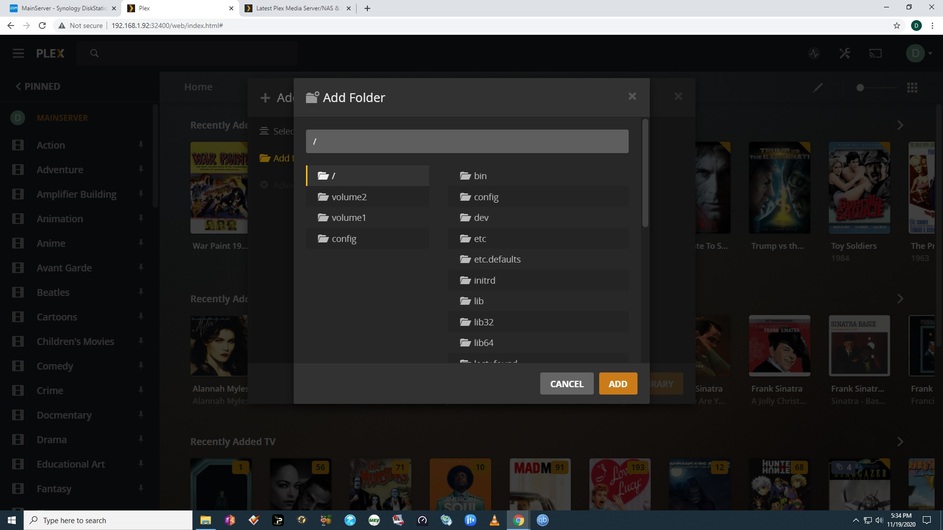
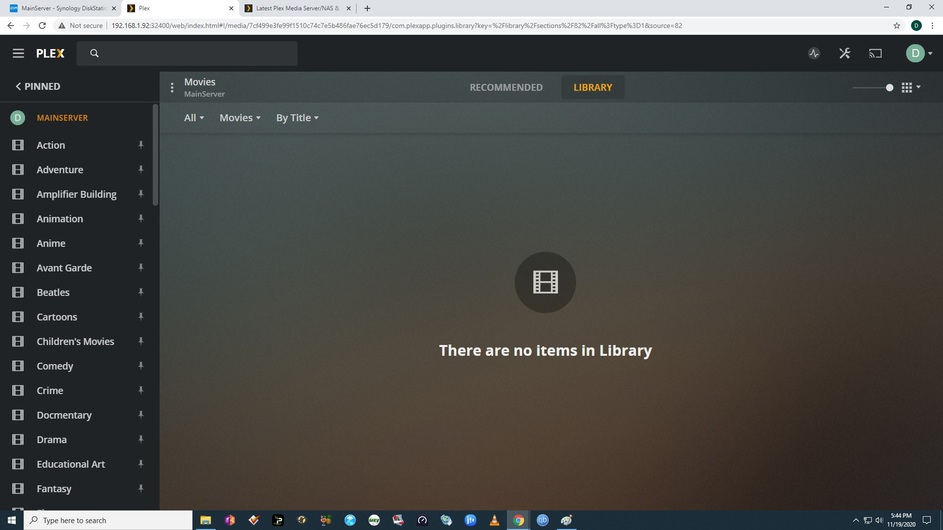
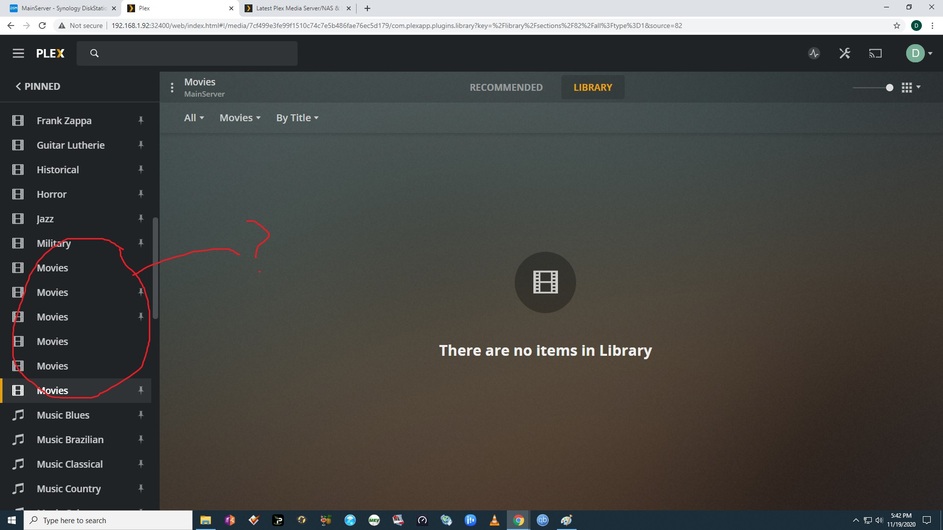
No, Plex does not show the name of the folder. It will show the name you gave it on the previous step.
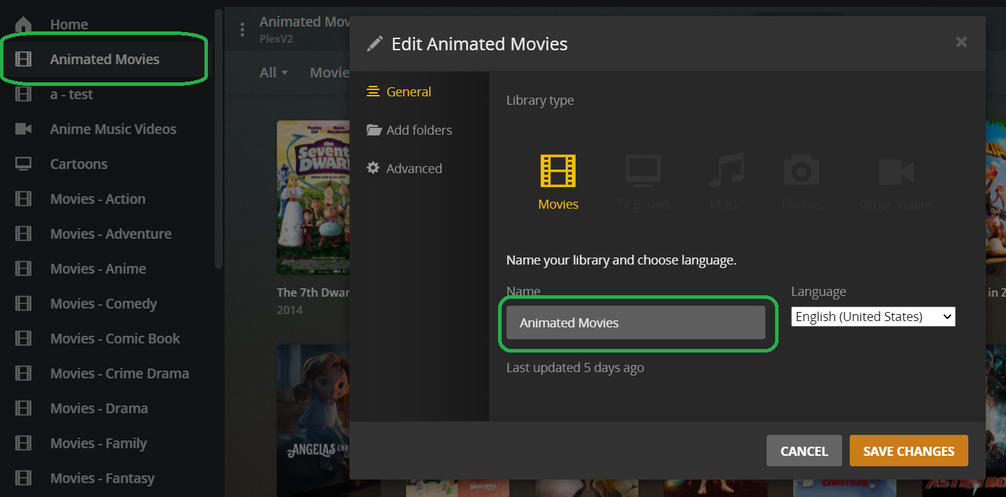
Thanks for straightening me out. I hadn’t created anything in a long time, and I forget.
How about the multiple folders name “Movies”? If I try to delete them will it affect other movies?
Since I have the NAS setup as “MainServer\Movies\Action (Adventure, Animation, etc.)” and the “Family” folder setup as “MainServer\Movies\Family” on hard drive but I setup Plex as “MainServer\Movies\Movies” in the program, when I go to delete the “Movies” that I created will
it delete the folders from the program?
I hope I explained it correctly.
Thank you.
David
Adding to that -
In Plex it’s safe to edit or delete Libraries without ever affecting files on disk.
You can always edit a Library, rename it, add folders to it, remove folders from it, or delete the Library from Plex, without affecting the actual media files on disk. The Library concept is how you tell Plex about what media to catalog, but Plex isn’t a file manager.
The exception is that Plex can delete media files, but that’s at the individual Movie/Episode/Show level, within the library. If you want to feel safer you can disable that feature in settings: Settings -> Library -> Allow media deletion.
Thanks, for all your help.
David
This topic was automatically closed 90 days after the last reply. New replies are no longer allowed.
