I made this for myself a while ago, maybe it is of interest for others.
#What is Colima?
Combined Library Metadata Agent (Colima) in combination with Absolute Series Scanner (ASS) allows you to have movies and tv shows within the same library, something that Plex sadly not supports out of the box. Common scenarios to use this agent for are documentaries, western and Japanese animation libraries.
Colima will look for a unique identificator to distinguish movies from tv shows. The agent pulls data from TheMovieDB for all movies it can find this way. TV Shows are entirely ignored by Colima itself and instead are passed as fallback to the native Plex TVDB agent.
The code is mostly justed based on the Plex implementation of TheMovieDb on github.com.
##Download
Download: https://github.com/defract/Colima.bundle/archive/master.zip
Source: https://github.com/defract/Colima.bundle
##Examples
I always like to see results, so here are two mockups of how a library could look like with Colima (created by using fake files).
Documentaries Library
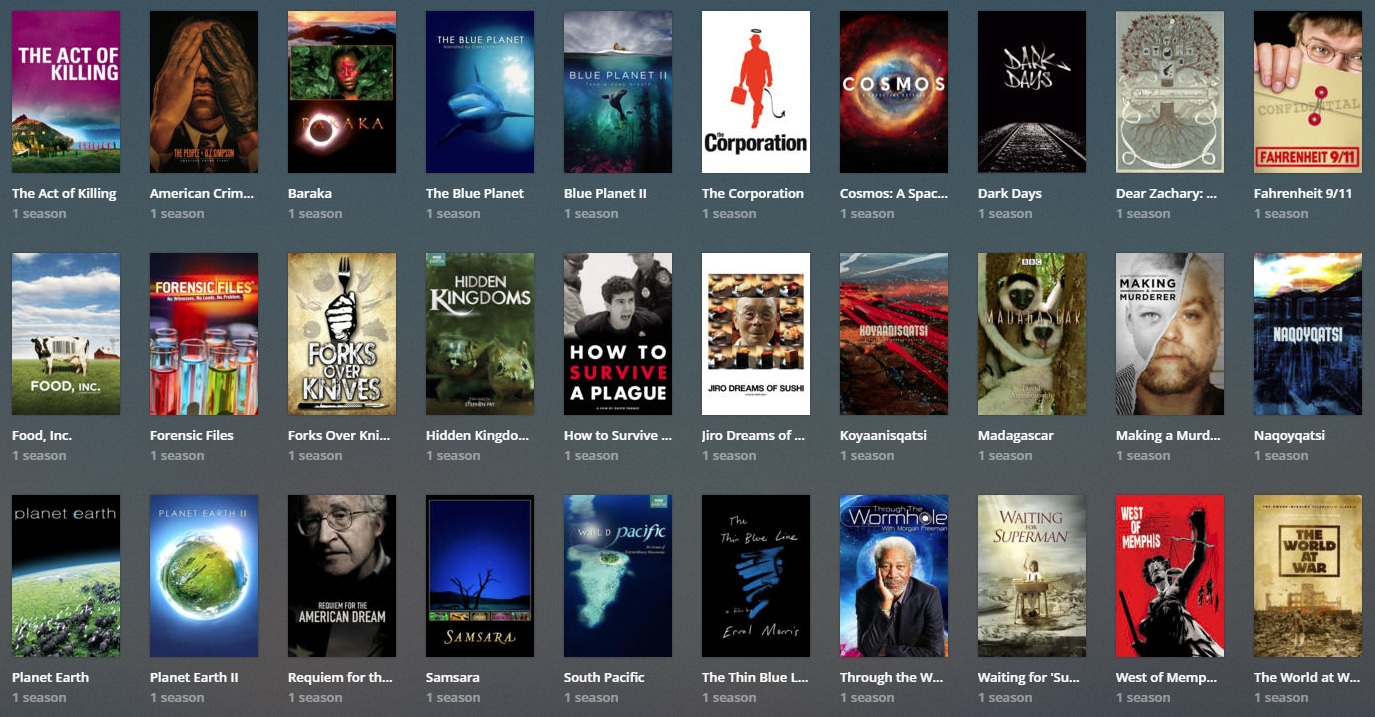
Animation Library

##Where is the catch?
As already pointed out, Plex does not natively support movies within a tv show library. Putting movies into the tv show library means they will get seasons, some of their data (writers and directors) are shown differently from native movie libraries. Also, all movies within a tv show library are counted as tv shows for obvious reasons.
#Installation
- Find out where your Plex installation is located at, see Plex help article.
- Install Absolute Series Scanner (ASS)
- Download and copy the unzipped Colima.bundle into the Plug-ins folder of your installation
A Plex server restart might be required for the Agent to appear.
#Configuration
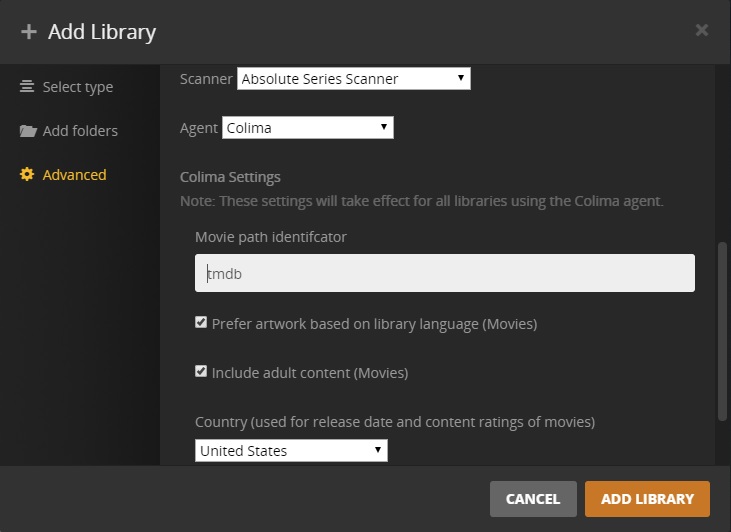
Create a TV Show library in the language of your choice

Movies and TV Shows have to be in separate folders. Ensure that movies are within a folder with a unique name that will not appear in a movie/show title.

Use Absolute Series Scanner (ASS) to create the entries within Plex. Add the folder name to the movie identificator field (only a single value is allowed).
#Notes
- currently this has only been tested on windows and Unraid (Linux)
- if your primary interest is Anime, you might want to check out the awesome HAMA, it offers far greater capabilities in this regard
#Acknowledgements
Special thanks to ZeroQI for ASS/HAMA, I wouldn’t have bothered to make my own thing without them.

