ok so i’m not sure what’s happening whenever i try to match an item with hama starting today it only brings up tvdb entries i cant seem to match anything to anidb i’ve updated to latest hama.bundle and deleted the xml manually and restarted and still no luck still just getting tvdb results. Any idea what’s going on? never mind it’s only happening on the latest season of shingeki no kyojin. odd disregard this post xD
Hello,
Wonder if this is the right place to ask for support…
Long story short, I had my Plex Server running as a virtual machine on Windows Server 2019. Due to various issues, I decided to go with installing a clean Windows 10 install rather than Windows Server and having PMS running on that.
I decided to try out Hama due to the amount of users which recommend it, however I’ve put it into the plugins folder and restarted Plex a few times and it doesn’t show up within the agents.
And as everyone is aware - thetvdb one is currently playing up due to issue their end. So right now my anime library is annoying me  so I can get metadata using the movie database but would like the above agents working at least. I’ll gladly provide you a log if someone is able to point me to where it is located which file you require and how to add the file to the topic as I don’t see an upload.
PMS Version: 3.104.2
Thank you
IIRC MyAnimeList has had their API restricted for a while — they are supposed to be opening it back up soon but it will more than likely require rework before it is operational.
Please ignore the above if HAMA scrapes MAL instead of making use of the API.
As a reminder, the respective folders:
* '%LOCALAPPDATA%\Plex Media Server\'                                        # Windows Vista/7/8
* '%USERPROFILE%\Local Settings\Application Data\Plex Media Server\'         # Windows XP, 2003, Home Server
This would be for HAMA which would then show up in:
* "Plex > Settings > Server > Agents > TV Shows > HamaTV > Agent settings"
Make sure that the file is named Hama.bundle (if downloaded from git, remove -master).
If it is still not showing up then check your permissions (shouldn’t be an issue on Windows but make sure that whatever user is running Plex has the same permissions applied)
Hello!
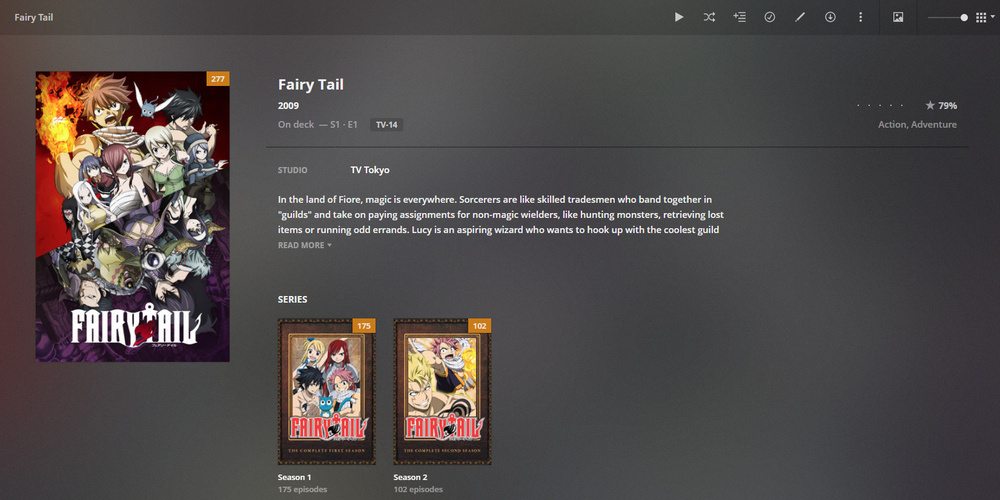
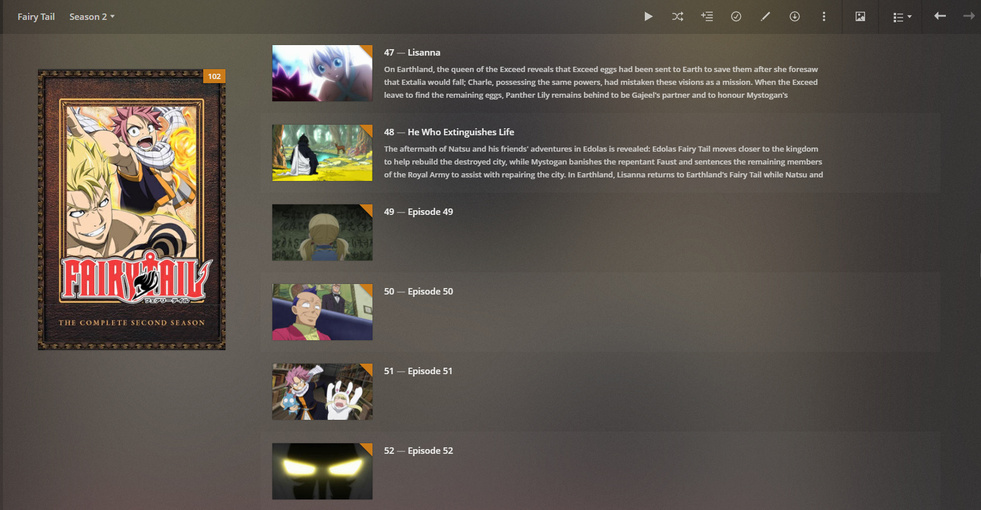
Having trouble with Fairy Tail (2014). Using the most up to date HamaTV and ASS. The episode thumbs aren’t pulling correctly. AniDB doesn’t appear to have thumbs for the series and TheTVDB keeps picking it up as Fairy Tail and using the first series’ episode thumbs. I can only assume this is because TheTVDB has all of Fairy Tail under one series and AniDB splits it up into 3 sections. Any advice/help would be greatly appreciated. Happy to provide any logs requested!
Thank you,
Kevin
How come metadata does not get pulled down for Fairy Tail Season 2? I have named them the same as AniDB.net
Folder Structure:
Fairy Tail (2009 - 2019)
→ Season 01 (Fairy Tail)
→ Season 02 (Fairy Tail (2014))


Hello,
dumb question : what’s the purpose of the option “Load all poster metadata sources” and what are the effects for automatic metadata refresh if checked ? (can’t find any clue on github’s doc)
folder format under “[anidb-XXXX]”
current poster settings set to : “tvdb4, TheMovieDb, AniDB, FanartTV, TheTVDB”
@ZeroQI I’m currently struggling with Specials, OAV and collection and think about changing from AniDB1 (with AnimeList priorized in collection settings) to AniDB3 mode but can’t find any answers regarding the following questions, and since I’ve got tons of animes it’ll takes weeks due to AniDB ban to see if it was a mistake or not 
#1 : S type files are currently put in Season 0 in AniDB1 mode by ASS, is there a way to get them in 10X like in AniDB3 mode ?
#2 : In AniDB3 mode specials are pushed forward to 10X format for the corresponding AniDB entry but what if the entry got more than 100 episodes ?
#3 : In the default set of configuration for Hama, there’s AniDB priorized above AnimeList for collection. What’s the behavior then ? Something like using prequel and sequel tag from AniDB as reference to group for collection ? But using scudlee as reference for collection name and links not explicitly included by AniDB like alternative or similar tag ?
#4 : is there an option somewhere to force série poster on season poster ? I saw the new option for fallback but I didn’t understand it well at first. In AniDB1 mode you may have 2 season max if you’ve got specials in season 0, so when there’s new episodes it grab the série poster for On Deck but still picking season poster for recently add  , I first thought of putting only Anidb or TVDB and then check the « get all source poster » but if I define manually the série poster it won’t override seasons poster
@ZeroQI I’ve installed HAMA and ASS as per the Github instructions and restarted PMS. ASS and HamaMovies show up in Plex, but I’m unable to find the Hama agent for anime series. Why is that?
Running latest release of PMS (master branch) with latest version of ASS and HAMA on Windows 10
EDIT: about half an hour after restarting PMS, HamaTV is finally visible. No idea what took it so long to show up
Had this issue once, same as you it’s showed up at some point. Now I install and update Hama from UAS for each server, never had this issue again.
so all of my media is using strict tvdb conventions already since sonarr is managing all of my media, but I’m actually really interested in using the plex anilist scrobbler that someone has made. Unfortunately this recommends that I use hama. Is it possible to use hama with strict tvdb naming conventions or does it only work if you use anidb compatible conventions?
yes, you can specify TvDB as prefered or only source in Hama settings, and/or you may simply force Absolute Serie Scanner behavior by adding the TvDB ID in the show folder name, see here : https://github.com/ZeroQI/Absolute-Series-Scanner#forcing-the-movieseries-id
So I’ve tried to do that and it isn’t working properly. I have my anime following strict TVDB compatible conventions using sonarr.
{Series TitleYear} - S{season:00}E{episode:000} - {Episode Title} {Quality Full} [{Absolute:0000}][{Release Group}]
for anime
and this is my folder formatting
{Series TitleYear} [tvdb3-{TVDB ID}]
is my formatting
You can see an example of what that looks like in this image here.

I’m trying to get it to follow tvdb 3 which should have absolute numbering while maintaining tvdb’s season listing.
What I would ideally like would be for it to have like
Show: Tokyo Ghoul
Seasons: Tokyo Ghoul, Tokyo Ghoul Root A, Tokyo Ghoul:Re
all with the seasons starting at 1 and increasing
but for shows like attack on titan I would like it to be like
Show: Attack on Titan (or shingeki no kyojin i don’t care )
Seasons: 1, 2 ,3
with it using absolute numbers. season 2 iterating up from where season 1 left off.
At this point I can’t even get it to show split seasons though. It’s just showing all of bakuman as 1 show with 1 season and 3 different files each per season 1 episode.
Does anyone know what I can do to fix this? I really can’t do anything about not following tvdb’s naming conventions. It’s just how sonarr does things. Though if there is a better TVDB compatible naming convention I could use with proper sonarr syntax I’m more than willing to use it.
tvdb3 is when you use absolute numbering for your real files, from what I see on your screenshot → Season X/Show Name s0Xe0Y.ext, your current folder/file organization is in season format, not absolute. You should rename your show folder with [tvdb-XXXX] (mode 1) instead of [tvdb3-XXXX]
Yeah, unfortunately I’m kinda stupid. I thought it was asking the way you wanted it displayed, not the way you had it laid out. Now that I’ve changed it to tvdb without a number it appears to work fine (it’s still scanning, but no issues so far). Is there a way to modify the way it displays without changing the layout of my media? Can I make it so that it displays things with seasons, but with absolute series numbers? Can I make it so that Attack on Titan stays as 1 show with 3 seasons by Mushi-Shi displays either as 2 shows or 1 show with seasons appropriately named? Mushishi and Mushishi Zoku Shou? Etc? Or does it just follow however I have things laid out?
Just updated Plex to v1.18.1.1973-0f4abfbcc on my Synology NAS and Hama has stopped working, is it down? Anywhere I can easily check this?
Season will always appears with numbers. The only way to do, if I understood correctly your need, is to play with collection. If Mushishi is seen as a 2 season show for TVDB, well you can’t tag your 2 mushishi folders with the same TVDB id… and expecting two distinct shows, since TVDB sees it as one show, it more an Anidb point of view.
Didn’t have the issue with this version try to reinstall it through UAS
Worked, thanks! 
So i had an anime (seven deadly sins) that i was battle with getting to recognize properly because of the weird Season 2.5 and HAMA was working fine and then i did a few re-scans and now it refuses to add it anymore.
When i try to match it just says No matches found now. Tried updating it, deleted the xml file and restarted plex (I can see it recreated the xml file)
Not sure what else to try, thoughts?
