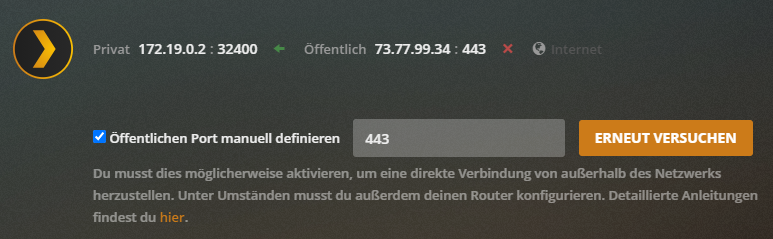
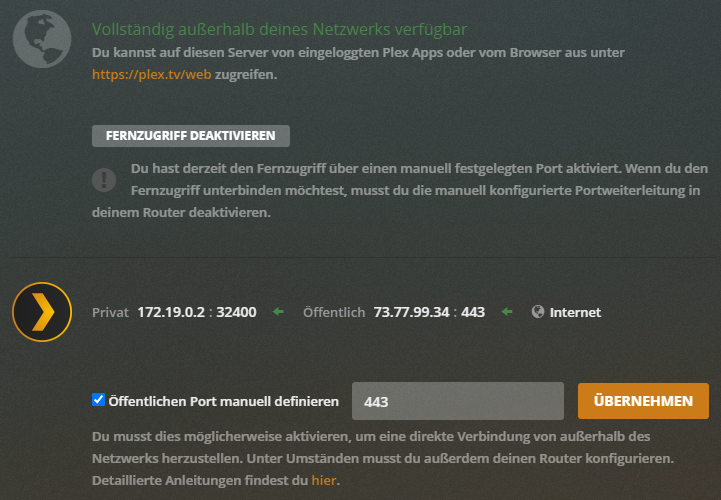
After massive testing I found the reason:
Plex isn’t checking the remote access through my domain https://plex.example.com/ as I would expect, instead it uses https://plex.tv/ which is strange as this domain should never resolve to my servers public IP.
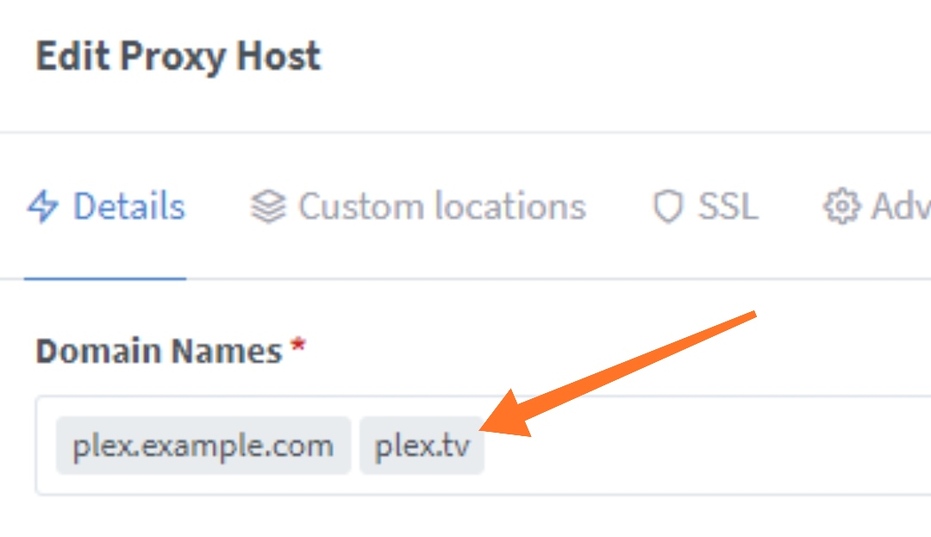
So I solved it by adding “plex.tv” to my reverse proxy (which by the way isn’t mentioned in any support article):
When Remote Access is enabled, Plex attempts to auto-discover and register your public IP address & an associated magic https://ip-ad-dr-es.plex.direct URL.
Independently, Plex will always register the Network → Custom server access URLs. (Note - it’s also possible that having SPACES in that field will cause problems. You might remove the space.)
Plex will always register any valid Network → Custom server access URLs. Even if Remote Access is disabled.
So, if you want only your Custom URLs to be used, and don’t want the automatically discovered Internet IP address (and *.plex.direct certificate) to be used, simply disable Remote Access → Disable Remote Access.
This is not relevant for the remote access in general as it’s working perfectly. It’s only relevant for the remote access test / status message displayed in the WebGUI. I could ignore it, but I want to make the devs aware of this (in my eyes) faulty remote test.