I understand now!
Thanks you so much for helping me figure this out. I’m getting my new HDD today and will reformat the server for a fresh setup. Hopefully now that I know what’s going on, I can do it better
I understand now!
Thanks you so much for helping me figure this out. I’m getting my new HDD today and will reformat the server for a fresh setup. Hopefully now that I know what’s going on, I can do it better
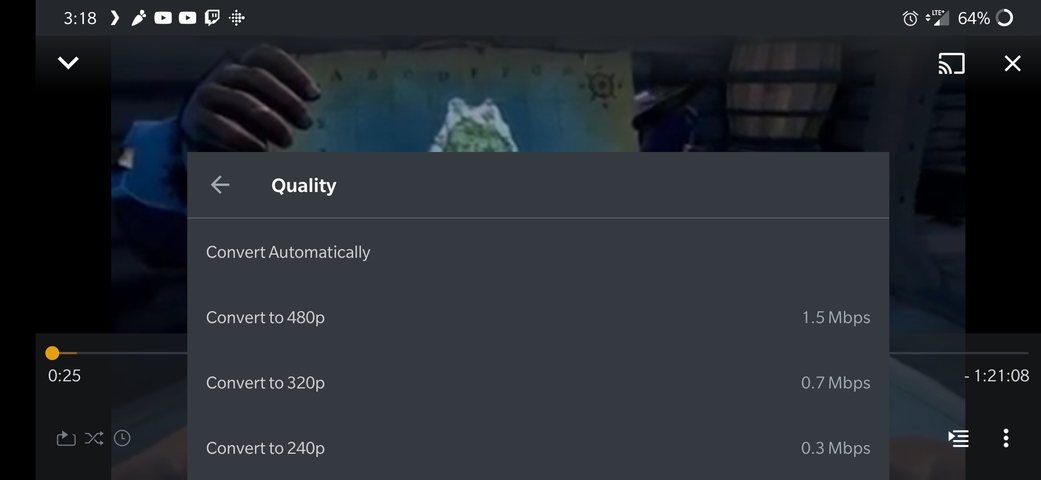
I just tried to watch something on my phone, but I didn’t have an option for original quality. Any ideas?
That’s a little vague. Can you provide a screenshot of what you do see?
Do you have the option enabled to “Limit cellular data” under Settings \ Quality? If so you will only see options up to that limit you’ve specified.
Let me take a look, but something is odd here. The video file has multiple audio tracks, and they are named, but in Plex, they aren’t named… Is this related?
If you re talking about audio track titles, I don’t believe the Android app displays those. Some apps are just starting to do that.
Do you have the option enabled to “Limit cellular data” under Settings \ Quality? If so you will only see options up to that limit you’ve specified.
I don’t have that option, but now I suddenly see the option for the Original quality.
I feel awful for bother you with all of this. I’m just going to leave this here. I’m going to setup the new Server, and test things out for a few days or weeks. If I have questions after that, I’ll post a new thread or something then. You have been so helpful, thank you!
What should I pick as a solution to help future people? It wasn’t a single reply that contains the solutions so I don’t know what to pick…
Now I’m beyond confused… I’m on wifi, trying to play this file at original quality and it still gets stuck buffering… Have I learned nothing?!
Just as a heads up, I had a friend test the system with the same browser I’m using, but he also didn’t have the option for “Show Original” 
If this is an issue with the app and you need help troubleshooting, let me know!
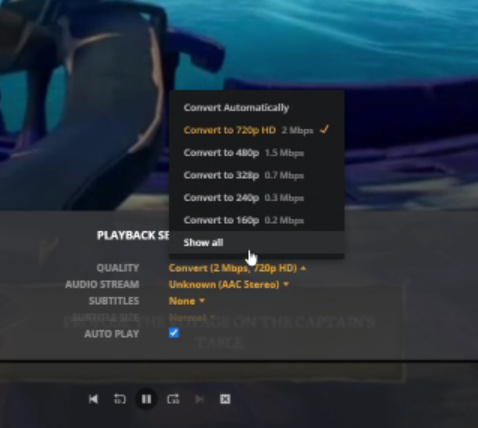
Any updates on why original quality doesn’t how up?
It sounds like you might be connected through an indirect connection. When remote access doesn’t work right, it uses Plex’s Relay system which limits connections to 2 Mbps for Plex Pass members and 1 Mbps for others.
I see! So what do I need to search or look into in order to solve this issue? How do I connect directly?
So, I had a friend help me test things out and I hope all of this information will help us get to the bottom of this issue, cause I’m really hoping to have some kind of streaming service setup with Plex 
When my friend tested Plex, this is what he saw under options when trying to play an optimized video - Imgur: The magic of the Internet
We tried both both the selected option and the max option, but both would still get stuck buffering.
We wanted to make sure this wasn’t a internet issue, so he ran a speed test - Imgur: The magic of the Internet
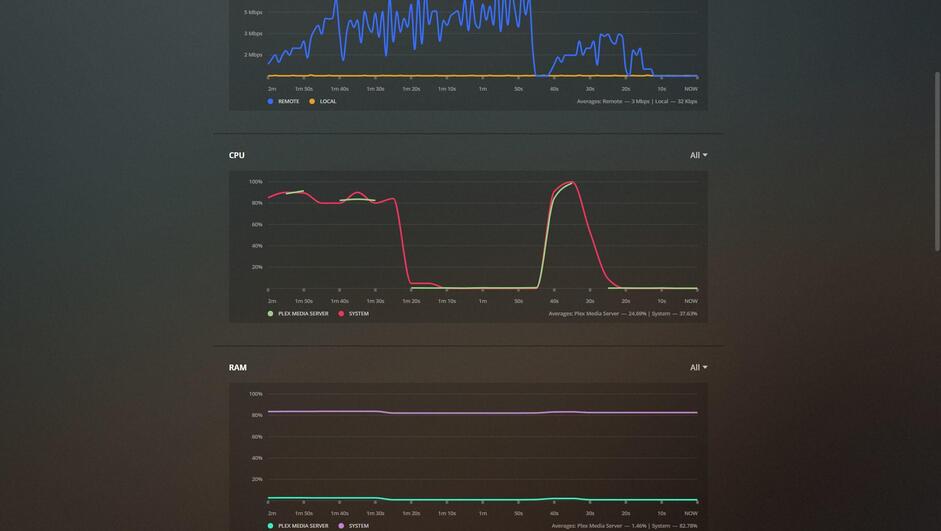
This is what the sever CPU usage looked like.
I really don’t want to keep bugging you, but I don’t know what to do anymore. I’m sorry and appreciate your help!
What is the bitrate of your original file? As mentioned before, if it’s one of those 80 Mbps ones, your computer isn’t capable of transcoding that to any level, the source is just too big.
What is the bitrate of your original file?
I thought the whole point of me optimizing the video before hand is so I wouldn’t need to worry about the originals video. I have 2 versions of this video; I have the original 20.8Mbps, and the optimized 10Mbps.

When my friend tested Plex, this is what he saw under options when trying to play an optimized video - https://i.imgur.com/BI9cSpg.png
We tried both both the selected option and the max option, but both would still get stuck buffering.
The above message refers to what happens when my friend tried playing the already pre-optimized video. No transcoding should have taken place during the playback if I understood our earlier messages correctly (if not, apologies!)
This is why I’m confused. The video was already pre-transcoded, but they still couldn’t see it without a lot of buffering hiccups. Any ideas? Any additional info you need that I can provide just let me know.
From the screenshot, it doesn’t look like your friend chose the optimized version. When you choose a version, the highest option you should see is the original. If he chose the optimized one, the highest possible would have been 10 Mbps.
It also looks like your friend has the option enabled to automatically adjust the quality. Plex cannot change from direct play (no conversion) to a transcode (lower bitrate) so it will start with at least a direct stream. Tell your friend to turn off the setting.
So, I remoted into my moms computer for this test.
I show her network speed at the start so you can see this isn’t a downstream issue. I then go through to show that the settings are setup the way you showed me.
Neither the optimized video, nor a different video at original quality worked. I honestly don’t know what is going on. Note that this is the same behavior on every machine that tried to watch so it can’t be that specific computer. Did I setup something incorrectly?
I’m really trying to give you as much info here, and appreciate you helping!!!
https://gfycat.com/ElectricHauntingAdouri
This is my upload speed here for reference,
I honestly don’t know what to do anymore 
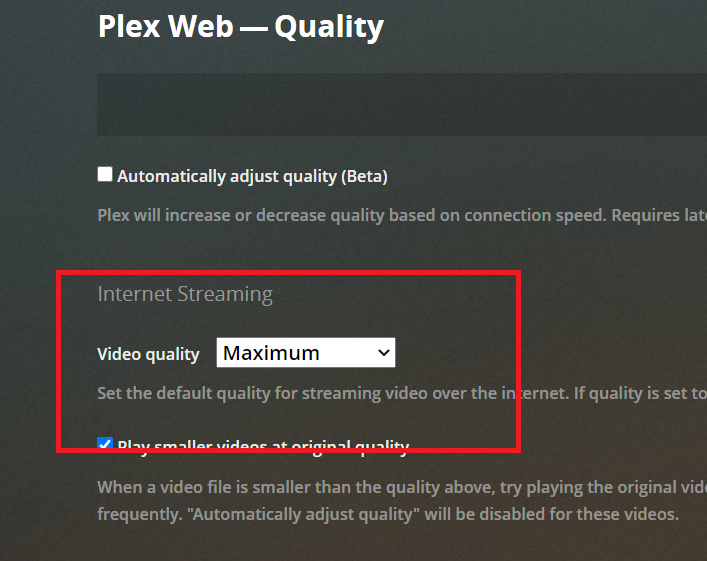
Ah sorry. When I posted the image above, I was just trying to show the one setting. You need to change that second setting.
This says what quality to playback the video at. Since you have it set to 2, it will force a transcode if the source is above 2. I believe your optimized versions are 10 Mbps, so this will trigger a transcode. Change this to Maximum like in my image.