I don’t subscribe to any streaming services, so it gets old to open an item on my watchlist and see multiple ways to watch it all of which require subscriptions. In my case it’s on my watchlist because it’s on my server library. There should be an option to hide these alternate viewing options. Maybe selectively pick from a list the ones you want (for those that do subscribe to one or more streamers)…or don’t want, whichever is easier to implement.
You mean like this? https://app.plex.tv/desktop/#!/settings/streaming-services
Then there is this section. https://app.plex.tv/desktop/#!/settings/online-media-sources
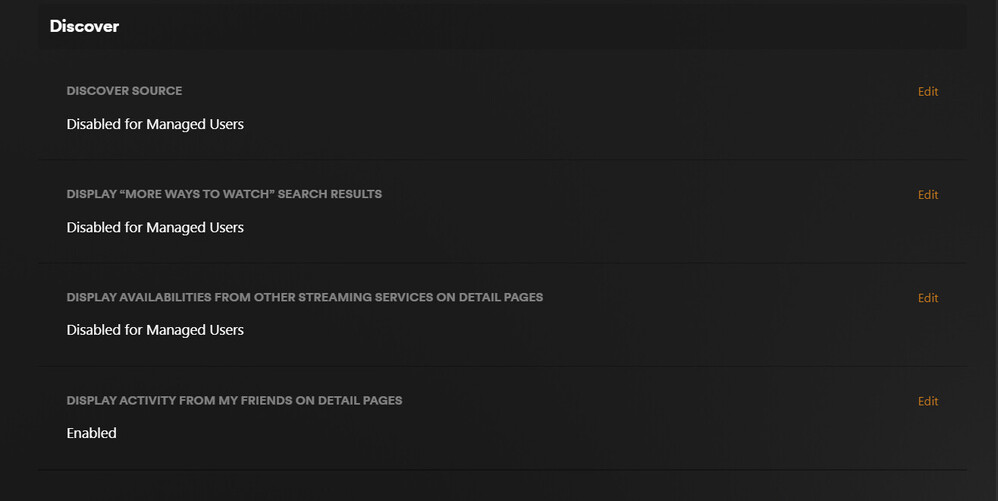
The second and third option might be of interest to you:
Thanks, I’ll have to check that out.
I disabled all items and nothing changed. I’m still being shown alternate means to watch shows. I only care about what’s on MY server/library. Nothing else. I realize I may be non-typical user, but I should be able to turn these off.
example 1: I’ve seen every episode that’s been released for 1923.

Example 2: I’ve watched one episode of Ken Burns’ “Country Music”. Per the watch list, I have no idea which episode that is. Poorly implemented in my opinion.
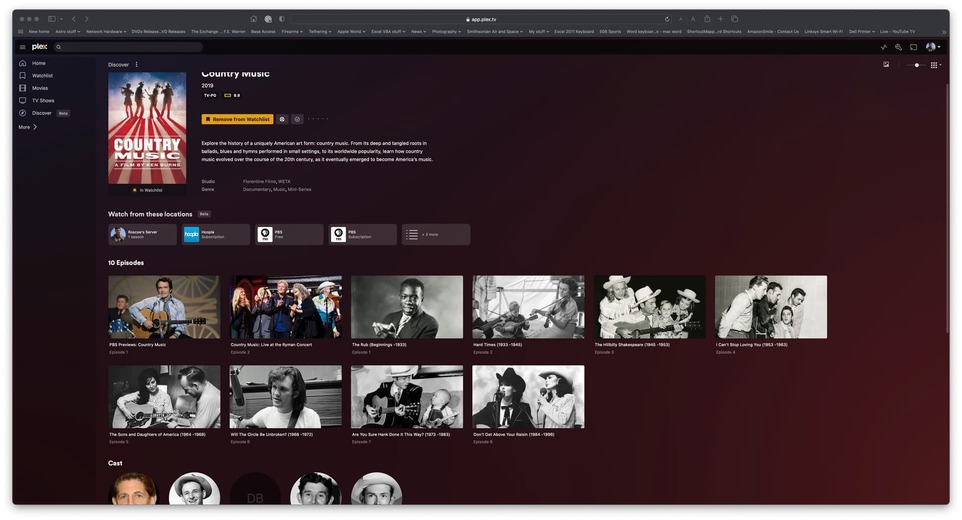
IN both cases, I’m being offered other (aka subscription means) of watching these. If they are on my server, why the heck would I care if there are other means to watch it?
I cannot reproduce this on my side.
Is the Discover option under Online Media Sources set to disabled as shown below:

I had everything set as ‘Disabled for Managed Users’…not sure how that differs from ‘Disabled’, but changing everything to the latter made them go away. Thanks.
That will only disable the features for Managed Accounts, not the admin account.
