The Plex Windows app (both desktop and HTPC) plays SDR content with a contrast bug on Windows 11 with HDR enabled. This is definitely a Plex problem, because the image is displayed correctly in both Windows Media Player Classic and VLC, for example. I’ve already tried all the options under “Transcoder” in Plex in all possible combinations, but nothing changes this behavior. In addition, the color of the image is severely distorted if you pause the video and then, for example, switch from full screen to window mode or vice versa. This problem is not new, but now it just annoys me because in some films you can hardly see anything anymore because all details get lost in dark scenes.
I have attached 4 screenshots of the same scene as an example. Image 1 Plex Desktop, Image 2 Plex Desktop after switching from full screen to window mode, Image 3 Media Player Classic, Image 4 VLC
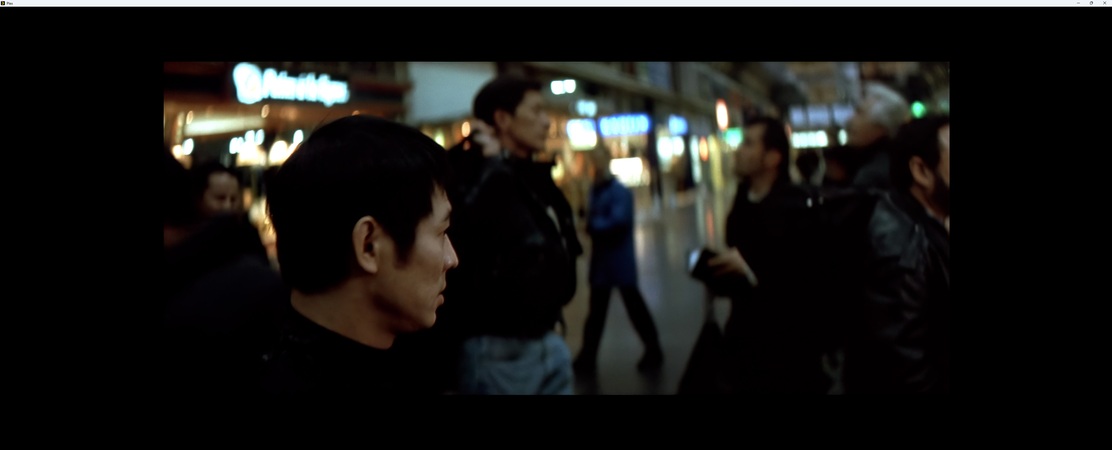
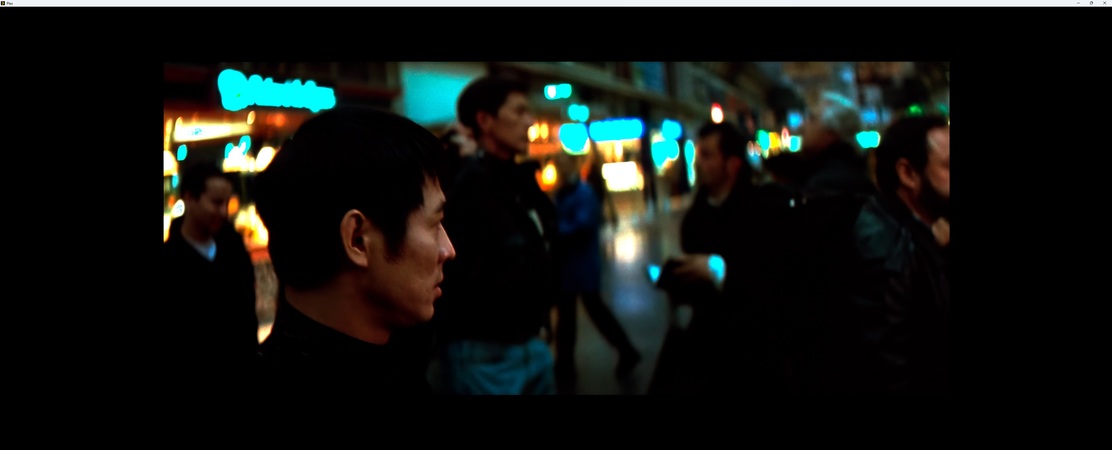
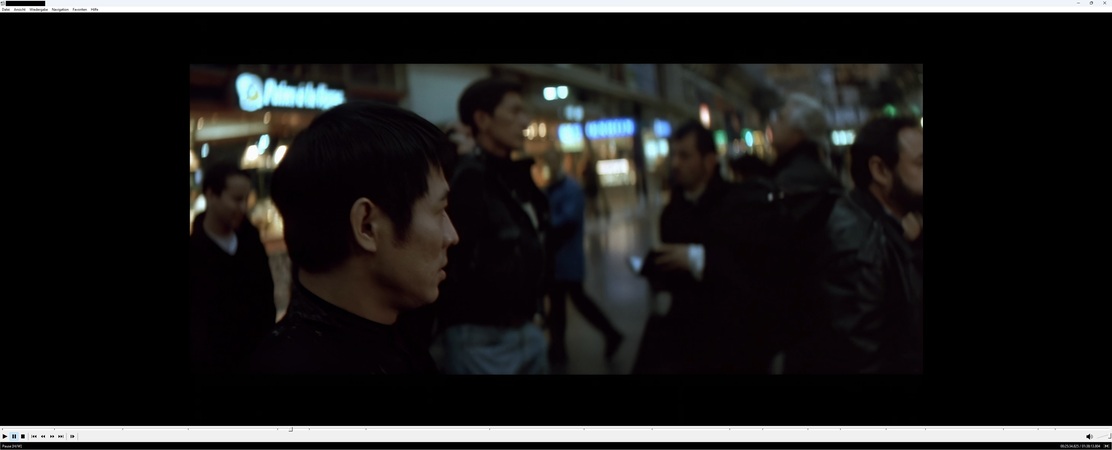
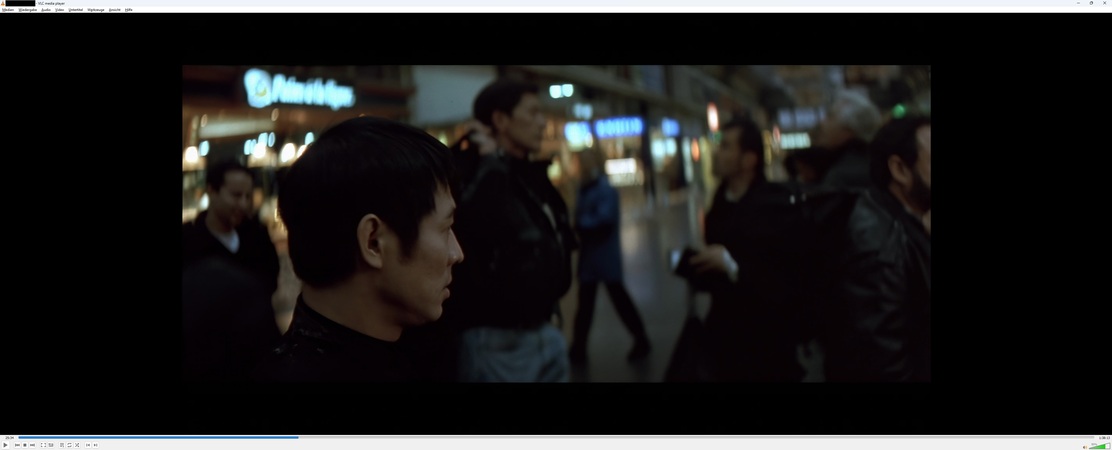
As you can see, all the details of the black jackets and the hair in the scene are gone in Plex.
Also noticeable is the completely outshined neon sign at the top left of the picture…
Why isn’t this bug fixed?
Server Version#: v.1.40.2.8395-c67dce28e
Player Version#: v.1.92.1.140-8e1f68f5
<If providing server logs please do NOT turn on verbose logging, only debug logging should be enabled>
