Hello everyone.
My server is getting up there in age and, along with my ever growing library, I am needing a new server with expanded storage capacity. I would really appreciate hearing what you all are using to host your plex server. My current server is a Dell XPS 8930 desktop with the following specs:
Intel(R) Core™ i7-8086K CPU @ 4.00GHz 4.01 GHz
32 GB RAM
NVIDIA GeForce GTX 1060 6GB
Windows 11 Pro 22H2
Storage is currently residing in a USB 3.0 attached Drobo (similar to Synology NAS). USB speed is causing playback lag. Playback is as expected for media stored on internal drives. Current library size is 18 TB and growing.
Would greatly appreciate any recommendations on new hardware and would love to hear your experience with what you are using.
Thank you!
I’m not sure your playback issues are a symptom of USB 3.0. That should be capable of over 600 mbps. I run some pretty high bit rate 4k files off an external drive sometimes with USB 2.0 with no problems
Have you tried replacing the cables or tested the health of those drives?
Hi @JaysPlex , Thanks for the suggestion. Cables are new and drives are showing as helathy. In the Drobo, I’m running 4 of these drives:
Seagate IronWolf 12TB NAS HDD – SATA 6Gb/s 7200 RPM 256MB Cache for RAID Network Attached Storage
The Raid configuration is proprietary, so not exactly sure how it works, but guessing its similar to RAID 6 since I can have dual failed drives.
When I’m experiencing playback lag, the task manager shows that drive activity at 100%, but CPU, memory, and NIC are all low utilization. I guess it could be something internal to the Drobo and the way it functions, but since I can stream media from internal drives without issue, I figured the problem was the USB bus and not the drives.
When you move files on and off the NAS does everything run at the expected speed?
I wouldn’t rule a USB problem out, but in my experience a USB doesn’t start to cause performance issues, it just doesn’t work at all
Your drives may very well be fine. Unfortunately, this kind of issue can be caused by several different things that might take some troubleshooting to figure out. A secondary source like a laptop might be helpful to connect to see if this is a NAS or computer issue
Have you checked for malware or tried to disable any antivirus programs? Things like firmware updates or drivers can cause weird problems like this too
Was your plan to replace the Drobo and just move those drives into a new larger enclosure like an 8 bay?
Your server specs seem more than capable
I would hate to see you spend a bunch of money upgrading that when your main necessity at this point is storage
Considering a new 8 bay with 4 more drives gives is painful enough
Thanks for the feedback @JaysPlex. I was thinking my server specs should have been capable. I’ve gone through the support articles checking transcode speeds and the numbers in the logs all looked really good.
All of my drives in the Drobo are
Seagate IronWolf 12TB NAS HDD – 3.5 Inch SATA 6Gb/s 7200 RPM 256MB Cache for RAID Network Attached Storage.
I would assume these drives in some type of RAID 6 configuration should provide enough read speed to not be the bottleneck, yet everytime I experience lag & buffering, it is the Drobo drive that is maxed out in Task Manager. My other thought is maybe the Drobo proprietary “RAID” array has enough overhead to cause the problem. Since Drobo recently declared bankruptcy and shut down the company, not really anyone I can go to or any upgrades I can get from them. At a minimum, I need to look at other storage options simply because the Drobo now cannot be replaced.
I have read a lot about other people using actual NAS devices rather than USB, so was considering somthing like a Synology NAS as an option, but if I understand correctly, the network connection to the Synology NAS would be slower than the USB connection to my current Drobo device. Plus, on the server side, the video has to be brought into the server for transcoding via the NIC, and then sent back out over the same NIC which I would think might cause some issues.
One option I considered was moving my server to a new case with enough space for the drives I need internally, but then I also need to deal with getting a RAID controller, configuring it, and making sure I understand which drive is which in case of failure. I also liked the idea of purchasing an actual server, maybe from Dell, that would support enough hot-swap drives have the RAID controller built-in so I could get support if needed, but that option is going to be $$$$$.
I don’t have a lot of space on internal drives, but the media I did put on them doesn’t seem to have the buffering issue, so my assumption was the USB connection to the Drobo wasn’t fast enough. My family gets pretty frustrated with the spooling issues. Seems like it can take over 2 hours sometimes to watch a 1 1/2 hour move. Not really sure the best path forward from here.
I really appreciate all your input! Do you ever experience these types of issues with your setup and how are you storing your media?
Just to validate that your current server specs are more than capable, my server is a home-built in 2015 machine with these specs below. It still runs flawlessly:
Intel Core i5-4590S 3Ghz
16 GB RAM
Windows 10 Pro 22H2
Boot volume: 128GB SSD (Patriot Torch SATA)
Media volume: Seagate st8000nm017b (8TB 7200 rpm SATA)
I have two servers. One runs directly on a 4 bay Asustor NAS (raid 5) and I have an identical one configured as a backup. The 2nd server runs on Windows but uses the same NAS as it’s storage. Everything is on Gigabit ethernet so even my high bitrate 4k files direct play
The Windows server has additional drives connected by USB 2.0 and 3.0 and I never see any problems with playback. The difference you’ll see is only in transfer speed when you move files
For me an actual server or rack is too expensive and I don’t have a great place for something that sounds like a ShopVac
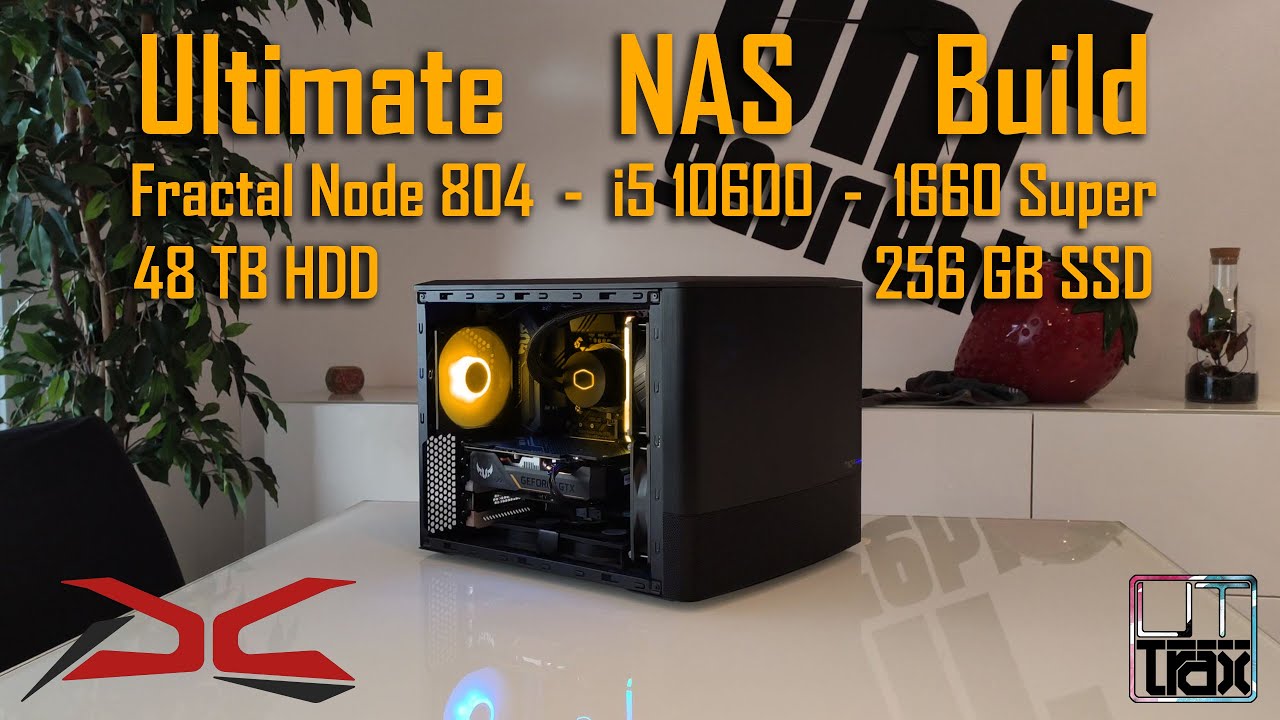
If I had to do it over again, I probably would have just built a 10 bay and ran something like TrueNAS or Unraid using a case like this
That’s just an overview. There are more in depth tutorials if you search YouTube “fractal 804 nas build”
It would have been cheaper and much more capable for things like transcoding moving from a Celeron J series in the Asustor to something like a 12th gen i7. You can get a 10gb PCI-E network card for under 100 bucks and a sata expansion card for under 50
Most tv’s and a lot of android players limit you at 100mbps. No matter what you use, the speed of your connections is not really a factor unless something is malfunctioning, which seems to be your case
Anything you decide to go with will probably clear up any of the problems you’re describing
Thank you @Lambville. I’m glad to confirm at least my server specs are really good. Appreciate the feedback!
Thanks for the details @JaysPlex! I’m not familiar with Asustor NAS yet, but since Drobo went bankrupt, I’m needing something else. I’ll check those out. I’m guessing they work really well since you are running 2 of them. Appreciate all your feedback & suggestions!