My Plex updated in the middle of the night last week, and when my computer restarted, my server could not be found anymore. However, a new server popped up. I had to create new media folders (ie. Movies, TV, Sports, etc) and tie them back to the correct HD and folders. The issue I’m having is with the loss of my old server, all the edits I made are now lost, along with updated posters, filing movie series in correct order, seen/unseen on the media on the “new” server. I really do not want to have to redo everything, so I’m hoping this is something you’ve recently seen and can help me fix.
I’ve even tried to use the Windows 11 time machine to go back to a previous versions, but it always fails due to a Plex file. I took a picture in case it helps.

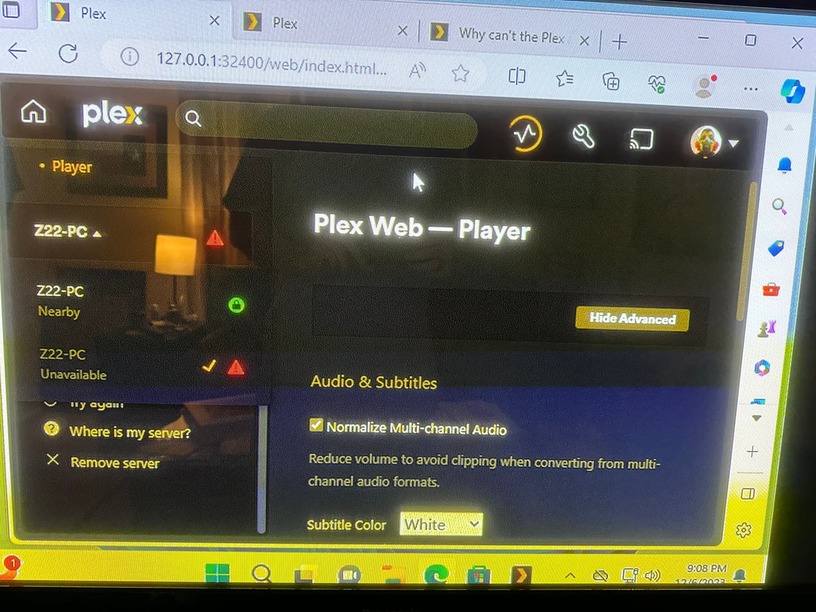
Do you have multiple windows user accounts on the PC that you use?
Do you run Plex Media Server as a service or scheduled task?
A server instance may have got created in a different windows account
Can you check the C:\Users\xxx\AppData\Local\ for all users for presence of a Plex Media Server folder
Also you can check registry HKEY_USERS and within each registry folder below it, check for presence of Software\Plex, Inc.\Plex Media Server
Thanks for the response sa2000.
When I went to check the users all looked normal, but I decided to show hidden files and sure enough one of the profiles is hidden. I added a picture and circled the user that was not present till I showed hidden folders. I have no clue how that happened or how to fix it.
Do you think this is why the server can’t be found because the user is hidden? Sorry if these are dumb questions. I know a bit about computers, but have never messed with anything like this.

I don’t think so
The issue is that you have 2 windows user accounts:
ttuz2
ttuz22
Go to windows settings and then select Accounts and see what accounts you have setup
Clicking on Other users will show you the other users
So basically you must have changed the default user account on windows you log into and the previous server is probably still available on the other account
If switching accounts in windows and you have used the wrong account to install Plex Media Server, then during install on the new windows user account, it will set auto launch on that account
I suggest you log out from the windows user account and then login into each of the two accounts
After you login to each:
- if Plex Media Server auto launches, then go to the task bar shortcuts, right click on the Plex Media Server icon and untick “Start Plex Media Server at Login”

and then right click again and select “Exit” to shut down Plex Media Server
Then log out from that windows account and then repeat the same for the 2nd windows account
After this - you can decide which windows user account you want to use and after logging into that windows account and manually starting Plex Media Server.exe then select the Plex Media Server icon in the task bar shortcuts and right click and tick “Start Plex Media Server at Login”
Make sure you do not use the other windows account to install / update or launch Plex Media Server.
Thank you again, I’ll try this out and see if it works.
In the meantime, here’s what I’ve figured out:
So both users are now active. However, the non-admin one I am able to open the Plex Media Server and the the Plex app, where as the admin user will only let me open the Plex Media Server, the Plex app has disappeared.
When I’m in the non-admin, it lets me open Plex remotely on other devices, however when I open Plex on the admin user, I cannot pull up my libraries on any of my devices.
Windows still won’t let me Recover to a previous version because it always fails to extract the PlexMediaServer.exe file. I get the same error no matter what restore point I use since that update.
I’ll try the other process you recommended tonight when I get home and let you know if that works.
Thanks again!!
So not sure if this is the issue or not, but I’m hoping it is.
When I go onto the secondary account, I can open both Plex apps and it’s sitting in the automatic launch tray. The new server pops up, the old one still shows as down.
When I go to my primary account, I can launch Plex, but when I try and launch the Plex Media Server, I get the error below. Also, it’s not in my launch tray. All this happened at the last automatic update. I’m hoping this is the problem and the solution is simple?
Also, IF I have to reinstall everything, where can I find the file(s) that store the server library data, like all the movies/tv shows in my library, any name changes, poster changes, etc?
Thank you again for all your help so far and patience.

I would suggest forgetting about system restore. The version that you were restoring is ancient and you would mot want to go back to it - it is 1.25.2.5319 a 2-year old version. So forget about restores and go forward with what you have
What you need to do is remove the new Plex Media Server instant that got created when you switched windows accounts - I do not know if this was deliberate (switching to a new windows account) or accidental.
The important bit first is to stop the Plex Media Server from auto launching on login on each of these 2 accounts so that you are in control on when it is run and under which windows account. I gave you steps on how to stop the auto launch for each of the 2 users
To get clues as to what has been running, I could look at your server logs from both user accounts.
Assuming you did not have the registry change to define a different Plex Media Server App Data area, then these are the two paths to look at for logs
C:\Users\ttuz2\AppData\Local\Plex Media Server\Logs
C:\Users\ttuz22\AppData\Local\Plex Media Server\Logs
In each of these folders copy out the files with names starting Plex Media Server and zip and let me have a look at them
So the files would
C:\Users\ttuz2\AppData\Local\Plex Media Server\Logs\Plex Media Server.log
C:\Users\ttuz2\AppData\Local\Plex Media Server\Logs\Plex Media Server.1.log
C:\Users\ttuz2\AppData\Local\Plex Media Server\Logs\Plex Media Server.2.log
C:\Users\ttuz2\AppData\Local\Plex Media Server\Logs\Plex Media Server.3.log
C:\Users\ttuz2\AppData\Local\Plex Media Server\Logs\Plex Media Server.4.log
C:\Users\ttuz2\AppData\Local\Plex Media Server\Logs\Plex Media Server.5.log

C:\Users\ttuz22\AppData\Local\Plex Media Server\Logs\Plex Media Server.log
C:\Users\ttuz22\AppData\Local\Plex Media Server\Logs\Plex Media Server.1.log
C:\Users\ttuz22\AppData\Local\Plex Media Server\Logs\Plex Media Server.2.log
C:\Users\ttuz22\AppData\Local\Plex Media Server\Logs\Plex Media Server.3.log
C:\Users\ttuz22\AppData\Local\Plex Media Server\Logs\Plex Media Server.4.log
C:\Users\ttuz22\AppData\Local\Plex Media Server\Logs\Plex Media Server.5.log
Are you intending to continue to have more than windows account on the PC?
Which user account is the one you prefer to run Plex Media Server under?
With more than windows account, you have to be very careful and ensure you never use the wrong windows account for launching Plex Media Server. And you should always check windows task manager to see if you accidentally did that and ended up with 2 processes of Plex Media Server.exe running
When attaching logs here, please do not attach as individual files but in a zip. Suggest one zip file for each of the 2 windows user accounts logs - so 2 zips to attach with the two sets of logs
Honestly I’d rather just go back to one user (ttuz2) and remove the guest and the other user that randomly was created. Also would like to go back to my original server on Plex, have no need for the second one.
I have sent you the Zip files you requested, hope they help and can give you some clues as to what I need to do to fix all this.
Thanks again.
So I read that the issues I was having was the same issues many were having, which was due to the database file being corrupted during an update. It said I needed to delete a file, restart the computer and it’ll fix the issues. Obviously that meant I’d loosed all my library data, but I tried it and it removed the second server and I’m back down to 1 again. And like I said, all the changes I made were gone, so I’m going back and fixing everything one at a time.
Is there a way to backup your data files in case something like this happens again?
Yes the issue on ttuz2 was a corrupt database
Dec 13, 2023 00:12:55.358 [13704] ERROR - SQLITE3:0x8aa1a89, 11, database corruption at line 91363 of [a29f994989]
Dec 13, 2023 00:12:55.358 [13704] ERROR - SQLITE3:0x8aa1a89, 11, statement aborts at 5: [update activities set finished_at=started_at where finished_at is null] database disk image is malformed
Dec 13, 2023 00:12:55.359 [13704] ERROR - Database corruption: sqlite3_statement_backend::loadOne: database disk image is malformed
and it may have been possible to repair following the instructions here Repair a Corrupted Database | Plex Support or restoring from a schedule task backup https://support.plex.tv/articles/202485658-restore-a-database-backed-up-via-scheduled-tasks/
Of course you must remove the app data and auto launch on login for the 2nd windows account TTUZ22 to avoid multiple instances of Plex Media Server running
Happy holidays!
Bummer, I guess I was too impatient. I’ll go ahead and remove the second user account today. However, now I have a new problem,
So I have everything working correctly and can use Plex in my house with no problems, but the remote access is currently not working. It’s clicked on manual port at 32400, and when I hit the retry button, it connects for a few seconds then disconnects, saying " Not available outside your network". Need to figure out how to get the remote working so myself and others can access the libraries remotely. There was no issues with this before the database corrupted, so I’m hoping it’s just a simple minor adjustment on my PC or in the Plex settings. I’ll be more patient this time, hopefully this will be an easy fix.
The icon showing green and then turning red is called in this forum opportunistic or optimistically (take your pick.) and is a wrong UX/UI design decision that Plex should fix because it’s not really connecting and disconnecting. It just shows green as a default before making a successful connection.
It would spare this forum from a lot of posts by frustrated users.
Can you check your router configuration -
- there is a DHCP Reservation for the computer local IP Address - currently appears to be 192.168.254.96
- there is a port forward setup in the router for public / WAN tcp port 32400 to be forwarded to local LAN port 32400 for 192.168.254.96
you can upload screenshot showing your port forward / dhcp reservation

Are these entry numbers in a table ? 74 and 29?
Get screenshot of your DHCP Reservation table, and screenshot of all your portforwards
and screenshot of the entry you are trying to add
