Server Version#: 4.100.1
Player Version#:
Hello, first-time Plex user, and I am trying to configure my Plex server for remote usage,
My home hardware is
ThinkCentre M93p
Windows 10 - 22H2
Seagate 4TB connected via USB
Wired connection to a Asus GT-AX6000
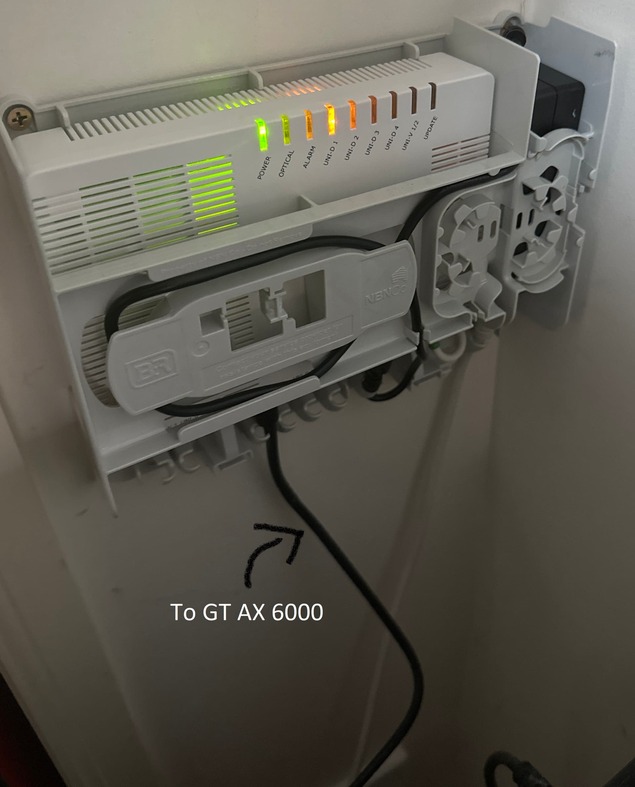
Asus GT-AX6000 Wired Ethernet to my Fibre receiver in the wall (I cannot locate a name or model number)
See pic
Steps I have followed:
UPnP enabled
Temporarily disable Microsoft Defender & Firewall
Assign the M93p ethernet port a static IP Via Windows:
192.168.XX.XXX
255.255.255.0
Local Default gateway
DNS1: 8.8.8.8
DNS2: 8.8.4.4
Forward ports via router:
192.168.50.XXX
Protocol: TCP
External Port: 32400
DHCP enabled on the AX-6000
AX-6000 Manually assigned IP to my M93p:
Mac Address: 44:xx:xx:xx:xx:xx
IP: 192.168.XX.XXX
Default DNS
Testing my IP + port 32400 results in:
Error: I could not see your service on 180.150.XX.XXX on port (32400)
The Remote Access tab on my Plex server shows Fully accessible.
When accessing the link via the IP & PORT the connection times out
When checking via https://canyouseeme.org/ - it cannot see via my IP and Port 32400
When accessing via https://app.plex.tv I am prompted that the service is connected via Plex Relay, and not a direct connection.
When I go to my routers Dashboard, it shows a different WAN IP of 100.109.xx.xx - could this be a CGNAT issue due to my fibre receiver and home modem conflicting?
I have purchased a static IP addon from my ISP and it should be enabled over the next 24 hours, is this necessary?
Many thanks to anyone who can point me in the right direction with troubleshooting.

