When I play mp4 encoded with HEVC, the screen is black. Obviously this codec is not supported. How come HEVC, providing stunning picture quality at such low bit rates is not supported ?
The following is what MediaInfo is showing for a 1h33mins movie:
Video
Format : V_MPEGH/ISO/HEVC
Codec ID : V_MPEGH/ISO/HEVC
Duration : 1h 33mn
Bit rate : 354 Kbps
Width : 1 280 pixels
Height : 720 pixels
Display aspect ratio : 16/9
Frame rate : 23.976 fps
Do you have the full technical details of the file (e.g. color space, codec details like encoding levels…).
You can get those from Mediainfo or the Get Info view inside Plex.
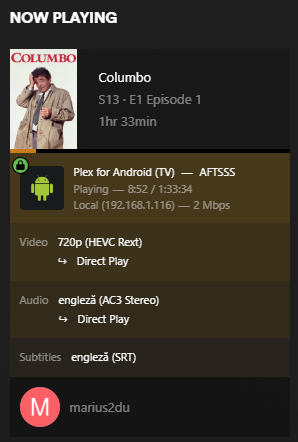
Looks like Plex is passing the video, audio and subtitles on to your tv as-is based on the configuration telling it the tv can play it.
General
Unique ID : 174691942796583466749063565579283035732 (0x836C71C211BC61EA164C6DBF42EF7654)
Complete name : C:\Users\marius2du\Downloads\Columbo.S13E01.1995.Strange.Bedfellows.720p.BluRay.mkv
Format : Matroska
Format version : Version 4 / Version 2
File size : 566 MiB
Duration : 1 h 33 min
Overall bit rate : 846 kb/s
Encoded date : UTC 2024-01-16 20:16:11
Writing application : mkvmerge v68.0.0 (‘The Curtain’) 32-bit
Writing library : libebml v1.4.2 + libmatroska v1.6.4
Audio
ID : 2
Format : AC-3
Format/Info : Audio Coding 3
Format settings, Endianness : Big
Codec ID : A_AC3
Duration : 1 h 33 min
Bit rate mode : Constant
Bit rate : 448 kb/s
Channel(s) : 2 channels
Channel positions : Front: L R
Sampling rate : 48.0 kHz
Frame rate : 31.250 FPS (1536 SPF)
Bit depth : 16 bits
Compression mode : Lossy
Stream size : 300 MiB (53%)
Language : English
Service kind : Complete Main
Default : Yes
Forced : No
Text
ID : 3
Format : UTF-8
Codec ID : S_TEXT/UTF8
Codec ID/Info : UTF-8 Plain Text
Duration : 1 h 31 min
Bit rate : 73 b/s
Count of elements : 1297
Stream size : 48.8 KiB (0%)
Language : English
Default : Yes
Forced : No
The clue might be in the last screenshot.
I have never seen the “HEVC Rext” codec description before. Apparently it is an extension to the regular HEVC specification to support different color subsampling and bit depths.
It is quite likely that the hardware decoder chippery of inexpensive playback devices has no support for these or was even never tested with such files.
Someone went a bit too fancy while encoding those files, and never verified if the result would play on anything else than a powerful computer.
I’ve seen this codec before. I can’t remember what it is I have that is using this codec unfortunately, and I didn’t have that specific extra notation in the filename so I can’t search it. Also I can’t use Plex’s own filters to find it. But I’m pretty sure the content I have that is Rext is still 4:2:0, and it played on my Shield Pro at least.
The 4:4:4 colorspace is likely the real issue.
The level is 3.1. That’s literally a measurement of processing/complexity for the video (and a low one at that). The playback device in this case is a Fire Stick. While the specific model of the Fire Stick is not mentioned if it didn’t support at least level 4.0 it would not be capable of playing Full HD (1080p) video. Since the issue is the device is playing the video as a black screen that means Plex is recognizing it as a Fire Stick that natively supports HEVC – so any model from 2016 onwards.
AFAIK, the levels of H.264 and H.265 are different and cannot be directly compared.
As I said: fine on a computer. The FireTV is an embedded system with way lower overall computing power than any PC. To even be able to decode video, it requires the help of specialised chips which are commonly known to have restrictions when it comes to the number of possible codec variations, levels, bitrates, etc.pp.
The Rext spec was only released after the general HEVC spec was released. So it is very possible that the chip in the FireTV does support the base spec, but not the extended spec.
The spec I am reading are Amazon’s specs for HEVC, from the link I provided.
Fire Stick - 3rd Gen (2020)
H.265 (HEVC). Hardware accelerated up to 1080p @ 60fps, 20 Mbps, Main 10 Profile Level 4.1, Color space 8-bit and 10-bit input with HDR10, HDR10+, and HLG.
Amusingly, the specs are similar enough they can be directly compared.
In both, level 3.1 tops out at 1280x720 at around 30 fps, and it’s necessary to use a decoder capable of meeting Level 4 performance to cover 1080p resolutions, which is why even the original (2014) Fire Stick supported h.264 @ Level 4.0.
A more interesting question is regarding why the Fire Stick is playing a black screen here.
I wish that sample on post 3 had not been taken down (or had been posted as a <30 sec clip to meet Fair Use rules). See, the Fire Stick can output 4:4:4 really, it’s in the settings. So now I wonder, if the Fire Stick were connected to a device capable of displaying 4:4:4, and set to that output mode in its settings, would we still get a black screen playing back that file?
We post samples to aid in troubleshooting often, not sure if there has been some change in policy around here. The most common problem is people who can’t figure out how to make short clips for samples, and instead post a link to the entire episode/movie they are having issues with.
Just make sure to load the sample into your Plex server and confirm it works (or doesn’t) as expected. Sometimes issues with media are caused by the method the file was originally created with, so people split or remux files and then the sample they post doesn’t have the issue.
This plays back for me, but it doesn’t direct play. It’s being played transcoded. No black screen at least. This is on a Fire Stick 4K MAX (2021). Client 10.7.0.5386.
It looks like I misremembered the display options in the Fire Stick, or they changed the labeling. Options are RGB and YCbCr. I’ve tried both. Also checked my Shield Pro and it’s playing transcoded there, too. The 4:4:4 color space is probably the reason I maintain.
Note: The Fire Stick is connected to a PC monitor, so 4:4:4 is supported on HDMI, but I think Plex is making the transcoding decision because of the color format.

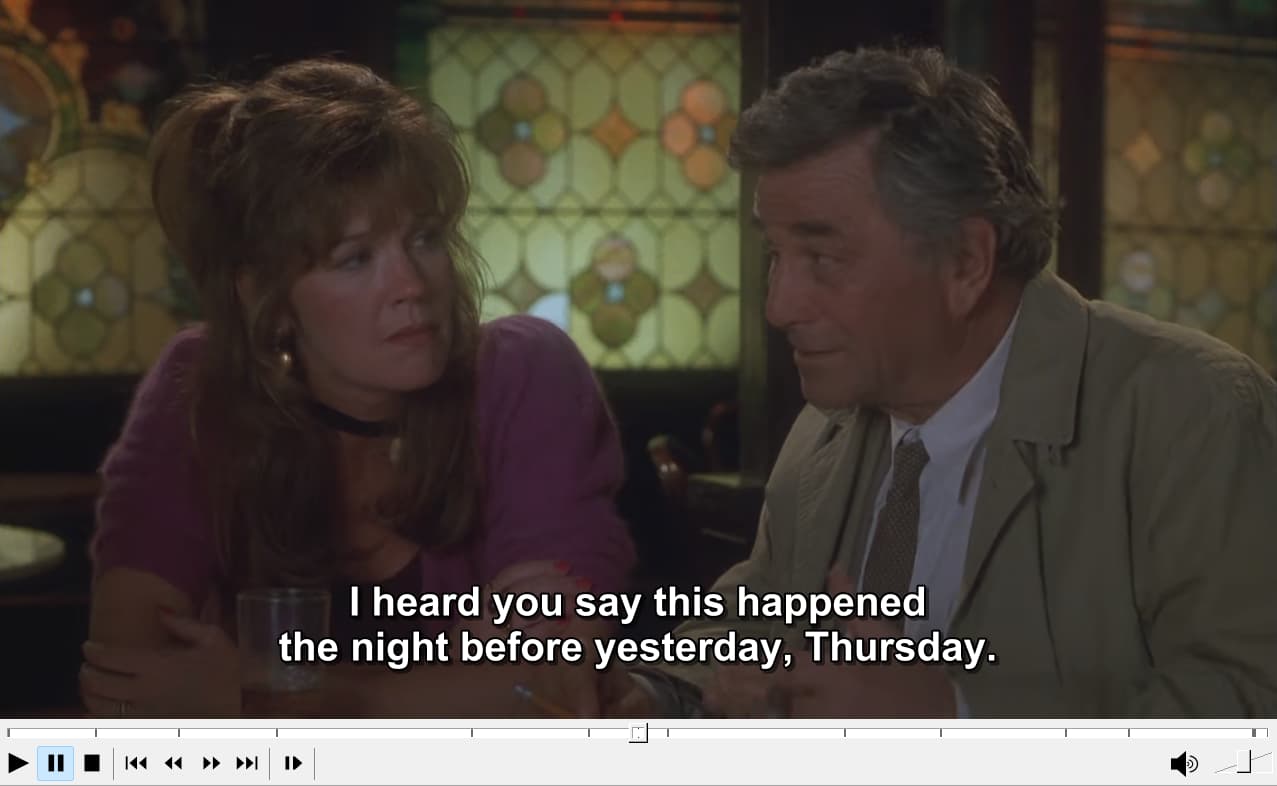
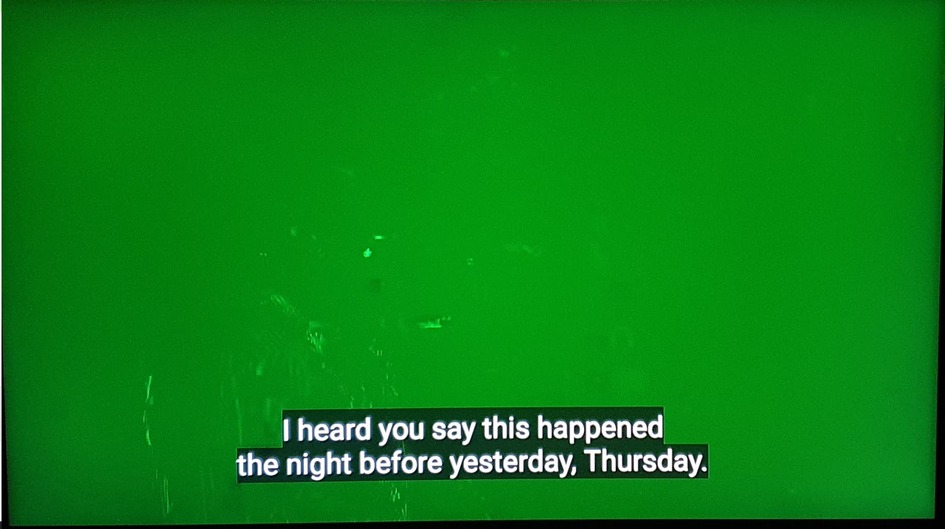


 The most common problem is people who can’t figure out how to make short clips for samples, and instead post a link to the entire episode/movie they are having issues with.
