Server Version#: 1.21.1.3876
Player Version#: 4.49.2
I noticed that Tautulli was reporting some odd numbers for an active stream so I did a bit of diging and something seems to be a little off

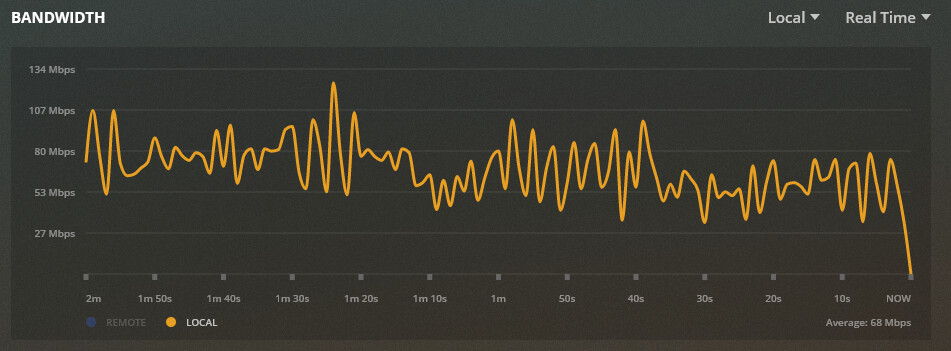
This file has a 67.2 Mbps bit rate, but Tautulli was reporting 141.1 Mbps Bandwidth (Estimate), but when I looked at my Plex server, it was reporting ~68 Mbps
I checked the /status/sessions XML (assuming this is what Tautulli reads?) and it’s showing the following
<Session id="" bandwidth="141219" location="lan"/>
For some reason, this is XML is constantly reporting the bandwidth as per above. It never updated or changed.
I then installed NetData to verify what the actual TX bandwidth was from my Plex box, this seems to match up with what the Plex Dashboard is reporting (~68 Mbps):

I don’t use Tautulli but the 141k is likely just the high end or the bit rate spikes for that file
So does the XML not update the bandwidth periodically? Seems odd that the dashboard reports realtime bandwidth usage but the XML would forever report a single value as this means that anything else that reads the XML (eg Tautulli) would not be showing accurate current bandwith.
AFAIK it is the max bandwidth reserved for that session. which will be the same thing i think you will see on the now playing block for it on the Plex dashboard.
I assume that i on the tautulli screen is a button, what does it say it is
Streaming brain is what reserves bandwidth for auto-quality adjusting if that kicks in on a transcode and keeping streams under the upload speed set in remote access settings.
It should be the same number you see here
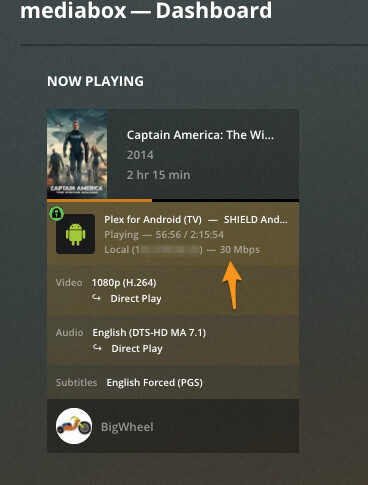
This is what I’m seing at the moment


Checked my dashboard today and something even more crazy is going on:
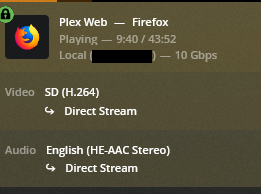
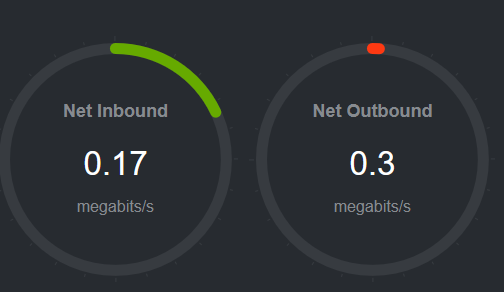
I have a 1GB NIC, so Plex reporting 10Gbps can’t be right, surely?
<Session id="84rs37t34bj9zymwm2b035qk" bandwidth="10000000" location="lan"/>
<TranscodeSession key="/transcode/sessions/5ke24qkk5re0f0j007dghmps" throttled="1" complete="0" progress="35.400001525878906" size="-22" speed="0" duration="2632491" context="streaming" sourceVideoCodec="h264" sourceAudioCodec="aac" videoDecision="copy" audioDecision="copy" protocol="hls" container="mpegts" videoCodec="h264" audioCodec="aac" audioChannels="2" transcodeHwRequested="1" transcodeHwFullPipeline="0" timeStamp="1610845268.4743743" maxOffsetAvailable="931.66399999999999" minOffsetAvailable="0"/>
Media Info:
Media

    Duration 43:52
    Bitrate 982 kbps
    Width 704
    Height 396
    Aspect Ratio 1.78
    Video Resolution SD
    Container MKV
    Video Frame Rate NTSC
    Audio Profile he-aac
    Video Profile high
That’s for live TV. Since a live stream cannot be analysed for its bandwidth in advance, the highest imaginable value is used.
But this wasn’t live TV, it was file on my NAS?
Maybe the in-depth analysis went wrong or the stream (s) inside are damaged.
Try remuxing the file, then force a new analysis.