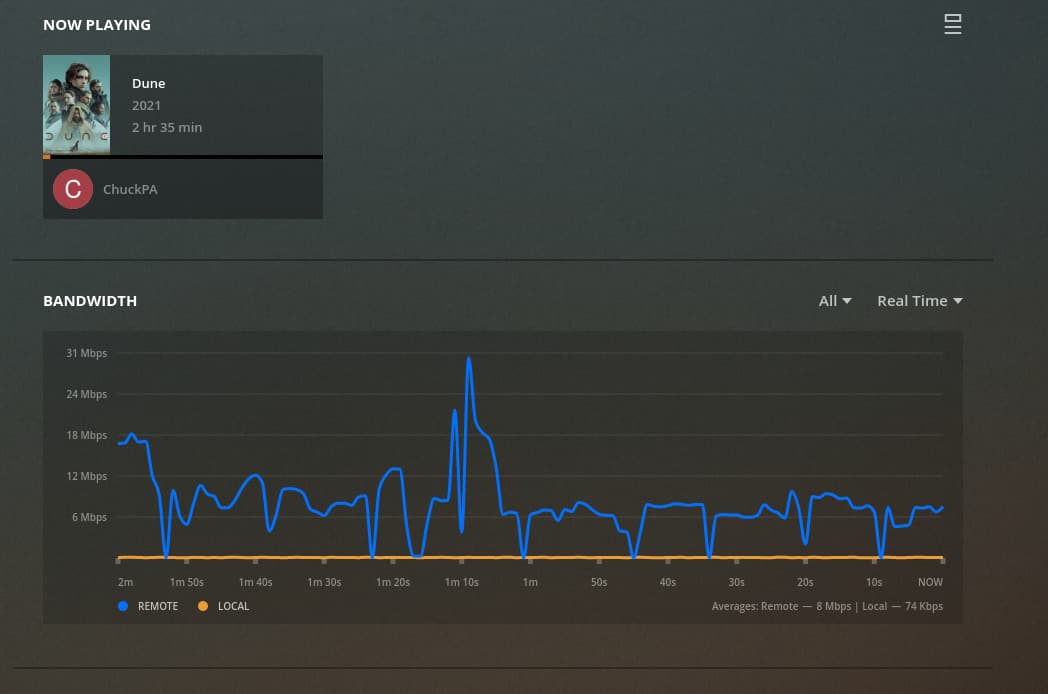
It seems to work perfectly on windows but when I try on my Samsung TV (wired or wireless it buffers) or my Samsung phone it will buffer. I have attached graphs below which show the network behaviour
Windows Plex Media Player- works perfectly
Samsung TV over wifi- regular buffers
Samsung TV over Ethernet- regular buffers
Samsung phone via 4g- works fine
Samsung phone via Wifi- regular buffers
I can only conclude there seems to be an issue with the way Plex is pulling the media when used on my Wifi on the apps but I cant understand. The link between my server and home network is the full 19mbps (this is what I get on my laptop when I stream or download.) Similarly when I download on plex app on android it links at 19mpbps
The same video works perfectly on Emby on Samsung TV
There also doesnt seem an option to increase cache on the Tizen app
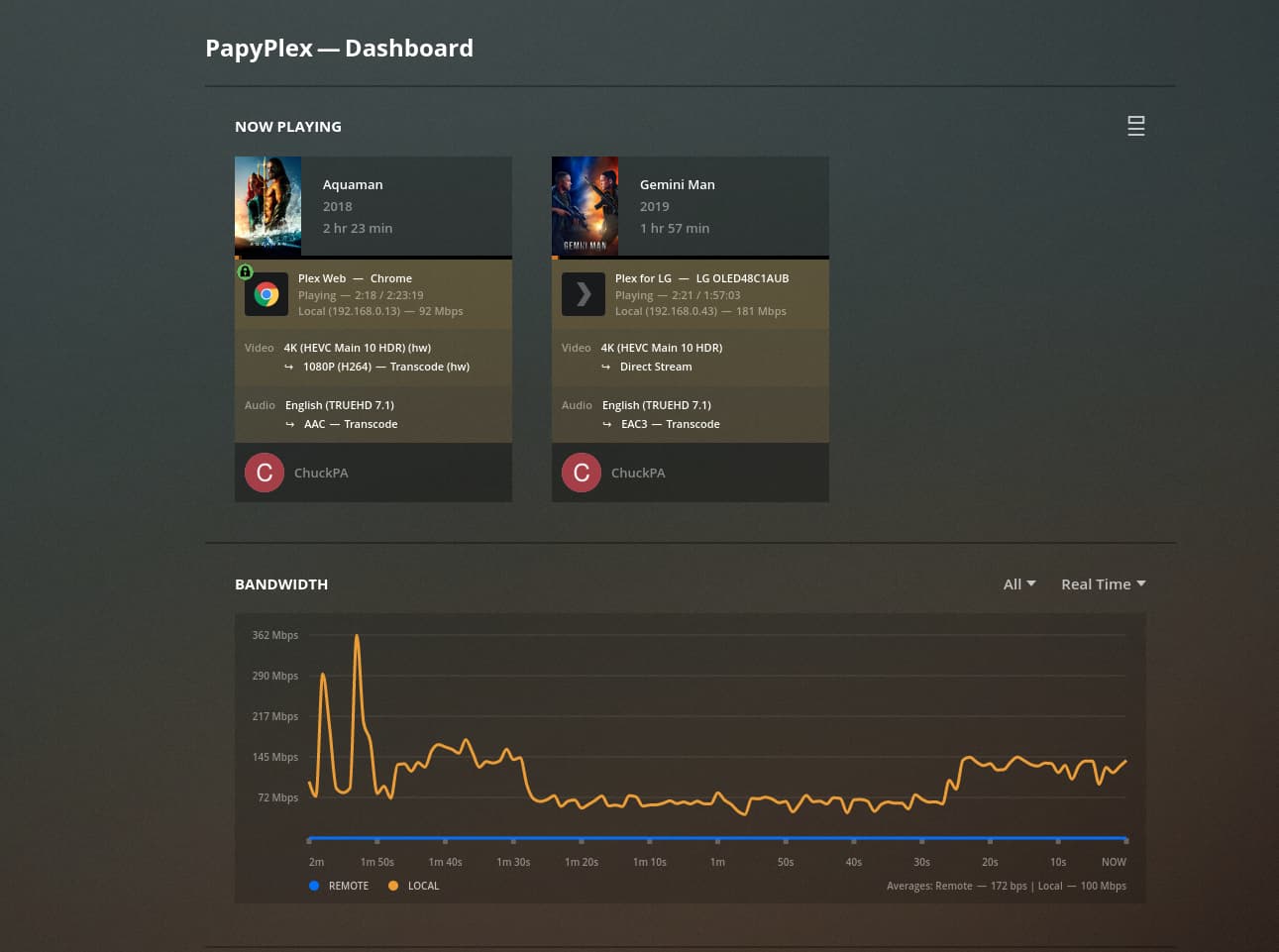
I don’t know if this is related, but both my LG TV app and Chromecast with Google TV seem to be capped at roughly 120 mbps regardless of interface for me. I have tested with a USB ethernet hub attachment including external power source, and on the TV’s built in ethernet, and on wireless (both 5GHZ and 2.4) and nothing could be pushed over 120. Conversely my wireless laptop and ethernet connected PC in addition to my smartphone can easily hit 700 mbps+ in the same room on the same content during the initial data download. For the vast majority of my content it didn’t cause any issues, but one or two 4k files I tried to stream locally on the Chromecast or TV app with bitrates over 100 mbps encountered occasional to frequent buffering. I never figured out a solution or cause, and nobody else was reporting similar issues, so I just ignored it.
Peak bandwidth usage is observed while the buffers fill.
Once full and running steady state, the app will ask for smaller blocks at the observed lower rate. This lower rate shows how much is actually being consumed in real time by the player.
The WiFi in use here is Netgear WAX218 WiFi6 wired at 2.5 Gbps.
The CPU in use is a NUC8-i7-HVK (i7-8809G)
I can now say, my issue is unrelated. Seems the wired link is only Fast Ethernet, and the 5G is broken on my samsung. It’s a limitation of my Samsung TV…
Seems Samsung can’t handle management frames from OpenWRT on 5G WIFI, I was able to stream at 200Mb/s using the recommended test files after that, so I doubt it’s really a Samsung app issue.