Server Version#: Debian Bullseye
Plex Server Version#: 4.14.0
I see the attached subtitles but they are not synced to the audio (and even the plot)
So I can read the subtitles even if there is no voice or talking
It happened suddenly without any changes in the server or client side
Neither the client side not the server side has sync with the subtitles.
When I see the video from my computer, shared with SMB protocol, with VLC player, the subtitles are synced, so the problem seems to be the plex server.
How can I fix it?
On all videos? Which client? Does it happen on all clients? What type of subtitles? Does it happen with all types of subtitles?
If you look at the plex media info of the affected video, does it show only one video file, or more than one?
Does the subtitle selector in the web app show just one subtitle, or are more than one subtitles offered?
Yes, all videos
I have client on my WebOS TV, version 10.24.0.2257 (c53b3e71)
it happens on most of videos, I can’t figure why in some cases the subtitles are synced (it’s not because the video has subrip.
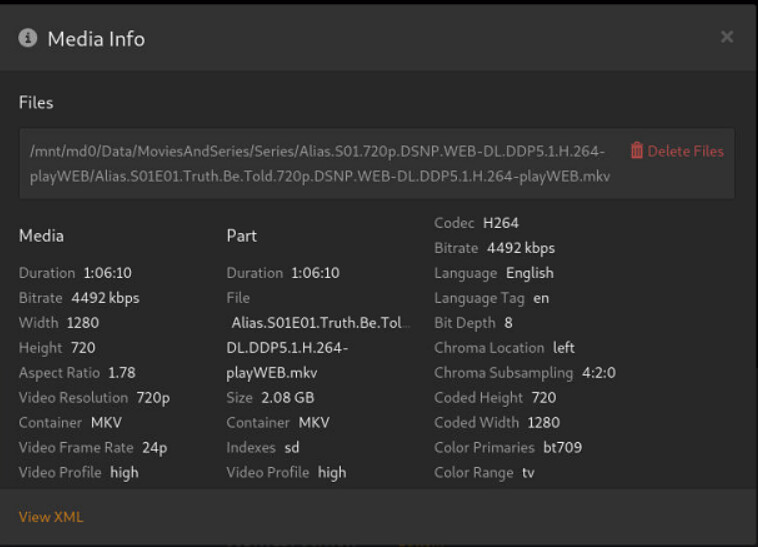
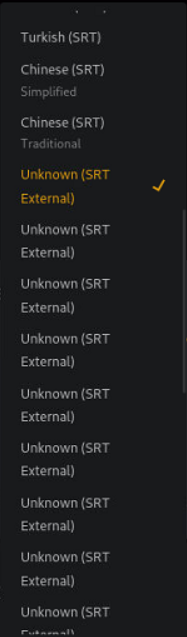
You are using one subfolder per episode. This case is not supported.
Because of this, you are probably getting offered the subtitles for every episode.
https://support.plex.tv/articles/naming-and-organizing-your-tv-show-files/

On second visit, I see that the only folder you have is one for the whole show.
The folder for the season is missing.
What do you mean by “The folder for the season is missing”?
The show is under the folder… and the folder is called “Alias.S01.720p.DSNP.WEB-DL.DDP5.1.H.264-playWEB”.
And I recheck the folders structure as your previous link offers and this is the structure I use.
So what am I missing?
No, you are not using it.
You are missing one folder level.
/Series <-- plex series library is pointed to this folder
   /Alias (2001) <-- "show" folder
      /Season 01 <-- "season" folder
         Alias - s01e01.mkv
         Alias - s01e02.mkv
         Alias - s01e03.mkv
         ...
Don’t omit the “season” folder level. Even if the show has only one season. This is very important when using external subtitles.
You might want to change the file name of your subtitles to indicate their language: https://support.plex.tv/articles/200471133-adding-local-subtitles-to-your-media/
