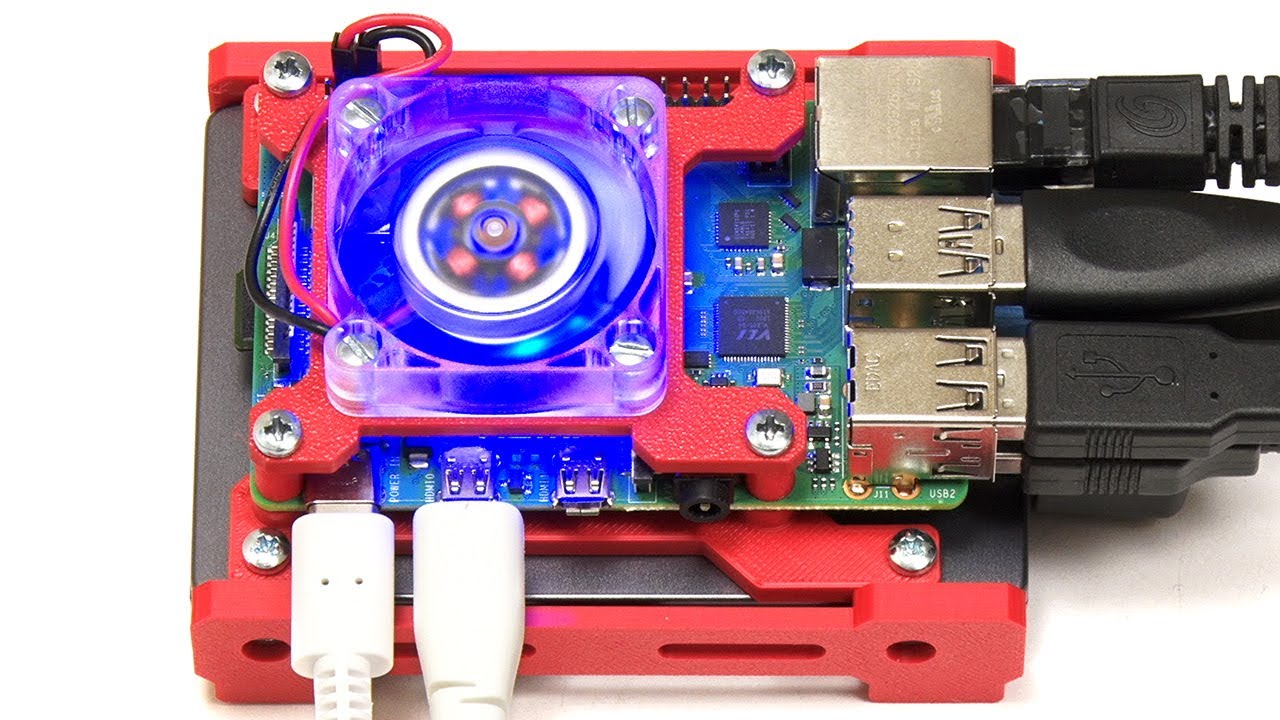
Switching from PC based server to Raspberry PI 4

Hello! Need clarification, recommendation and some pros and cons here.
The thing is as follows: after successfully trying out PLEX on my main PC I decided to build dedicated home-use NAS server from parts laying around. With Open Media Vault system + PLEX.
As for now it works really nice and - as a reference - it consists of:

  • standard ASUS motherboard
  • Intel core i5 CPU
  • 4 gigs of ram
  • 4 HDD (60gb SSD for system, 250gb for PLEX media, 2x 2TB in RAID for general NAS purpose)

My concerns are (and I know these are normal for PC platform obviously):

  • fans constant humming noise
  • power consumption
  • large package

So I got interested in the same thing but on raspberry PI.
As I’ve never before used raspberry PI, my question is:
Will Raspberry PI 4 performance be comparable to my current setup?
Please note that I’m using it for only one HD stream at a time.

Thanks for upcoming answers :slight_smile:

Hi, I’m brand new at this but here is my set-up:

Raspberry Pi 4 with 4GB RAM
16GB micro sd card
Rasperberry Pi OS (which is 32-bit, despite the Pi being 64-bit)
SanDisk 1TB SSD (USB3, plugs directly into one of the Pi USB3 ports - no additional power required, the Pi can power it just fine. Not sure if this would be the same for a spinning disc HDD, you’d have to experiment)
Did not use a wired connection as wifi seemed fast enough and all worked automatically, just had to select the SSID and enter the password.

Connected a monitor via microHDMI, a usb kbd and a usb mouse, then:

Installed Plex Server via numerous articles and YouTube vids - all very straight forward I must say.

Set up VNC on the Pi so it can be run “headless”, ie no monitor, kbd or mouse attached

Once happy all was OK, detached monitor, kbd & mouse and re-booted Pi in a location near to wifi point.

I’m, in the process of ripping DVDs to my PC (via WinXDVD which is not free, but does an excellent job - worth paying for as what the heck, it’s a fraction of the value of all the DVDs!)

Transferred ripped DVDs to Pi SSD via WinSCP https://winscp.net/eng/index.php

I also added most of my music library too.

The end result is that I can watch DVDs and listed to music on my phone, tablet, desktop PC and Macbook, all via wifi, without any hint of buffering. Also, any of these devices will cast to Goggle smart speakers (I’m listening to Thomas Tallis on a stereo pair of Home Minis as I write this - its great!)

So, you should have no trouble at all setting it all up, and the big advantage is being able to leave your Pi on 24/7.

If you install VirtualBox on your PC you can set up a virtual Raspberry Pi and do a dry run first to check everything works properly.

Good luck!

Thanks for tips. My primary desired functionality is NAS drive and I’m curious about Raspberry Pi OS role here. Is it base and necessary element of software?
I mean, now I have OMV as OS with NAS functionality, while PLEX is installed on it as add-on.
Do You think raspberry can be set up like that as well? Without Raspberry OS at all?
Meanwhile I’ll play around with VM.
As for HDDs, they could use additional power supply but my old Dlink NAS DNS320L used standard 12V 3A wall plug to power motherboard and 2 HDD. I’m sure it could handle 2 more with one of them being SSD.

Check this YouTube video out - 20Dec20 - so pretty up to date. Explains how to install OMV5 on a Raspberry Pi.

1 Like

Certainly not. You won’t be able to do anything which requires transcoding. And there is a lot of situations where you will require that.

RobF Thanks, I’ll certainly look into it.

Ok, and if I decide to go Raspberry Pi anyway - how do I know/ensure that played movies won’t require trascoding?

Making sure that every client device can Direct Play your files.
Which is pretty much impossible with some client types if you want subtitles and/or 4K.
If you want high quality, it may require you to invest more into client devices, to improve their compatiblity with the various higher-end media formats.
Or, if quality is not that much of a concern, it may require you to pre-transcode your files to the lowest common denominator in terms of quality. Particularly when you want to use remote access, where you cannot rely on the minimum available bandwidth.

When PLEX app is used on mine or my wife’s smartphone (both being very recent and capable models) and movie is casted from them to chromecast - what exactly is “client device” in this chain? PLEX app, smartphones or chromecast?

This topic was automatically closed 90 days after the last reply. New replies are no longer allowed.