Server Version#: 1.20.1.3252
Player Version#: 8.5.1.19778 (android - latest from play store)
Sync appears to convert a selected video, but then downloads the original version instead of the converted video.
To verify this, I have a video file that is 1.96GB in size with an original total bit rate of 35.4Mbs. I chose to sync this to my Galaxy S10 with the bitrate set to 480p@1.5Mbps. After initiating the sync, I watch my server convert it and begin transferring it to my phone. Once complete, the file on my phone is consuming… 2GB according to the plex app, wtf? It also plays at 1080p instead of 480p with wifi/data turned off completely so I know I’m playing from the phone and not from the server. Besides it says the “Source” is my phone so I know its playing from the phone.
I’ve deleted all offline content from the plex app on my phone multiple times and chosen different bitrates but the resulting file size and resolution is always the same regardless of the bitrate I choose when syncing.
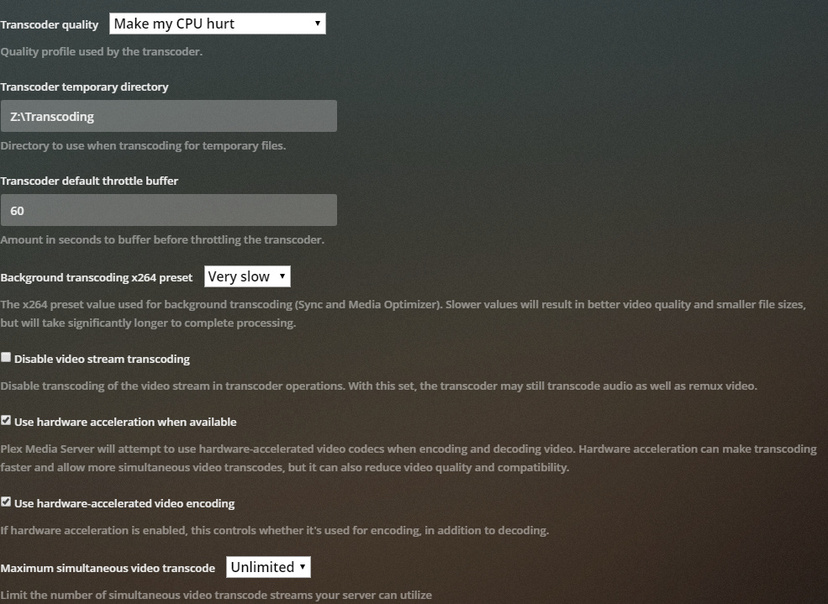
One interesting note is that I have my Transcoder temporary directory set to “Z:\Transcoding” which I’ve verified the server is using when its converting media on the fly, but the sync conversion doesn’t, and is instead writing to my C:%LocalAppData%\ folder, which doesn’t make since to me. This also is super annoying because my C drive is a small SSD that I want to avoid making large amounts of unnecessary writes to. So why is the transcoder using my custom temp directory for all situations but sync??
I’ve restarted the plex server several times with no change.
When creating a custom “Optimized version” of the same video from the web app with it set to 720p@1.5Mbps, the resulting file was 72.2MB, far from the 1.96GB of the original file. So I also know the server is capable of converting it with no problem whatsoever.