Server Version#: 1.23.1.4528
Player Version#: Not relevant 
OS: Debian Unstable but Debian Stable same version is about to be released.
I complained some time ago about apt errors when upgrading that required me to remove /var/lib/dpkg/info/plexmediaserver.postinst after each upgrade. Plex worked fine but apt threw errors - was told wontfix because development version of Debian and I understand that but I think I’ve found the issue.
Plex used to have a great article about using a systemd override to change some parameters like library location and I also used that systemd override to run PMS under my user account which I understand is not supported.
Could that be why PMS postinstall script is throwing apt errors?
cheers -
edit: Guess I should share the override
[Service]
Environment="PLEX_MEDIA_SERVER_APPLICATION_SUPPORT_DIR=/home/wizard/plex/Library/Application Support"
User=wizard
Group=wizard
Can you also share the errors it’s throwing so I can attempt to replicate ?
Sure - just reinstalled current beta version over itself. Removing the postinstall script after install makes the apt error go away
root@wizard-server:/nfs/fujitsu-home/temp# dpkg -i plexmediaserver*.deb
(Reading database ... 103609 files and directories currently installed.)
Preparing to unpack plexmediaserver_1.23.1.4528-c0513eb4c_amd64.deb ...
PlexMediaServer install: Pre-installation Validation.
PlexMediaServer install: Pre-installation Validation complete.
Unpacking plexmediaserver (1.23.1.4528-c0513eb4c) over (1.23.1.4528-c0513eb4c) ...
Setting up plexmediaserver (1.23.1.4528-c0513eb4c) ...
PlexMediaServer install: PlexMediaServer-1.23.1.4528-c0513eb4c - Installation starting.
PlexMediaServer install:
PlexMediaServer install: Now installing based on:
PlexMediaServer install:   Installation Type:   Update
PlexMediaServer install:   Process Control:     systemd
PlexMediaServer install:   Plex User:           wizard
PlexMediaServer install:   Plex Group:          wizard
PlexMediaServer install:   Video Group:         render
PlexMediaServer install:   Metadata Dir:        /home/wizard/plex/Library/Application Support
PlexMediaServer install:   Temp Directory:      /media/external/temp  (set in Preferences.xml)
PlexMediaServer install:   Lang Encoding:       en_US.UTF-8
PlexMediaServer install:   Config file used:    /etc/systemd/system/plexmediaserver.service.d/override.conf
PlexMediaServer install:   Intel i915 Hardware: Not found
PlexMediaServer install:   Nvidia GPU card:     Not Found
PlexMediaServer install:
PlexMediaServer install: Completing final configuration.
/usr/bin/mkdir: cannot create directory ‘/var/lib/plexmediaserver’: File exists
dpkg: error processing package plexmediaserver (--install):
 installed plexmediaserver package post-installation script subprocess returned error exit status 1
Processing triggers for mailcap (3.69) ...
Processing triggers for desktop-file-utils (0.26-1) ...
Errors were encountered while processing:
 plexmediaserver
root@wizard-server:/nfs/fujitsu-home/temp#
Thank you for that error report.
mkdir
User plex is required to exist even if not used. This provides a failsafe for when overrides fail.
useradd creates $HOME which is /var/lib/plexmediaserver for user plex.
The installer code does only the following after verifying user plex exists.
# If default directories aren't there,  create them (Presence always required, even if empty)
if [ ! -d "/var/lib/plexmediaserver/Library/Application Support" ]; then

  # Make the PMS directory
  mkdir -p "/var/lib/plexmediaserver/Library/Application Support/Plex Media Server"
  if [ $? -ne 0 ]; then
    Output "ERROR: Cannot create required directory '/var/lib/plexmediaserver/Library/Application Support/Plex Media Server' Error:  $?"
    Errors=$((Errors + 1))
    Fail=1
  fi

  # Set ownership of all to plex:plex
  chown -R plex:plex /var/lib/plexmediaserver
  if [ $? -ne 0 ]; then
    Output "ERROR: Cannot set ownership of '/var/lib/plexmediaserver' to user 'plex:plex'. Error:  $?"
    Errors=$((Errors + 1))
    Fail=1
  fi
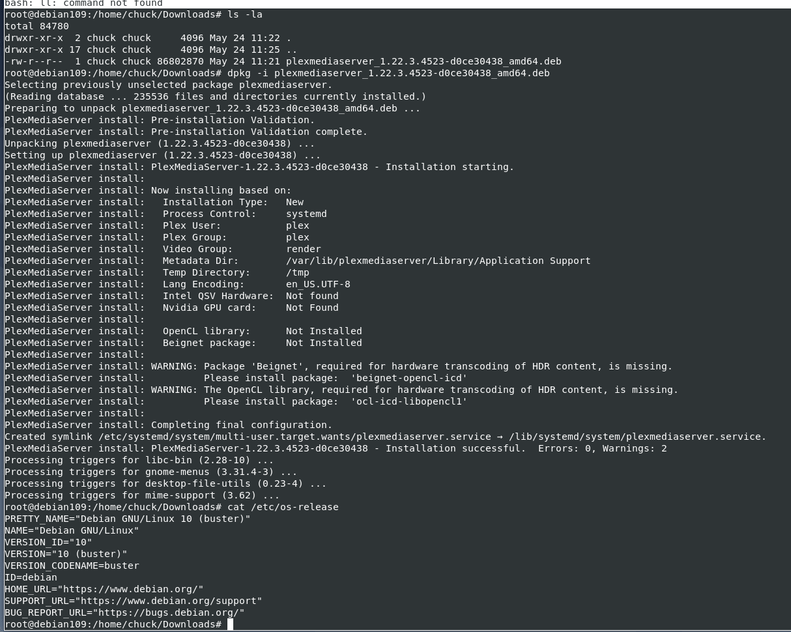
VM created
- Created Debian 10.10 VM
- Installed PMS (Public release)
-
Configured server
-
Installed override and upgraded
Please tell me what I’m missing.
I think we figured it out and it’s completely my fault. plex:plex exists but I had a broken symlink in place of /var/lib/plexmediaserver.
Removed the symlink, created the home directory and and made plex:plex owner.
Really sorry for wasting your time.
cheers -