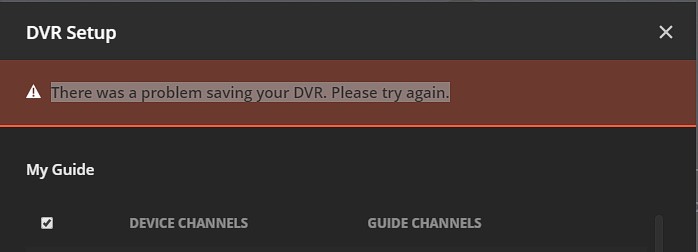
I am getting following error: “There was a problem saving your DVR. Please try again.” When trying to save Channel/XML mapping. Anyone have any clue on how to fix the issue?
Plex version: 1.18.7.2434-db2335ec5
EPG: Xteve xml file
I cannot see any errors in the server log at or near that time - the only error was the one due to the incorrect path earlier on at 14:35:03
All the requests relating to the DVR from the wan IP you were using completed without error and quickly - so no reason for any timeout errors
I wonder if you could enable browser dev console network logging and repeat the setup and send me the .har file together with a screenshot showing the error and time (together with logs as before).
Might also be of help to add Plex Web verbose logging
Settings / Web / Show Advanced / Debug / enable verbose logging / save changes
and then enable browser dev console network logging and select preserve log.
and do the test with the correct file path
get the screenshot of the error and exact time - and details as to at what point in the sequence
and then get the plex web verbose log
Settings / Web / Show Advanced / Debug / view log / select all and copy to text file and save
and then save all the browser dev console network logging into a .har file and send me by Private Message together with the Plex Web verbose log and the related server logs and screenshot
How many channels do you select from the xmltv file ? In my test I only selected 4 channels and there were no errors. If you send me list of selected channels, I will try and replicate
I am having the exact same problem. The PUT request is failing with a 400 error.
Let me know if there are any additional details I can provide to help solve this issue.
Yes please let me have debug server logs - might be worth setting verbose logging as well in Plex Media Server (remember to disable verbose after you get me the diagnostics)
and the Plex Web browser dev console network log (.har) - zip and send privately by message