Server Version#: Version 4.18.1
Player Version#:n/a
Please sort your captured/digitized date. Nothing is correct. What fields are you using. Follow Lightroom and you will be fine. P.S their Video capture date is crap and not correct sadly.
What are you going on about, timeline and capture date? It does not make any sense.
There is no server version 4.18.1 that must be a Player app of some sort.
Probably Photos and Videos. And yes, the dates are often off there, e.g. the infamous 01-01-1900 bug.
A fix is coming along for the 1 January 1900 issue for the Timeline. Hopefully it will be in the 1.18.6 release - I cannot at this point confirm this
Great. That will fix that one. However it is not also always using the correct date field in the files. Can you confirm what field it uses and if it is the same for all file formats. RAW, DNG , JPEG, HEIF etc
The fix corrects the timeline clusters that ended up with a 1900 date and also corrects the recent bug that introduced that regression.
This fix is planned for Plex Media Server 1.18.6. I suggest we wait for that to become available as beta and then you can update to it and if you have any residual issues, these can be specifically investigated
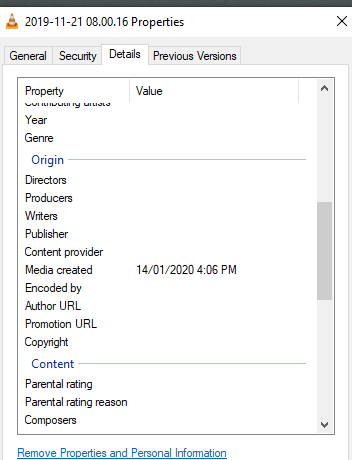
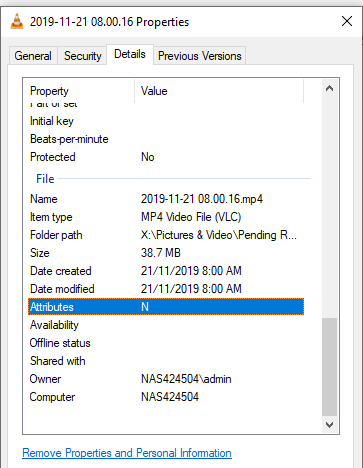
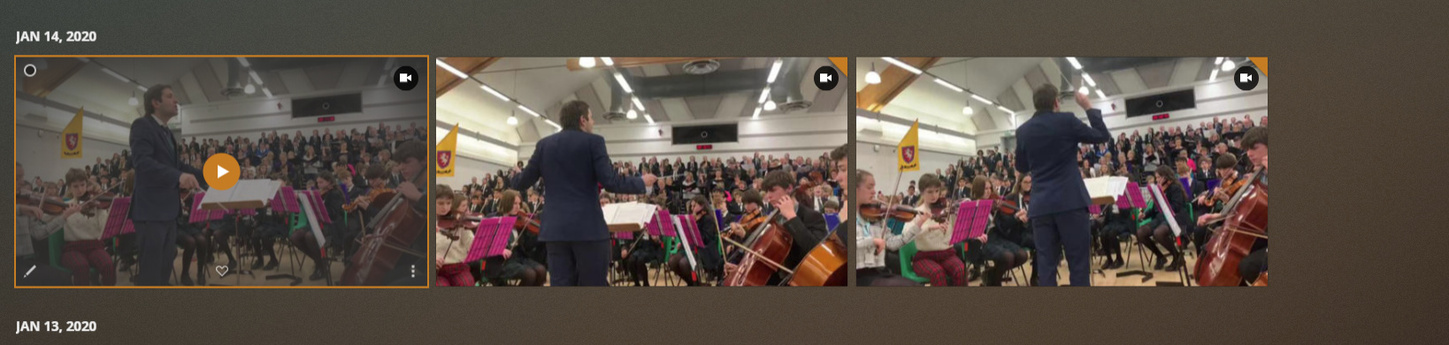
yes. I can confirm all fixed :0 now the next issue…
But to me that is the correct behavior. What one would want to see, is the date the picture was taken - not the date the file was created
@wooddar was this an edited image ? So the picture was actually taken on 21 November 2019 but somehow the media created date got altered later on 14 January 2020?
It was taken on 21 Nov 2019 so thats the correct date. Maybe Plex should allow you to filter on sort on different attributes. Created date vs last modified date. For me timeline for pictures and video is when the original file was created. Thats what Adobe Lightroom does.
can you tell me where and how the “media created” date became 14 January 2020?
Thanks. Not really sure how it got changed. Maybe google did it or Whats app which is were the file was saved from
I could suggest that we pick the oldest of Date Modified and Media Created.
I will discuss with the development team
I discussed this with the development team. It is thought that it may have been the same regression bug that brought in the 1900 dates. So need to wait for version 1.18.6 which fixes that bug. However, the automatic corrections that go with the bug fix, will only apply to the 1900 dates items - so after updating to 1.18.6, you will need to remove those photos with wrong dates from the library. rescan the library, empty trash and then add again and re-scan to correct the dates.
Plex Media Server 1.18.6.2348 is now out as beta
It has the fix for the photos timeline view displaying 1 Jan 1900 dates.
- (Photos) Some items may show under 1 Jan 1900 in the timeline view (#10917)
See release note for other changes
If issues remain please provide logs, screenshots, media info
I’m on PMS 1.18.8.2527 and am experiencing a similar bug in timeline view. A large number of photos are all grouped at the very bottom of the timeline view under the Jan 11, 2020 heading, sorted so it’s at the very bottom of the timeline. None of the photos show with thumbnail either.
Not sure if it’s related to this particular bug, but thought I’d ask. I’ve also started a thread with others reporting the same issue, but support appears to have stopped responding after more information was provided via DM.
Please advise.
I have replied to your post in the linked topic
