Server Version#: 1.29.1.6316 (docker on unRaid)
Player Version#: 1.55
Web Player Version#: 4.87.2
There appears to be a discrepancy between the web player in Plex-Windows and Plex-Web when it comes to subtitles downloaded using the “Search” function in plex.
In Plex Windows it is possible to search for additional subtitles when missing:
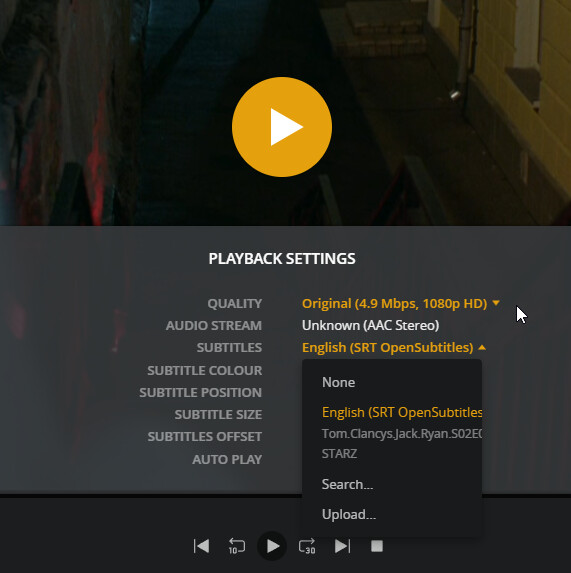
However after they are downloaded they do not appear to be selectable within the player either from the pre-play screen:
or within the playback controls screen:
however the same episode when played from Plex-Web does show the downloaded subtitles:
I almost think you have two versions,
- 9.4 Mbps EAC3
- 4.9 Mbps AAC
Unfortunately that m4v you pictured is not what I’m used to seeing either.
What’s the story with that if you think it’s relevant.
Thanks for pointing out the blindingly obvious! I had somehow missed that detail, and as a result was seeing very odd behaviour.
There is something odd going on that I requested Plex for Windows download the subtitles whilst I was watching the 9.4Mbps version, but once downloaded they appear to have associated ONLY with the 4.9Mbps version.
I can say this only seems to be a problem when you have multiple versions of a single file (which I’ve now sorted by deleting one of them).