I’m looking to do two things here with SQLite3 and the PLEX database:
- List all the Collections.
- List all the movies in each Collection.
Searching yielded zero forum/Internet results in regards to those two tasks. However, I found this wonderful forum post from Nov 2011 that had some hints:
HOWTO: query data from PLEX on a Mac
Kudos to SolarPlex for that excellent tutorial. Obviously, since he posted that 9 years ago, some things have likely changed.
So, it appears I first need to determine what library number my Movies are in.
sqlite> SELECT name,id FROM library_sections;
Which yields this:
name = Movies
id = 1
It was the first Library I created, so no surprise here.
Let’s look at the PLEX database Tables available for querying:
sqlite> .tables
sqlite> .tables
accounts metadata_item_accounts
blobs metadata_item_clusterings
cloudsync_files metadata_item_clusters
devices metadata_item_settings
directories metadata_item_views
external_metadata_items metadata_items
external_metadata_sources metadata_relations
There are lots more, but I’m interested in the metadata_items for the moment. So now I can see what Collections I have by running this:
sqlite> SELECT tags_collection FROM metadata_items WHERE library_section_id=1 ORDER BY tags_collection;
You see one line for every Movie in the Library, here is a tiny snippet of the output:
The Mummy
The Mummy
The Mummy
The Mummy
The Thing|Awesome Movie Remakes
The Thing|Awesome Movie Remakes
The Thing|The 10 Best 80s Sci-Fi Movies
The Top 10 Westerns of All Time
The Top 10 Westerns of All Time
The Top 10 Westerns of All Time
The Top 10 Westerns of All Time
The Top 10 Westerns of All Time
The Top 10 Westerns of All Time|The 73 best action movies of all time
The Top 10 Westerns of All Time|The 73 best action movies of all time
The Top 10 Westerns of All Time|The 73 best action movies of all time
The Top 10 Westerns of All Time|The Coolest Clint Eastwood Movies Ever
The Top 40 Sci-Fi Movies of the 21st Century
The Top 40 Sci-Fi Movies of the 21st Century
None of these Collections are IMDB related, nor is that turned on for ANY of my Libraries.
Note that each Movie in my Library can be:
- part of no Collection.
- part of just one Collection.
- part of two (or more) Collections.
You can see the pipe symbol in the above output delimiting multiple Collection names.
Some of my more popular Movies are in upwards of 7 Collections.
If I do this:
sqlite> SELECT tags_collection FROM metadata_items WHERE library_section_id=1 ORDER BY title;
The output shows Movies with no Collection (blank lines) too:
James Bond
The 32 Best Thriller Films Ever Made
The 50 Best Sci-Fi Movies Of The 2010’s
Old School Sci-Fi/Horror/Action
The 18 Greatest Spy Films Of All Time
The 25 Greatest Thrillers of All-Time2016 Top 20 Grossing Movies at the Domestic Box Office
Old School (Pre-2000) Movies|20 War Movies You Must See Before You Die
Not quite what I want, but we’re just poking around so far.
Now, let’s try looking for a single specific Collection:
sqlite> SELECT title,year,tags_collection FROM metadata_items WHERE library_section_id=1 AND tags_collection=“The 18 Greatest Spy Films Of All Time” ORDER BY title;
I also added the Title and Year to the output as well:
Bridge of Spies|2015|The 18 Greatest Spy Films Of All Time
Burn After Reading|2008|The 18 Greatest Spy Films Of All Time
Enemy of the State|1998|The 18 Greatest Spy Films Of All Time
No Way Out|1987|The 18 Greatest Spy Films Of All Time
Notorious|1946|The 18 Greatest Spy Films Of All Time
Spy Kids|2001|The 18 Greatest Spy Films Of All Time
The Ipcress File|1965|The 18 Greatest Spy Films Of All Time
The Lives of Others|2005|The 18 Greatest Spy Films Of All Time
Tinker Tailor Soldier Spy|2011|The 18 Greatest Spy Films Of All Time
Zero Dark Thirty|2012|The 18 Greatest Spy Films Of All Time
sqlite>
Great! Except that Collection actually has 18 Movies in it, not the 10 shown in the output above. Upon further poking around, I see that each of those Movies are in a single Collection. The one I am looking for though.
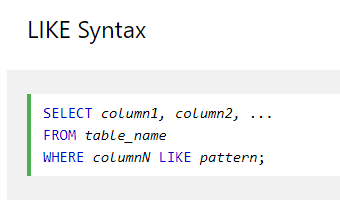
And why only 10? Likely because I used ‘=’ in the last SQL statement. Let’s change that to a LIKE instead:
SELECT title,year,tags_collection FROM metadata_items WHERE library_section_id=1 AND tags_collection LIKE ‘%The 18 Greatest Spy Films Of All Time%’ ORDER BY title;
Argo|2012|The 25 Greatest Thrillers of All-Time|The 18 Greatest Spy Films Of All Time
Bridge of Spies|2015|The 18 Greatest Spy Films Of All Time
Burn After Reading|2008|The 18 Greatest Spy Films Of All Time
Enemy of the State|1998|The 18 Greatest Spy Films Of All Time
No Way Out|1987|The 18 Greatest Spy Films Of All Time
North by Northwest|1959|The 18 Greatest Spy Films Of All Time|The 32 Best Thriller Films Ever Made
Notorious|1946|The 18 Greatest Spy Films Of All Time
Spy Kids|2001|The 18 Greatest Spy Films Of All Time
The 39 Steps|1935|The 73 best action movies of all time|The 18 Greatest Spy Films Of All Time
The Ipcress File|1965|The 18 Greatest Spy Films Of All Time
The Lives of Others|2005|The 18 Greatest Spy Films Of All Time
Three Days of the Condor|1975|Mom’s Favorites|The 18 Greatest Spy Films Of All Time
Tinker Tailor Soldier Spy|2011|The 18 Greatest Spy Films Of All Time
Zero Dark Thirty|2012|The 18 Greatest Spy Films Of All Time
sqlite>
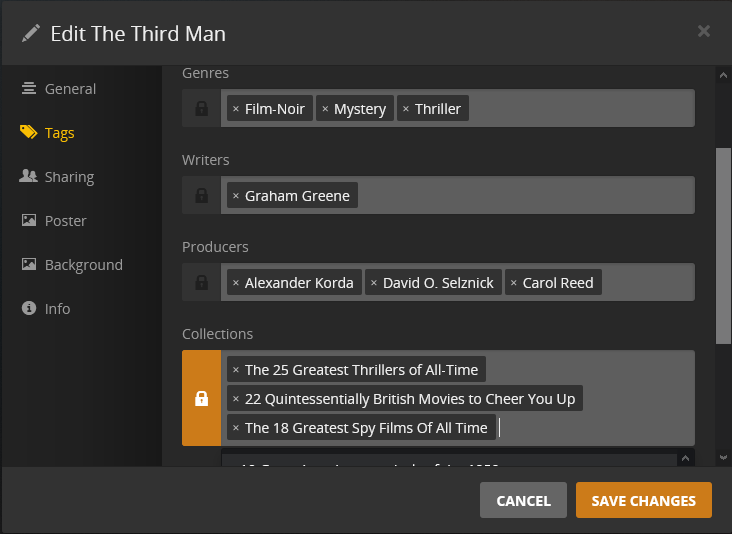
Now we are showing 14 of the 18 Movies. One more step forward. But why is it still missing four Movies? After further research, it seems the 4 Movies missing from the query results belong to 3 or more Collections, and the one I am querying for is not the first or second in the Collection list in each of the four Movies.
So the question is why is this not working.
I feel I am close to goal #2. Probably my lack of expert SQL knowledge OR PLEX has that info yet somewhere else.
Can anyone help?