Running Docker on synology NAS
symptoms are , new files not added to library or not detected.
Current work around is to copy the files out the source folder and then back into the folder and they are then detected.
enabled settings:
Plex Tv series and Plex Movie for scanner and Agent
Plex Media Server Logs_2023-05-24_13-37-02.zip (5.1 MB)
@t21drl_gmail.com
How many directories, in total, are used for media?
Asking because there is a default table size in DSM.
It’s an easy fix however you’ll need to reapply the table change after each DSM update (A PITA)
Here’s the How-To
Currently at 2791 folder and 5552 files
so i dont think thats the issue , only notice the issue on the last two releases
If everything is local on the Syno
It’s possibly a DB problem. I’ve seen a slightly damaged DB do strange things.
How good are you using Putty / SSH for a few commands on the Synology command line?
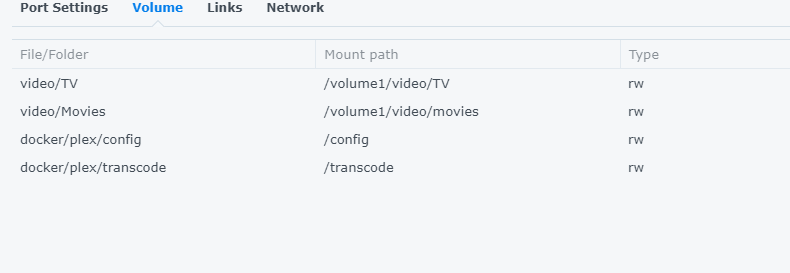
Sure I can SSH into the container, worth noting the database sits outside the container I have easy access to it
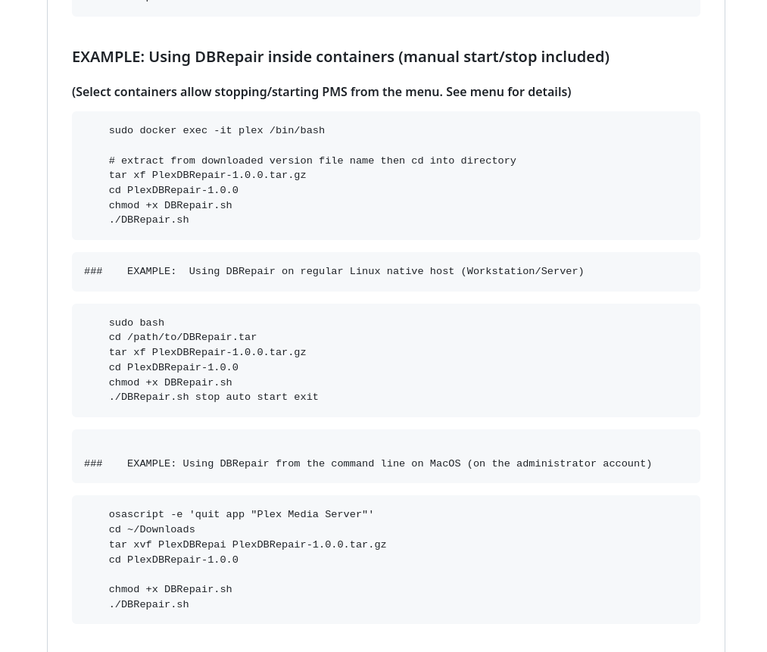
If PMS runs IN the container then you must run my tool IN the container.
Go through the README carefully.
Please ask before breaking stuff I will need help fix later (
so i couldnt get it to run , likely due to my SSH skills , i have attached the name of the container and where the database and dbrepair as located. Could you help with the command i need to run in putty ?
I have a recommendation:
Switch to the native app. Docker provides nothing the native app doesn’t.
Docker is harder to administer than the native app
As for the commands to use in your current configuration
Did you put the file in docker/plex/config ?
From the README.md, did you follow
If you decide to return to the native app, I’ll give you the commands for Task Scheduler so you don’t need to use Putty.
Happy to move back to the Native app , i only moved to Docker to transcoding issue a while back.
So i have installed the native app and updated to the latest version and copied the database folder.
What actions would be next ?
Please make certain DEBUG logging is on & VERBOSE is off.
Restart PMS
Let it sit for a few minutes (finish loading itself up)
Now make a scan files / whatever you do to recreate the problem.
After that, Download the logs ZIP file and attach here for me.
I suspect either:
inotify table is full
permissions nested down in subdirectories
still the same when running within the native synology app , no longer detecting changes or new files
Plex Media Server Logs_2023-06-03_13-41-24.zip (5.6 MB)
Would you mind doing the following please?
Restart PMS
Wait about 3 minutes for it to stabilize after startup
Download then attach another set of log files.
I’d like to verify what’s happening at startup (your current logs have rolled off the startup)
Did the logs help identify anything ?
sorry i didn’t reply sooner but yes.
Settings - Library - Show Advanced
Enable automatic scan
Enable partial scan
When you start PMS, the logs should show it setting up to monitor all the directories.
sorry i did have then enabled before , i have been trying different settings to see if that was the issue. I have enable them again and captured the logs after startup.Plex Media Server Logs_2023-06-08_14-09-01.zip (1.3 MB)
So still have a strange work around , move the files out of the TV or Movie directory for 5 minutes then copy them back and then Plx adds them to the library. However the first time they are added or if I do a library scan they are not added.
@ChuckPa did the second logs shoe anything ?
Do you want me to capture the logs during a first time copy to the directory and another after I copy them out and back in ?
@t21drl_gmail.com
Sorry for delay. I’m on restricted duty/medical for the next 12 weeks.
If you can capture the files being added the first time then that would be great
 lol )
lol )